
Easel.ly by @adambellow. 7 Tools for Collaboratively Creating Image Galleries. This morning I received an email from a reader who had taken a group on a tour of historic places in Boston and was looking for some suggestions for ways to create a collaborative image gallery.

Writing a response to that email got me thinking about some ways to collaboratively create image galleries. The following tools could be used by you and your students to create galleries of images captured while on a field trip. These tools could also be used to collaboratively create galleries of Creative Commons and Public Domain images. ZangZing is a free service for creating collaborative online photo albums. There are many services that allow you to do this now, but what makes ZangZing different is that you can pull in the photos you already have on other photo sharing sites. Flickr CC Attribution Helper for Greasemonkey. Script Summary: Generate attribution text for flickr creative commons photos so it is a one click operation to copy and another to paste where you need (web page, presentation, email) The new flickr redesign of March 2014 has broken the capabilities of this script for good.
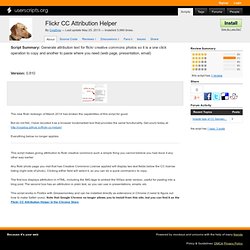
But do not fret, I have recoded it as a browser bookmarklet tool that provides the same functionality. Get yours today at Everything below no longer applies. Snap! 10 'Picture Perfect' Instagram Web Apps. Instagram has had a huge month or so.

First, it released its much anticipated Android app to rave reviews. Then, Facebook bought it for $1 billion. And just this week, Instagram passed the 50 million user mark. En fuego, no? Even though it is a mobile-based platform, there are occasions when you want to access Instagram content in different ways, especially via your PC / laptop. The slickest of the slick The three options that follow are perfect if you’d like to experience your own Instagram account on the web, complete with vanity URLs and follow functionality. With 7B Photos, Flickr Debuts New Speedy, HTML5 Image Uploader; Drag And Drop Interface, And More.
Yahoo’s photos sharing site, Flickr, has been steadily redesigning a number of components of its platform over the past few months, including editing (courtesy of Aviary), photo views and more.

And today, Flickr, which says it is home to more than 7 billion photos, is debuting a new, speedier, HTML5 photo uploader for images. With the HTML5 technology, Flickr’s uploader has a more robust experience, including drag and drop functionality. So instead of only being able to upload manually, you can add photos by dragging them into the browser. Yahoo will also show your thumbnail previews of photos, so you can manage and reorder photos before they hit your photostream. And you can zoom, rotate or sort your photos by title within the uploader itself, as opposed to within the photostream. Flickr says it will also upload metadata from other photo experiences (i.e. iPhoto) during the upload process, pulling in titles, photos, and tags. Batch Download Pictures for School Projects.
We use digital pictures everyday in the classroom.

From teacher made instructional materials, to student projects, digital pictures are a must. Most students and educators get their digital image fix from Google Images. The problem with this method is copyright. While you can take the extra step and complete an advanced Google image search (see the last setting) and have it only return images that are prelicenced for reuse, few actually do this. Either way, you still can only download those images one at a time. What if a tool exised that let BATCH DOWNLOAD whole collections of copyright friendly images from the webs largest image repositories. Here are two to get you started Flickr 1. Google Picasa Web Albums 1. *When the results return, modify them to display only Creative Commons licensed content. 2.
Please use your new knowledge for the powers of good. I see these types of tools to used only by the teacher in preparation for digital project. PicMonkey is Like Instagram on the Web. Earlier this morning I was asked for a list of alternatives to Picnik for editing and adding effects to photos.

I had this list handy, but I have another good photo editor to add to the list. I learned about PicMonkey from one of Jim Sill's Tweets last week and I finally gave it a try this morning. My initial impression is that it is a lot like Instagram except that it functions on the web instead of as an Android or iOS app. To get started using PicMonkey you can upload an image by simply dragging it from your desktop to the PicMonkey editor. From there you can change things like saturation, contrast, size, and sharpness. Applications for EducationPicMonkey doesn't require any kind of registration in order to use all of the photo editing tools. Instaport: Download All Your Instagram Photos Or Port Them To Facebook Or Flickr. Instagram is a highly popular image sharing service used by iOS device owners.

The service lets you quickly upload and share the image you take with your handheld device. But once the images are uploaded to Instagram, you do not get easy options to download them to your computer or export them to your other networking accounts.