
[Freebie] Web GUI Kit (PSD) To continue our grateful thanks to our readers and community in general, we are glad to release a very useful freebie – Web Graphical User Interface (GUI) Kit. These GUI elements come in layered vector shapes which mean that you can easily re-size the elements without losing quality. The GUI kit is designed by GraphicsFuel.com exclusively for Hongkiat readers, and is delivered in Photoshop (PSD) formats. The GUI kit is free and you can download, edit and use it for your individual or commercial projects. You should not host the downloaded source file on your server and redistribute them as your own either in part or whole. If you like the icons, do consider sharing it with a retweet or a Facebook like :-) Hope you enjoy this icon set! Download Download "Web GUI Kit" (PSD) More! We’ve got more icons, PSDs, templates and other stuff you can download.
Author: Hongkiat.com. 20 Excellent Examples of Forms in Web Design. As we can find on Wikipedia, “Form refers to the shape, visual appearance, or configuration of an object.”
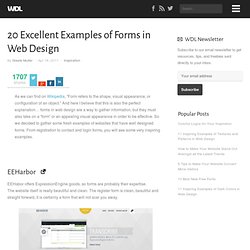
And here I believe that this is also the perfect explanation… forms in web design are a way to gather information, but they must also take on a “form” or an appealing visual appearance in order to be effective. So we decided to gather some fresh examples of websites that have well designed forms. From registration to contact and login forms, you will see some very inspiring examples.
EEHarbor EEHabor offers ExpressionEngine goods, so forms are probably their expertise. Contrast Contrast is a web apps developer. SVN2FTP is a hosted source control system. Ally Creative Ally Creative is a small creative company. Think Vitamin Membership Think Vitamin is a nice place to watch videos to learn web design and development.
Scribble & Tweak A beautiful and neat single page layout that holds a nice and easy contact form. Barnt & Arnst The Bullitt Agency Atlason Major Tom Blind Pig Design 37 East Soapbox. FAQ Pages: Best Practices and Examples. Jun 24 2010 FAQ pages are a vital part of many websites.
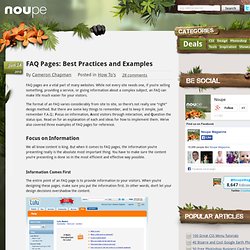
While not every site needs one, if you’re selling something, providing a service, or giving information about a complex subject, an FAQ can make life much easier for your visitors. The format of an FAQ varies considerably from site to site, so there’s not really one “right” design method. But there are some key things to remember, and to keep it simple, just remember F.A.Q.: Focus on information, Assist visitors through interaction, and Question the status quo. Read on for an explanation of each and ideas for how to implement them. Focus on Information We all know content is king. Information Comes First The entire point of an FAQ page is to provide information to your visitors. The Lulu website offers a straight-forward, content-focused design for their FAQ pages. Avoid flashy designs, gimmicky layouts, and other design elements that detract from your page’s content.
Organizing Longer FAQs Make It Easy to Find Clickable Questions.
Navigation. Footer. Général. Searchbox. 36 Cool Retro Websites For Inspiration. Retro is a culturally outdated or aged style, trend, mode, or fashion, from the overall postmodern past, that has since that time become functionally or superficially the norm once again.
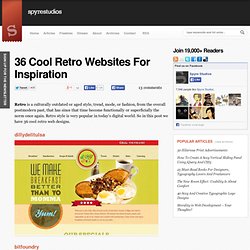
Retro style is very popular in today’s digital world. So in this post we have 36 cool retro web designs. dillydelitulsa bitfoundry bobvvs elpassion voltagefashionamplified threepennyeditor visualrepublic blamestella beanexchange city-dog kylehaskins reklama-audio pointlesscorp privategrave barleysgville cascadebreweryco todaysdocument posterroast mister-aero le-tipi hungarianwinesociety golivebutton allstarlanes barleypop losttype lerecorddumonde foreverheavy macaronibros eightytwodesign dnadarwin youknowwhodesign kitchensinkstudios brockkenzler labubbly riversandrobots forefathersgroup.