
Rubrics for Evaluating Educational Apps. How do you choose the best educational app for your classroom?
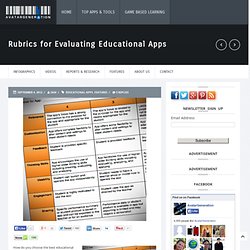
Check out this great post from Tony Vincent on LearningHand, sharing his own rubric to help teachers evaluate educational apps and other rubric resources. Spotlighted in the Rubric are: RelevanceThe app’s focus has a strong connection to the purpose for the app and appropriate for the studentCustomizationApp offers complete flexibility to alter content and settings to meet student needsFeedbackStudent is provided specific feedbackThinking SkillsApp encourages the use of higher order thinking skills including creating, evaluating, and analyzingEngagementStudent is highly motivated to use the appSharingSpecific performance summary or student product is saved in app and can be exported to the teacher or for an audience Download Resources: apps, Rubric.
Exeter_iPad_App_Checklist.pdf (application/pdf Object) iPads In Education- Part 1. IOS_5_Education_Deployment_Guide.pdf (application/pdf Object) 18 Ways iPads Are Being Used In Classrooms Right Now. iPads are quickly becoming a popular and powerful educational tool for classrooms. Beyond the immediate benefit of engaging students, iPads can improve education efficiency and standards. However, many teachers are unsure of how to use them effectively. Coupled with concerns over the costs involved, iPad implementation in schools is seen as an unnecessary and expensive risk. As the case studies below demonstrate, iPads are being used in education environments around the world with great success. Teachers can have paperless classrooms, take attendance, share interactive presentations and test their students—all on their iPad.
10 incredible iPad apps for education. Learning is rarely fun; it’s even less fun when being taught within the confines of a lecture hall or classroom.
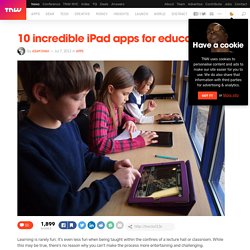
While this may be true, there’s no reason why you can’t make the process more entertaining and challenging. The tablet market has paved the way for educational resources in the form of slick, new apps, with text-books now being replaced by online downloadable versions of themselves. An array of stunning apps are at your disposal waiting to be exercised, so with this in mind, we decided to whittle down our top 10 iPad educational apps for students. Evernote It seems wherever you look nowadays, there’s Evernote. . ➤ Evernote Price: Free Paper Winner at the 2012 Apple Design Awards for Best iPad app, Paper has taken creativity of app development to new heights. Kyrene improves walk-through procedure with iPads - Ahwatukee Foothills News: Community Focus.
Kyrene School District has found a way to help its students demonstrate academic growth by updating its walk-through procedure with the use of iPads.

"Kyrene has received $6.8 million from a capital override, thanks to support from taxpayers," said Karin Smith, chief financial and operations officer for the district. "This is far more than we've ever received through the state funding formula and it helps fund items such as iPads, which cost $500 a piece. " Using the iPad to Increase my Productivity. Even though there are numerous other blog posts by principals using the iPad, I have said numerous times that my blog is a great place for me to reflect on my practice and seek the feedback of others.

I have learned a great deal of iPad tips from other princpals, and I will list those blog posts/helpful sites below. I plan to use this post to explain how I am using my school issued iPad to increase my productivity and spend more time in classrooms (my ULTIMATE goal as a principal). As basic as it sounds, the top 2 reasons I use the iPad more than anything else are to keep up with emails and my calendar.
Walk-Throughs Are On the Move! Classroom walk-throughs are a trend that is on the move! The non-threatening, non-evaluative walk-throughs give principals a quick snapshot of student learning. That snapshot is used to engage teachers in conversations about how to improve teaching. Included: Principals talk about the benefits of walk-throughs, and how to initiate walk-throughs with teachers who might fear frequent classroom visits by the principal.
School leaders are under a lot of stress -- but if exercise is a stress antidote, then principals might be among the healthiest managers around. That's because a lot of principals are doing an awful lot of walking. The walk-through technique is based on the work of Carolyn Downey and others (authors of The Three-Minute Classroom Walk-Through: Changing School Supervisory Practice One Teacher at a Time). The walk-through process can benefit teachers in many ways, according to Kathy Larson of the Cooperative Education Service Agency #2 in Milton, Wisconsin. My Quick List of iPad Apps. Teachscape launches iPad app for its Classroom Walkthrough users. K-12 teaching web tools provider Teachscape launched an iPad app for instructional leaders to help them gather Classroom Walkthrough (CWT) data.

Here’s what’s it all about (from the press release): Teachscape Instruction | Mobile is implemented as part of the Teachscape Classroom Walkthrough process – a process that uses walkthrough data to engage instructional leaders and teachers in reflective learning communities focused on adjusting instruction to meet student needs. Using the iPad, educators can collect data, upload to the online reporting system via a wireless or data connection, and then log into the Teachscape website to generate reports and manage their entries. More iPad Apps. In my last post I wrote about some iPad apps that I thought were must adds for administrators and educators alike.

Since then I have received some great suggestions from my PLN and had the chance to check out other apps that I have found a use for as a High School Principal. The key for me is that I want this device to be a valuable tool in collecting data, staying in touch with my administrative team, unrestricted real-time access to my PLN, and as a form of motivation for my teachers to take more risks with technology to engage students in the learning process.
Here are my additions: 15. Essential iPad Apps for Principals. Pros And Cons Of iPads In The Classroom. 39 Sites for Using iPads in the Classroom. How Much Did Steve Jobs Change the World?

You might be reading this on your iPhone, iPad or computer, but whether or not you have a Macintosh or a PC, Steve Jobs is responsible for so much of the technology we are using today. Did you know that Windows computers copied the drop-down window interface from Apple computers? Yes, all true. So today, when the power went out in the school and we couldn’t get on the Internet, I noticed what an important part of my life technology has become. Ipads in the classroom. Managing a Classroom Set of iPads. Skip to main content Create interactive lessons using any digital content including wikis with our free sister product TES Teach.
Get it on the web or iPad! Guest. Five Tips for Supporting iPads in the Classroom. Ways to Evaluate Educational Apps. I am conducting a series of workshops in Florida and was asked to share a rubric to help teachers evaluate educational apps as part of the workshop.
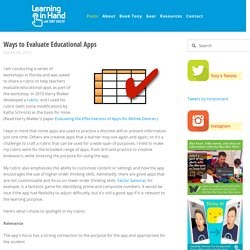
In 2010 Harry Walker developed a rubric, and I used his rubric (with some modifications by Kathy Schrock) as the basis for mine. (Read Harry Walker's paper Evaluating the Effectiveness of Apps for Mobile Devices.) How To Manage A Classroom Of iPads. The following is a sponsored post by Datamation Systems, Inc. .
They’ve worked with more than 10,000 schools to help deploy and secure classrooms full of technology. Want to learn more? Check out their ad in the Edudemic Magazine or visit the Datamation website here . iPads are fun. Apps are fun. The 10 Most Popular Apps for Babies and Toddlers. 15 Ways To Use The New iPad In Classrooms. A Useful Twitter Cheat Sheet 3.97K Views 0 Likes Think you're supposed to actually type a full 140 characters for each tweet?
Not quite. That's just one of the many handy tips found in this useful Twitter Cheat Sheet. How To Use Vine In The Classroom 6.84K Views 0 Likes. 50 Must-Have Educational Apps. It’s time for holiday road trips and you know what that means: driving, flying, cranky kids, and… teaching opportunities!
What’s that, you say? Well, there is so much downtime during the holidays where kids and adults spend hours just passing the time… why not try out some new apps on your phone? Many of these apps were found by The Teaching Palette, be sure to check out their fantastic site for more helpful resources! Quick List Of iPad Resources For The Classroom. Best Educational Apps For Students And Teachers - Education News. iPad As.... iPads have exploded throughout schools and classrooms. Their flexibility, versatility, and mobility make them a phenomenal learning tool.
As teachers seek ways to integrate these devices, we recommend focusing on specific learning goals that promote critical-thinking, creativity, collaboration, and the creation of student-centric learning environments. Kathy Schrock's Guide to Everything - Bloomin' Apps. This page gathers all of the Bloomin' Apps projects in one place.Each image has clickable hotspots and includes suggestions for iPad, Android, Google and online tools and applications to support each of the levels of Bloom's Revised Taxonomy.I have created a page to allow you to share your favorite online tool, iOS, or Android app with others.
Cogs of the Cognitive Processes I began to think about the triangular shape of Bloom's Taxonomy and realized I thought of it a bit differently.Since the cognitive processes are meant to be used when necessary, and any learner goes in and out of the each level as they acquire new content and turn it into knowledge, I created a different type of image that showcased my thoughts about Bloom's more meaningfully.Here is my visual which showcases the interlocking nature of the cognitive processes or, simply, the "Cogs of the Cognitive Processes".
IPAD APPS TO SUPPORT BLOOM'S REVISED TAXONOMYassembled by Kathy Schrock Blooms Taxonomy with Apps. Cool Drawing Apps for Primary School. TCEA-Recommended iPad Apps. TechTalk. iPaddiction. Want to Build a New App? There's an App for That, Too. Competition in Apple’s App Store is so tough that even strong concepts must be planned to perfection before any development should start. So enter App Cooker: A hot new iPad app that makes sure other apps have the right ingredients in place before any development begins. App Cooker ($19.99) from Sophia-Antipolis, France-based Hot Apps Factory helps aspiring designers organize, plan and get app projects ready for production. 30-year-old Xavier Veyrat — the designer of App Cooker — spoke to Mashable about the development of the platform and the steps that go into creating a masterpiece app recipe.
The Must-Have App Review Rubric. Teaching Large Classes with an iPad » To this day I remain a big fan of the overhead projector. I truly believe it was more effective a tool for teaching than the projected Powerpoint slides will ever be. I stood facing the students, watching their expressions, which I could see since the lights were sufficiently bright. I could draw on the screen and change directions as questions arose. In fact I will argue that the ‘golden age of college teaching’ if there was one was stimulated by the addition of the roller to the overhead projector. Kathy Schrock's Kaffeeklatsch. The Ultimate Guide To Using iPads In The Classroom. How Students Benefit From Using Social Media 14.60K Views 0 Likes A lot of criticism has been leveled at social media and the effect it has on the way students process and retain information, as well as how distracting it can be.
However, social media offers plenty of opportunities for learning and interactivity, and if you take a moment to think about it, it's not too hard to see how students benefit from using social media. 100 Web 2.0 Tools Every Teacher Should Know About 44.24K Views 0 Likes We're always trying to figure out the best tools for teachers, trends in the education technology industry, and generally doing our darnedest to bring you new and exciting ways to enhance the classroom.