
Teach Templates. Learn to Code by Doing - Code School. Learn HTML, CSS, JavaScript with our free online tutorial. Learn to code from the ground up! Our next exciting journey into software development will get us rooted in the ancient art of scripting!
Now that you are familiar with the solid and down-to-Earth languages you are ready to meet some of the more flaky, mentally unstable, yet more beautiful languages you'll ever see. C, C++, Java, C# all have a very stable place in software development. They have been around for a long time and they very often satisfy most involved development projects. Because of the level of effort needed to develop a program in one of these languages it became apparent to some developers a while back that something simple needed to be devised to manage small scale, shorter, maintenance style items.
Then, scripting because so efficient that in some cases it has taken center stage as the premiere language for a large scale project! 6 Inspiring Websites That Teach You To Code. Learn to code. Code Avengers: learn to code games, apps and websites. Resources - Teach, Learn, and Make with Raspberry Pi. Codecademy School Computer Science Curriculum. Raspberry pi. The Key to Coding – Part 1.
Today’s blog is a guest post from the amazing Kim Vernon, who blogs at www.missICT.com.
Kim is Head of Integrated Technologies for Infant students at Tanglin Trust School, Singapore. Originally from Sydney, Australia, she has been teaching overseas since 2008. Kim is a Google Certified Teacher and has a Master of Education. She has recently begun to share her knowledge and skills by speaking at regional and international conferences. For more, follow Kim on Twitter. In this Part 1 of a 2 part blog series, I will be looking at coding and the theory behind the ‘why’. So why coding? If we are to be completely honest with ourselves, the concept or theory behind computer science in the curriculum is not new, well not within Early Years Education.
Our young learners spend every day solving and overcoming problems and obstacles. And this is where coding fits in. Computer programmers spend time solving many of our daily issues using digital code. So what might the WHY look like? Craig Kemp. How to get started with coding in the classroom - Daily Genius. This probably isn’t news, but coding isn’t just for geeks anymore.
Computer based jobs are growing at a rate estimated to be about 2x faster than other types of jobs, and it is estimated that there will be a million more jobs than there are students to fill them by 2020. Currently, less than 2.4% of college students graduate with a degree in computer science. Filling this gap means that more students need to get involved in STEM subjects early on in their education. Students need to learn to code, and luckily, there are some great tools available to make coding in the classroom more accessible. And since there’s always a fight for classroom time with ever-increasing standardized tests and core curricula to address, teaching your students to code can teach students a variety of skills at once, like collaboration, logic, practical problem solving and more.
That’s all great, unless you aren’t sure where to start. Do you have a favorite tool that we haven’t included here? Black Girls Code. 100 Free LEGO Learning Printables - Great Peace Academy. Resources for Teaching with LEGO® Bricks Most children love LEGO® bricks and playing with them can also be a learning experience.
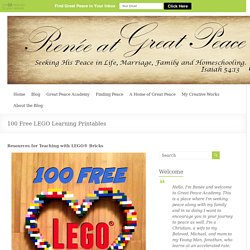
But did you know you can take it one step further and structure learning around LEGO® bricks? 6 great coding websites and apps for tweens and teens. My daughter's school offered a coding class as one of this year's summer school offerings.
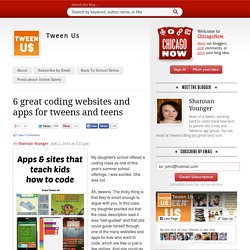
I was excited. She was not. Ah, tweens. The tricky thing is that they're smart enough to argue with you. In this case, my daughter pointed out that the class description said it was "self-guided" and that she could guide herself through one of the many websites and apps for kids who want to code, which are free or just a few dollars. I appreciate the kid's style, and after taking a few other factors into consideration, we talked about how she was going to have to take initiative, stay motivated and all those things that often don't come easily to this age group.
At my request, over these first few weeks of summer my tween tried out an assortment of coding websites and apps for tweens and teens. 1. Cost: Free Best for Kids in Grades 6-12 At first, though, she wrote down "little boring" but crossed that off and next to it wrote "Awesome! " 2. Best for Kids in Grades 2 through 8 3. 4. 5. 6. Cost: $3.99.