Mechanize. Stateful programmatic web browsing in Python, after Andy Lester’s Perl module WWW::Mechanize.
The examples below are written for a website that does not exist (example.com), so cannot be run. There are also some working examples that you can run. import reimport mechanize br = mechanize.Browser()br.open(" follow second link with element text matching regular expressionresponse1 = br.follow_link(text_regex=r"cheese\s*shop", nr=1)assert br.viewing_html()print br.title()print response1.geturl()print response1.info() # headersprint response1.read() # body br.select_form(name="order")# Browser passes through unknown attributes (including methods)# to the selected HTMLForm.br["cheeses"] = ["mozzarella", "caerphilly"] # (the method here is __setitem__)# Submit current form. Python HTML Parser Performance. In preparation for my PyCon talk on HTML I thought I’d do a performance comparison of several parsers and document models.
The situation is a little complex because there’s different steps in handling HTML: Parse the HTMLParse it into something (a document object)Serialize it Some libraries handle 1, some handle 2, some handle 1, 2, 3, etc. For instance, ElementSoup uses ElementTree as a document, but BeautifulSoup as the parser. Decoding CAPTCHA's. Most people don’t know this but my honours thesis was about using a computer program to read text out of web images.
My theory was that if you could get a high level of successful extraction you could use it as another source of data which could be used to improve search engine results. I was even quite successful in doing it, but never really followed my experiments up. My honours advisor Dr Junbin Gao had suggested the following writing my thesis I should write some form of article on what I had learnt. Well I finally got around to doing it. Urllib2 — extensible library for opening URLs. Note The urllib2 module has been split across several modules in Python 3 named urllib.request and urllib.error.
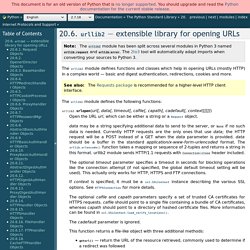
The 2to3 tool will automatically adapt imports when converting your sources to Python 3. The urllib2 module defines functions and classes which help in opening URLs (mostly HTTP) in a complex world — basic and digest authentication, redirections, cookies and more. The urllib2 module defines the following functions: urllib2.urlopen(url[, data][, timeout]) Open the URL url, which can be either a string or a Request object.
Warning HTTPS requests do not do any verification of the server’s certificate. data may be a string specifying additional data to send to the server, or None if no such data is needed. The optional timeout parameter specifies a timeout in seconds for blocking operations like the connection attempt (if not specified, the global default timeout setting will be used). This function returns a file-like object with two additional methods: Urllib2 - The Missing Manual. Because the default handlers handle redirects (codes in the 300 range), and codes in the 100-299 range indicate success, you will usually only see error codes in the 400-599 range.
BaseHTTPServer.BaseHTTPRequestHandler.responses is a useful dictionary of response codes in that shows all the response codes used by RFC 2616. The dictionary is reproduced here for convenience : responses={100:('Continue','Request received, please continue'),101:('Switching Protocols','Switching to new protocol; obey Upgrade header'), 200: ('OK', 'Request fulfilled, document follows'), 201: ('Created', 'Document created, URL follows'), 202: ('Accepted', 'Request accepted, processing continues off-line'), 203: ('Non-Authoritative Information', 'Request fulfilled from cache'), 204: ('No Content', 'Request fulfilled, nothing follows'), 205: ('Reset Content', 'Clear input form for further input.'), 206: ('Partial Content', 'Partial content follows. 2012 - Web scraping: Reliably and efficiently pull data from pages that don't expect it.
Paulproteus/python-scraping-code-samples. Html5lib - Library for working with HTML documents. Lxml - Processing XML and HTML with Python. PyQuery. Pyquery allows you to make jquery queries on xml documents.
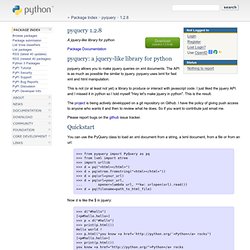
The API is as much as possible the similar to jquery. pyquery uses lxml for fast xml and html manipulation. This is not (or at least not yet) a library to produce or interact with javascript code. I just liked the jquery API and I missed it in python so I told myself "Hey let's make jquery in python". This is the result. The project is being actively developped on a git repository on Github.
Please report bugs on the github issue tracker. You can use the PyQuery class to load an xml document from a string, a lxml document, from a file or from an url: Beautiful Soup: We called him Tortoise because he taught us. [ Download | Documentation | Hall of Fame | For enterprise | Source | Changelog | Discussion group | Zine ] Beautiful Soup documentation. By Leonard Richardson (leonardr@segfault.org) 这份文档也有中文版了 (This document is also available in Chinese translation)