Graphics
Get flash to fully experience Pearltrees
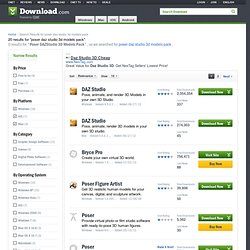
DAZ Studio
Poser DAZStudio 3D Models Pack
Bryce Personal Learning Edition
CNET TechTracker will now automatically install software without requiring further action by you. (Note: This feature automatically accepts associated EULAs and third party applications on your behalf.) You have selected the following software to Smart Install: CNET TechTracker will attempt to install this software without interrupting you again. If an application requires manual installation, CNET TechTracker will download the installer and prompt you to take further action.I liked it because it worked but I didn't like the temporary resolution change and it is probably confusing if like me, you don't always read the 'Read Me' file first.To make it work you have to use the f letter key on your keyboard [between D and G] with the down arrow and spacebar keys to perform the function of regenerating a city map and making a copy of that map in the software folder. That was fine however, the bitmap created had to be converted to a jpeg and imported into Bryce 5.5 after creating a new terrain. To do that you click the mountain icon, [3rd top left], then E for edit, then in editing tools click picture, then load, then navigate to and import the city map, copy and paste imported map from 1st to 2nd window,click apply and and your map should appear in the centre screen and your city in the preview on the right.
City Generator
Terragen
35 Free Graphics Programs
There are a lot of excellent graphics programs on the market these days, but just because they come with a premium price tag doesn’t mean they are the only option. Take a look at this list of our favorite, and free, alternatives to some of those pricey programs. Gimp – Very powerful image manipulation program, great for photo retouching and image creation. There are other downloads, GTK and runtime environment for this program to work properly. This program currently runs on Linux, Windows (XP and Vista), Mac OSX, and some Unix based systems.Artweaver Free is a freeware painting program which is suitable for beginners but also suitable for advanced users. You can record all your steps and replay them afterwards or provide them to other users. Also there are many tools and features like layers and effect filter in Artweaver Free. Artweaver Free is the free version of Artweaver Plus .
Artweaver Free
Paint.NET - Free Software for Digital Photo Editing
About Paint.NET is free image and photo editing software for computers that run Windows. It features an intuitive and innovative user interface with support for layers, unlimited undo, special effects, and a wide variety of useful and powerful tools. An active and growing online community provides friendly help, tutorials , and plugins . It started development as an undergraduate college senior design project mentored by Microsoft, and is currently being maintained by some of the alumni that originally worked on it.Creative Docs .NET - Get Creative!
Sculptris
Sculptris is an elegant, powerful and yet easy to use 3D sculpting software, allowing the artist in you to simply focus on creating amazing 3D artwork. Gone are the technical and often tedious constraints typically associated with digital art. If you're new to the world of digital sculpting, Sculptris is the ideal ground on which to get started. If on the other hand you're experienced in CG, what you will find in Sculptris is a blazingly fast way to realize your concepts. Sculptris Artist: Barry CroucherHugin - Panorama photo stitcher
Goal: an easy to use cross-platform panoramic imaging toolchain based on Panorama Tools . With Hugin you can assemble a mosaic of photographs into a complete immersive panorama, stitch any series of overlapping pictures and much more. Hugin has been localised with Brazilian Portuguese, Bulgarian, Catalan, Chinese Simplified, Chinese Traditional, Czech, Dutch, Danish, English, French, German, Hungarian, Italian, Japanese, Korean, Polish, Russian, Slovakian, Slovenian, Spanish, Swedish and Ukranian translations.Technically, 3 Dimensions refers to objects that are constructed on three plans (X, Y and Z). The process of creating 3D graphics can be divided into three basic phases: 3D modeling, 3D animation and 3D rendering . Three dimensional (3D) computer graphics are widely used and they are almost too common to see anywhere, let it be movies, products designs, advertisements, etc. Although they are commonly seen, that doesn’t mean they are easily created.