
How to Install Ubuntu Linux on Your Chromebook with Crouton. Chromebooks aren’t “just a browser”—they’re Linux laptops.
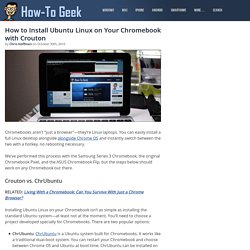
You can easily install a full Linux desktop alongside alongside Chrome OS and instantly switch between the two with a hotkey, no rebooting necessary. We’ve performed this process with the Samsung Series 3 Chromebook, the original Chromebook Pixel, and the ASUS Chromebook Flip, but the steps below should work on any Chromebook out there.
Crouton vs. ChrUbuntu. ARM Chromebook not booting from USB. Samsung Series 5 Chromebook. Developer mode on the Samsung Series 5 has two levels of access, "dev-switch on" and "dev-mode BIOS".
With the first level you enable a command line shell, which lets you look around inside the GNU/Linux operating system, but does not let you run your own versions. The second level of access installs a special BIOS component that provides the ability to boot your own operating systems from either removable (USB/SD) or fixed (SSD) drives. Both levels of access are completely reversible, so don't be afraid to experiment. Developer switch The developer switch enables the command line shell.