
How to: Turn Your iPod Into Anything (75+ Tutorials) How to: Turn Your iPod Into Anything (75+ Tutorials) Wednesday, April 23, 2008 at 5:34pm by admin If you’re thinking that all your iPod can do is play music, think again.

With a little ingenuity and guidance, you can turn your iPod into just about anything, whether it’s a remote control or a notepad. Read on to find more than 75 tutorials that will walk you through projects that will transform your iPod. Storage Get more out of your iPod’s little hard drive using these turorials. Using Your iPod as a Storage Drive: Apple offers a tutorial on how you can use your iPod as a hard drive or flash drive.How to Get Songs off Your iPod with iTunes: With this hack, you can move the songs from your iPod to your music library on iTunes.iPod Shuffle RAID: Find out how this tech handyman used 4 iPod Shuffles to make a RAID array.Turn Your iPod into a Backup Drive: This short guide will tell you how to use an old iPod as a backup.
Multimedia Make your iPod a media powerhouse using these guides. At Home Tech. How-To: Easily Remove the Vocals from Most Songs. 2015 Shortcut: When I wrote this article Audacity didn’t have an automatic center-panned vocal canceling effect… but now it does, so rather than do the stereo-separate / invert-one-track / play-both-as-mono trick (and that’s pretty much all there is to it), you should be able to find the Vocal Remover option in the Effects menu – but it’s more fun / interesting and can give better results if you do it yourself!
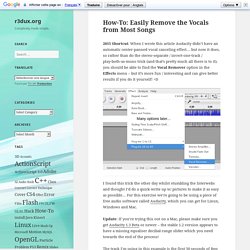
=D I found this trick the other day whilst stumbling the Interwebs and thought I’d do a quick-write up w/ pictures to make it as easy as possible… For this exercise we’re going to be using a piece of free audio software called Audacity, which you can get for Linux, Windows and Mac. Update: If you’re trying this out on a Mac, please make sure you get Audacity 1.3 Beta or newer – the stable 1.2 version appears to have a missing equaliser decibal-range slider which you need towards the end of the process! 1.) Import Some Audio 2.) 3.) 4.) 5.) Wrap Up Cheers! Pandora: How to Rip and Save Pandoras Music to MP3 Files for Free. Pandora is an amazing music service.
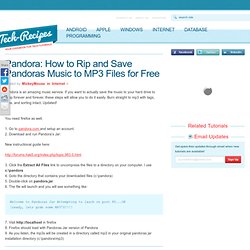
If you want to actually save the music to your hard drive to keep forever and forever, these steps will allow you to do it easily. Burn straight to mp3 with tags, titles, and sorting intact. Updated! You need firefox as well. 1. New instructional guide here: 3. Welcome to Pandoras Jar Attempting to lauch on port 80...OK [ready, lets grab some MP3'S!!!] 7. 100 Ways to Discover and Enjoy Music. UPDATE 12/10/13: We’ve released a follow-up to this post with 100 More Ways to Discover and Enjoy Music.
Prepare yourself for another dose of Monday roundup madness! It’s time for another crazily comprehensive, yet carefully curated, look at an entire industry–the music industry to be specific. This if the first in a two-part series on the music industry which will conclude next week. This week’s focus is on the consumer side of music. Below you’ll find the best resources for music fans including ways to discover new tunes, the best tools and services for creating a perfect music listening experience, tons of concert and live show resources, many ways to enhance Spotify, social tools for getting down with your friends, iPhone and Android music apps, music locker (cloud) services and finally some miscellaneous resources that you’re bound to love.
You might also like: exfm – See what’s trending. There’s more to this article! How to Copy Music from Your iPod to Your Computer: 13 steps. - StumbleUpon.