
Умные логотипы со скрытым символизмом. Западные мастера креатива действительно далеко впереди копирайтеров и профессионалов нейминга на постсоветском пространстве.

При помощи данного материала предлагаем еще раз убедиться в этом. Посмотрите, насколько просты и, одновременно, осмысленны эти логотипы. Нечего говорить – просто аплодирую. Заранее предупреждаем, что перевод авторский и не претендует на правильность с точки зрения лингвистики. Black Cat (черная кошка) – все видят ее глаза? Bee (пчела) – насекомые образуют логотип. Night Golf (ночной гольф) – мячик для гольфа в виде луны. Found Customer (найдены клиенты) – недостающая часть паззла в виде пиктограммы человечка. Missing (отсутствующий) – читается без проблем, но две буквы «I» отсутствуют. Airtime (время полета) – стрелки часов в виде самолета. Catch Me! BookCover café – реклама кафе, где можно почитать. Bird Love (птичья любовь) – буквы «B» и «L» выполнены в виде двух птиц, которые формируют сердечко. 40 Most Unusual Movie Website Designs. Movies are made to entertain the audiences, so do their websites.

Yet the main part of the aim here is to spread the word about the movie and promote it by all possible means either giving a trailer that will trigger the interest or embracing a very dynamic action, some special sound effects and graphically rich animation. What’s obvious is that any movie website should give the visitors what they are looking for, so that once arrived on a site they could immediately determine if they want to see this movie. However, we’ve noticed that a lot of movie websites have 80% of common elements and are pretty boring. So the reason we’re publishing this post today is to mark out the designs that are in fact creative and that differ from other movie websites.
So please welcome a top list of the most unusual and attractive designs of movie websites. 55 Inspiring and Clever Online Portfolios. If you're a designer/creative, you probably already know that having an online portfolio is very important.
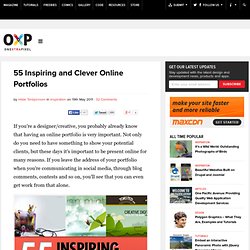
Not only do you need to have something to show your potential clients, but these days it's important to be present online for many reasons. If you leave the address of your portfolio when you're communicating in social media, through blog comments, contests and so on, you'll see that you can even get work from that alone. Inspiring and Clever Portfolios A portfolio can make or break you. It's important to show your best work, your variety and stand out. Creating Depth in Web Design: 5 Design Tricks. Giving depth in design can give a website a unique feel, and a more memorable appeal.

Depth can create a sense of realism, even if it's presented in an abstract way. This added sense of realism can create a lot more interest in any design, whether it be a graphic design, logo, web design, or other. Creating depth on an otherwise flat page can also be a great way to add emphasis to particular elements, and to help create correct hierarchy in design. Flatter surfaces may get less attention, while those with depth will gain more attention. 30 Examples of vCard Website Designs for your Inspiration. Inspiration May 12, 2011 Versitcard, more popularly known as vCard is a minimalist portfolio website that usually displays the site owner’s basic information such as name, address, phone numbers, e-mail addresses, URLs, logos, photographs, audio clips and list of social network accounts.

It acts as an online business card which is often attached to e-mail messages. These websites use several jQuery techniques to incorporate few animation effects like sliding, fading and tab navigation which make them look like single page only. Here are the 30 Impressive Examples of vCard Designs for your Inspiration. These vCards can be used by companies as well as individuals like Web Developers, Graphic Designers, Web Designers, and Photographers. Meelk! View Source Margot Dolewska Dyer View Source Liji Jinaraj View Source. 50+ Conceptual Logos for your Inspiration. Featured portfolios.
10 Tips for Designing Presentations That Don’t Suck: Pt.1. Powerpoint has produced more bad design in its day that perhaps any other digital tool in history with the possible exception of Microsoft paint.

In this post we’re going to address the epidemic of bad presentation design with ten super practical tips for designer better looking and more professional presentations. Along the way we’ll see a number of awesome slide designs from Note & Point along with some custom examples built by yours truly. Let’s get started! Also be sure to check out 10 Tips for Designing Presentations That Don’t Suck: Pt.2! Not a Designer? Most of the content on this site is targeted specifically towards professional designers and developers, or at the very least those interested in getting started in this field. You’ve chosen a visual tool to communicate and should therefore take the time to learn a thing or two about visual communications. Follow the ten tips below and see if you don’t start getting comments about your awesome presentation design skills. Inspiration: 33 Creative and Smart Print Ads You’ll Love.
Web Design Blog - Designers Inspiration Community - Web Development Blog - Web Design Blog – DesignM.ag. The best flash websites in the world.