
Drupal 7 : Mettre en place des CSS ciblées pour IE via commentaires conditionnels. Créer des feuilles de style CSS spécifiques pour Internet Explorer via des commentaires conditionnels n'est pas nouveau, c'est une technique bien connue de tous les intégrateurs Web.

Bmarshall511/drupal-omega-theme-info-generator. Devel. A suite of modules containing fun for module developers and themers ...
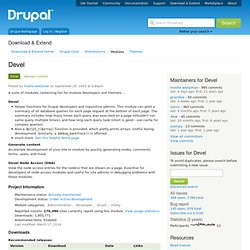
Devel Helper functions for Drupal developers and inquisitive admins. This module can print a summary of all database queries for each page request at the bottom of each page. The summary includes how many times each query was executed on a page (shouldn't run same query multiple times), and how long each query took (short is good - use cache for complex queries).Also a dprint_r($array) function is provided, which pretty prints arrays. Useful during development.
Generate content Accelerate development of your site or module by quickly generating nodes, comments, terms, users, and more. Devel Node Access (DNA) View the node access entries for the node(s) that are shown on a page. Theme developer. Building Custom Blocks with Drupal 7. Introduction There are times when you need to build a custom block that a site builder can utilize in various places on a page.

Drupal 7 provides several hooks that allow you to accomplish this goal: Drupal 7 hook_block changes, with example template module. Drupal seven broke out the old hook_block($op = 'list', $delta = 0, $edit = array()) function, which took an operation as an argument, into four functions, hook_block_info, hook_block_save, hook_block_view, hook_block_configure.

Below, I will present a custom block module template that will allow you to insert code into programmatically defined blocks. If you don't know how to create a module, skip to the end. Creating programmatic blocks can save you the need to turn on the PHP filter on your site. Turning on the PHP filter for node or block content is bad because it allows permissioned users to post arbitrary PHP code which can break your site. Because, architecturally, it is stored in the database, when a PHP syntax error breaks access to your site, you can't access the configuration changes via the normal administration. Utiliser l’API de Drupal 7 pour créer un bloc. Le but de cet article est de créer un bloc directement dans un module en utilisant les fonctions de l’API Drupal 7.

Pour pouvoir créer notre bloc, nous avons besoin d’un module, nous utiliserons akabia.module Entrons dans le vif du sujet Le premier hook à définir est hook_block_info qui déclare le bloc. Dans ce hook, nous déclarons notre bloc : le champ info renseigne le titre du bloc et le champ cache qui indique si notre bloc est mis en cache. A ce terme, notre bloc est renseigné dans la liste des blocs du site (admin/structure/block), mais il ne possède pas encore de contenu. La deuxième étape est donc de renseigner le contenu de ce bloc ; pour cela nous implémentons hook_block_view() Article: Configurer le thème Omega sur Drupal 7. Après un premier article sur la création simple et rapide d'un sous-thème dans OMEGA, passage en revue de l'intégralité des options de configuration possible d'omega...et il y en a !

#928292: Use LESS or other CSS preprocessor. Beginning Drupal 7 Theming with Omega. How to save your theme settings to make your theme portable.

Courtesy Rob n Amy C Via FlickrTheming a drupal site is like making a cake. Theming with Omega is like making a cake that you can easily change the frosting, and remove nuts and add chocolate chips if you want.Making your Omega cake though is a little different from making a real cake, since you can add the frosting later and add or subtract layers at will. You can also have a base cake for weddings and birthdays and you can easily change the name! You can make one today, and save it for next week without any refrigeration required.Omega will give you a base cake to start with, that you can easily adapt for a large wedding, or small birthday, and everything in between.You will find it beneficial if you have some knowledge of CSS. or Cascading Style Sheets and how they relate to web documents.
This ensures that your specific settings are made permanent. Drupal_theme_rebuild. Core templates. Default baseline variables. Last updated March 1, 2013.

Created by LeeHunter on February 26, 2008.Edited by inventlogic, Carolyn, bekasu, dvessel. Log in to edit this page. The following are the baseline variables available to all template files. They are generated through the preprocessor function, template_preprocess Drupal 6 or template_preprocess Drupal 7. Variables specific to the template are documented inside the file. New Variables available in D7. Converting 6.x themes to 7.x. NOTE: We are now using a different system to track version-to-version changes in Drupal.

Most of the theme changes between Drupal 6 and Drupal 7 are noted on this page, but changes that were recorded after we adopted the new system can be found here: To add a new change notice: To find changes that need to be updated in the documentation: Help with upgrading the handbook to incorporate these changes. #740194: Update theming guide for Drupal 7 Once an update in this list is updated in the handbook, add [U], as a link to the handbook page, so others know the update is complete. Blocks have new, more meaningful CSS IDs. Customizing the User Login Page in Drupal 7. I was recently tasked with theming a customized user login page in Drupal 7.

I could not find a whole lot of documentation for this so the first place I looked was in the core modules folder hoping to find something like user--login.tpl.php that I would be able to copy and put in my theme folder for an override. No such luck, I looked in /modules/user but nothing there I could use. Next I looked around drupal.org and found some vague references to doing this in scattered posts. Custom Authentication with Drupal 7 « OmegaDelta. Was looking into Drupal 7 yesterday. One of my requirements would be to use my own authentication system. The problem with Drupal, which seems to be a great piece of software, with generally good documentation is all the damn different versions. Most of the sample code I found on this topic was for Drupal 6.x or 5.x, and it is slightly difficult to figure out what goes where. In the end, I resorted to doing what I dislike and reading the code to learn how it works.
Reminds me of Rails ;-) Here’s how I did it, this is very rough code. Create a folder in the module directory.