
Attach icons to anything with CSS. Filed: Sun, Jan 07 2007 under Programming|| Tags: css1 selectors icons css Conditional CSS selectors work only with modern browsers (FireFox 2.0+, Opera 9, and IE7).
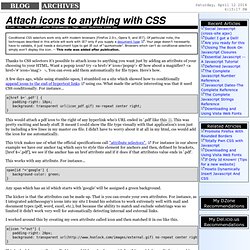
Of particular note, the techniques described in this article will work with IE7 only if you supply a document type. Your page doesn't necessarily have to validate, it just needs a document type to get IE out of quirksmode. Browsers which can't do conditional selectors simply won't display the icon. -- This note was added after publication. Thanks to CSS selectors it's possible to attach icons to anything you want just by adding an attribute of your choosing to your HTML.
A few days ago, while using stumble-upon, I stumbled on a site which showed how to conditionally append icons to the end of hypertext links using css. This would attach a pdf icon to the right of any hyperlink who's URL ended in '.pdf' like this. This trick makes use of what the official specifications call "attribute selectors". Addendum Happy coding!
A simplified zone system for making good exposures. A simplified Zone system for making good exposures by Norman Koren Modified May 26, 2010 This page presents a simplified version of Ansel Adams' Zone system, suitable for 35mm and medium format photography, color or black & white.
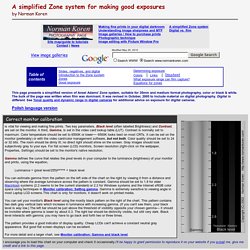
The bulk of the page was written when film was dominant. It was revised in October, 2005 to include material on digital photography. Digital is different. If you are new to photography and still unclear on the basic concepts of exposure, Accurate Exposure with Your Meter from Eastman Kodak is a good introduction. Slides, negatives, and digital Back in the days when film ruled, most professional professionals worked with color slides instead of negatives because clients demanded them. Why then would a serious photographer choose to work with negatives?
Since this article was first published, digital has overtaken 35mm and medium format film, though it still can't equal large format for detail. Introduction to the Zone system Zones Good exposure. Untold Mysteries of CSS > Universal Selector. Three untold CSS mysteries you might not know about include the universal selector, !

Important keywords, and multi-classes. Molly Holzschlag looks behind the curtain to show you how these under-described aspects of CSS can be put to use to assist with diagnostics during development, savvy global styling, out-and-out hacks, better design flexibility, and accessibility. Three CSS features you might not know about include the universal selector, ! Important keywords, and multi-classes. Sure, if you're knee-deep in CSS and standards-based design, you've probably seen at least one of these techniques, but the broader developer audience is sure to find these under-described aspects of CSS extremely useful, too. The universal selector is represented by the asterisk: *. Figure 1 Notice that all the elements are styled, including the html element (the border surrounding the viewport) and the body element. The universal selector can be combined with other selectors. Consider this rule: