
Howto install PECL uploadprogress indicator for Drupal on Ubuntu 9.04 (Jaunty) How to install Drupal 7 on Ubuntu Linux. Share this post This article is a step-by-step on how to install Drupal 7 ( CMS ) on Ubuntu Linux using Apache web server and MySQL database, the installation guide therefore assumes that Apache web server and MySQL database are already installed on your Linux system.

These instructions can be also used by users using Debian or any other Debian based Linux systems. All commands below are executed with root privileges. If you are sudo user, prefix all commands below with sudo. If you still have some questions after reading this article please try our new LinuxCareer Forum. # apt-get install php5-mysql apache2 \ mysql-server php5-gd libapache2-mod-php5 Download and extract all drupal files into /var/www/drupal directory: # cd /var/www Download and decompress Drupal 7 install files: # wget # tar xvf drupal-7.0.tar.gz # mv drupal-7.0/ drupal Change an ownership of all Drupal 7 installation files to www-data user. ( apache webserver ): How To Install Drupal on Ubuntu Server 12.04. Drupal is a free and open-source content-management system (CMS) based on PHP and Mysql, Drupal allows an individual or community of users to publish, manage and organize a variety of content, Drupal integrates many popular features of content management systems, weblogs, collaborative tools and discussion-based community software into one easy-to-use package.
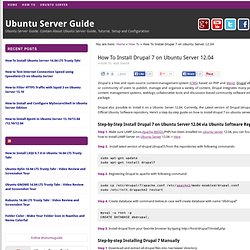
Drupal also possible to install it on a Ubuntu Server 12.04. Currently, the Latest version of Drupal (drupal 7) is available in Official Ubuntu Software repository. Here’s a step-by-step guide on how to install drupal 7 on ubuntu server 12.04. Drupal7 Installation Notes. Submitted by Jonathan Marsden on Sun, 2012-04-22 20:24 Drupal7 Installation Notes Server Set up a VirtualBox VM named lugie running Debian 6.0.4Install only openssh-server and default utilities during the OS install Adding Packages Once logged in, add sudo and add admin user to sudo group:su - apt-get update apt-get install sudo usermod -a -G sudo jonathan # Added jonathan to sudo group # Add Jonathan's standard package development toolkit apt-get install ubuntu-devel-tools quilt libtool git emacs23-nox Adding Backports Repository Add these lines to /etc/apt/sources.list :# squeeze-backports deb squeeze-backports main deb-src squeeze-backports mainRun apt-get update again :sudo apt-get update Installing and Configuring Drupal7 Exim setup Adding a Captcha Per Carl's helpful suggestion, add the Drupal CAPTCHA module captcha-7.x-1.0-beta2.tar.gz .Enable and configure it and (hopefully) the spammers are kept at bay.

Mise a jour drupal core 7.