
Psycho 2: Aufmeksamkeit und Gedächtnis. Track memory allocations. Despite the impressive hardware of the first Android phones (T-Mobile G1 and ADP1) writing efficient mobile applications is not always straightforward.

Android applications rely on automatic memory management handled by Dalvik's garbage collector which can sometimes cause performance issues if you are not careful with memory allocations. In a performance sensitive code path, like the layout or drawing method of a view or the logic code of a game, any allocation comes at a price. After too many allocations, the garbage collector will kick in and stop your application to let it free some memory. Most of the time, garbage collections happen fast enough for you not to notice. However, if a collection happens while you are scrolling through a list of items or while you are trying to defeat a foe in a game, you may suddenly see a drop in performance/responsiveness of the application. Once DDMS is running, simply select your application process and then click the Allocation Tracker tab. Avoiding memory leaks. Android applications are, at least on the T-Mobile G1, limited to 16 MB of heap.
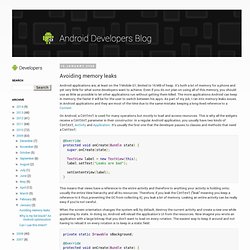
It's both a lot of memory for a phone and yet very little for what some developers want to achieve. Even if you do not plan on using all of this memory, you should use as little as possible to let other applications run without getting them killed. The more applications Android can keep in memory, the faster it will be for the user to switch between his apps. As part of my job, I ran into memory leaks issues in Android applications and they are most of the time due to the same mistake: keeping a long-lived reference to a Context. On Android, a Context is used for many operations but mostly to load and access resources. Memory Analysis for Android Applications. [This post is by Patrick Dubroy, an Android engineer who writes about programming, usability, and interaction on his personal blog. — Tim Bray] The Dalvik runtime may be garbage-collected, but that doesn't mean you can ignore memory management.
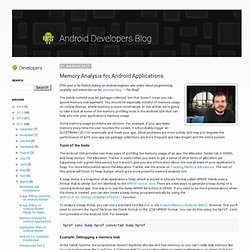
You should be especially mindful of memory usage on mobile devices, where memory is more constrained. In this article, we're going to take a look at some of the memory profiling tools in the Android SDK that can help you trim your application's memory usage. Some memory usage problems are obvious. For example, if your app leaks memory every time the user touches the screen, it will probably trigger an OutOfMemoryError eventually and crash your app. Tools of the trade The Android SDK provides two main ways of profiling the memory usage of an app: the Allocation Tracker tab in DDMS, and heap dumps.
A heap dump is a snapshot of an application's heap, which is stored in a binary format called HPROF. Hprof-conv dump.hprof converted-dump.hprof Conclusion.