
Javascript object literal namespacing. The latest best practices in javascript recommend that object literal notation be used to create a namespace feature of sorts.

Object literal notation is ridiculously easy to use and gives a great deal of power to the developer. Here is an example-laden crash course. Construction Object literal notation is a feature of javascript that is similar in nature to the hash maps of other languages. Objects are considered to consist of name-value pairs, where the name is a string. Note that 'foo' could just as well have been declared as foo, with no quotes, because it is a valid variable name.
Usage Following are some methods of addressing the elements created in that block of code: The following will not work: foo(); // foo must be fully addressed MyStuff.quux.3; // 3 is not a valid variable name, so it cannot be used directly MyStuff.quux.var; // var is a reserved keyword, so it cannot be used directly Namespacing Complex data may be passed to and returned from functions with a minimum of effort.
Extending jQuery’s selector capabilities. I’m sure you all know that it’s possible to create plugins and extend various aspects of the jQuery JavaScript library but did you know you could also extend the capabilities of it’s selector engine?
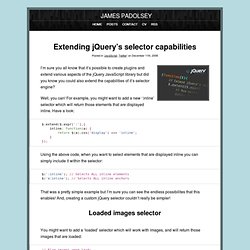
Well, you can! For example, you might want to add a new ‘:inline’ selector which will return those elements that are displayed inline. Have a look: Using the above code, when you want to select elements that are displayed inline you can simply include it within the selector: $(':inline'); // Selects ALL inline elements $('a:inline'); // Selects ALL inline anchors That was a pretty simple example but I’m sure you can see the endless possibilites that this enables! Loaded images selector You might want to add a ‘loaded’ selector which will work with images, and will return those images that are loaded: Querying element data jQuery’s ‘data’ function allows us to add special data to elements without having to pollute global variables or add invalid element attributes. Here’s how we would do it: Usage. P is for Programming: Better JavaScript–Namespaces. I have recently had the opportunity to do some JavaScript-heavy programming which has allowed me take stock of my understanding of the different structures in this language.
Today I’m going to look at one of the most straightforward challenges in JavaScript – declaring namespaces. JavaScript doesn’t really have the concept of namespacing – so while there are a few ways of doing namespaces, they’re all actually hacks. If you look at the relevant question on StackOverflow you’ll see that there are quite a few opinions on the best way of doing namespaces. The method I’m advocating is based on an article on the Enterprise jQuery site . The whole approach is pretty bulletproof (someone else can’t go and re-declare or and break your whole library). Let’s have a look at an example. ( function ( coffeeMachine, $, undefined ) { var coffeeGood = true ; coffeeMachine.bean = "Yirgacheffe" ; coffeeMachine.brew = function () { clean(); function clean() { console.log( "Cleaning the coffee machine" );