
What does %~d0 mean in a Windows batch file. DIY: Ternary operator - Windows PowerShell Blog. <Changed DYI => DIY. jps> At Microsoft, "to ship is to choose". One of the things we were very disappointed in not being able to ship in V1.0 is a ternary operator. Here is a description of a ternary operator from Wikipedia: Many programming languages that use C-like syntax feature a ternary operator, ? :; unqualified, "ternary operator" usually refers to this. Imagine the scenario where you give a discount of 10% all orders but 25% off those with a quanity greater than 10. If ($quantity -le 10){ $total = ($quantity * $price) * .9}else{ $total = ($quantity * $price) * .75} If (when?) This would evalue the expression {$quantity -le 10} and if it is TRUE, it evaluates the first script block and uses that value {.9}, otherwise, it evaluates the second scriptblock and uses that value {.75}.
Creating a Windows PowerShell CmdLet using the Visual Studio Windows PowerShell Templates - David Aiken. 1st grab the Visual Studio Templates from There are VB.NET and C# ones.

(yes i did say VB.NET) Now thats downloading i'm going to walk through building, installing and running a Windows PowerShell CmdLet. The steps are simple: Download and install Windows PowerShell Download and install the Windows SDK for Vista - you will need this to install the assemblies required for Windows PowerShell. Download and install the templates I made from the link above. Sounds a lot, but its really very simple and soon you will be building cmdlets for everything. Now the templates have downloaded, extract the zip and you should find 2 vsi files - one for VB.NET and the other for C#. They are not signed, so expect a complaint they are not signed Next load Visual Studio and create a brand new project, select Windows PowerShell as the project template. Right click the PSSnapin file and choose view code. Windows PowerShell Profiles. When you add aliases, functions, and variables, you are actually adding them only to the current Windows PowerShell session.
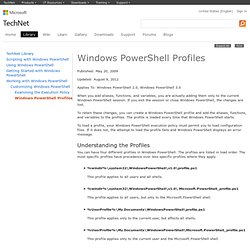
If you exit the session or close Windows PowerShell, the changes are lost. To retain these changes, you can create a Windows PowerShell profile and add the aliases, functions, and variables to the profiles. Psake introduction. This post is translation of my article for czech Technet Flash Magazine.

Powershell - Should Copy-Item create the destination directory structure. Calling VBScript From PowerShell - Power Tips. Sometimes, you may have an existing VBScript that already does just what you want.

You can easily incorporate any VBScript into PowerShell because PowerShell can call just about anything that is executable, including VBScript. The tricky part is that you mainly want the VBScript to not just do something, but also to report back success or failure. Here is an approach on how to do just that. First, take a look at this simple BLOCKED SCRIPT. Running a powershell script with ... Using Microsoft.Web.Administration in Windows PowerShell - CarlosAg Blog. A couple of months ago I wrote about using LINQ with Microsoft.Web.Administration to manage and query IIS 7.0 configuration.

Nuget and Powershell WebAdministration Module Issues. I’ve been working on getting an authentication library packaged using nuget.

The library uses an X509 certificate to encrypt and decrypt auth ticket data stored in a cookie. So to make it easy to get the library up and running, I wanted to create an install.ps1 script that would install the x509 cert in the correct location of the cert store. In order for the library to access the certificate, the account under which the hosting web application runs needs to have read permissions on the cert.
Use PowerShell to stop 'Default Web Site' in IIS6. How To start/stop IIS 6.0/7.0 remotely using PowerShell Scripts. How to "Publish to filesystem" in msbuild - spmason.com. 06 September 2010 21:51 How to "Publish to filesystem" in msbuild Despite all the hype around MSDeploy in .NET 4 / VS2010, it doesn't exactly make it easy to do a traditional "Publish to filesystem" from the commandline.

The solution Thankfully, with this little PowerShell nugget that I found (after much googling and trawling through msbuild target files) you can do just that: $projectFile = ". This will build your project and run any web.config transforms you've setup. Powershell - Determine If Solution Compiles using MSBuild and PSake. On PSake. James Kovacks introduced psake ( a power shell based build system )over a year ago, and at the time, I gave it a glance and decided that it was interesting, but not worth further investigation.

This weekend, as I was restructuring my Rhino Tools project, I realized that I need to touch the build system as well. The Rhino Tools build system has been through several projects, and was originally ported from Hibernate. It is NAnt based, complex, and can do just about everything that you want expect be easily understandable. MSBuild command-line error - Silverlight 4 SDK is not installed. Compiled » PowerShell Cheatsheet. PowerShell is Microsoft’s replacement for cmd.exe, the venerable NT command shell.

It breaks new ground, introducing a powerful but completely new syntax. (If you don’t have it yet, download it here). Revolutionary but different, users new to PowerShell will often find themselves lost – not being able to figure out how to do simple things that they’ve been doing in other shells for the last 20 years. This cheat sheet should help. PowerShell’s native commands are all based on a verb-noun syntax, for example, "get-childitem". Regex - How to ignore escape sequences stored in PowerShell string variable.
Program Files Environment Variable in PowerShell. Executing Native Commands in PowerShell. I love PowerShell!

I've been scripting in PowerShell almost exclusively for almost three years now. PowerShell's scripting environment is extremely powerful, exposing .NET, COM, WMI, as well as native commands to the scripter. A simple PowerShell script to find and replace using regular expressions in multiple files - Efran Cobisi's Blog. Hey, Scripting Guy! How Can I Use Windows PowerShell to Replace Characters in a Text File? - Hey, Scripting Guy! Blog.
Hey, Scripting Guy! Using Windows PowerShell, how can I replace all the asterisks in a text file with some other character? -- RC Hey, RC. You know, a lot of people ask the Scripting Guy who writes this column, “How do you do it? How do you manage to write a new column each and every day?” Believe it or not, the answer to that is no, the Scripting Guy who writes this column never gets too sick or too tired to write Hey, Scripting Guy! Easy Windows PowerShell cmdlet development and debugging. Sunday, February 03, 2008 2:33 PM bart Before posting another post in the Windows PowerShell domain, I thought it was useful to write down the way to write a simple cmdlet in Visual Studio, with easy iterative debugging support. I've used this recipe myself quite a bit, including in on-stage presentations where you want to avoid messing up things at any cost :-).
Step 1 - Create a Class Library project In Visual Studio, create a new Class Library project in the language of your choice (e.g. C#). Step 2 - Import references Next, we need to reference two assemblies. Chapter 12. Command Discovery and Scriptblocks - Master-PowerShell. A psake build script example. I have recently started using psake to do some build automation at work, and I've found that there is not a great deal of information about how to write a build script using psake available on the internet. It isn't all that amazingly difficult if truth be told, however there are a couple of 'gotchas', and I would like to share what I have learned in the hopes that it benefits someone.
If you have not heard of it, psake is a"...build automation tool written in PowerShell", started by James Kovacs. With it, you can write build scripts, with which you can automate the build and deployment of your .NET project. Getting the current script directory in PowerShell « Left Lobe Logic. Posted by reddogaw in PowerShell, Tips. Tags: $pwd, Get-ScriptDirectory, PowerShell, Powershell Profile, Script Directory trackback One thing to remember when developing PowerShell scripts is that your current value in $PWD is the process’ current directory not the one where the script was stored. PowerShell - James Kovacs' Weblog. James Kovacs. It is with great pleasure that I announce psake v4.00, which you can download here. The project has grown up a great deal in the last few months.
More projects are using psake for orchestrating their builds and we have more developers submitting patches. How can I integrate psake with Cruise Control.NET? - GitHub. CruiseControl.NET : PowerShell Task. Get file version in powershell. Command line - How to zip/unzip files in Powershell. CruiseControl.Net not playing nice with PowerShell. Ravikanth Chaganti — SharePoint, Virtualization, Automation and much more …