
Head First HTML with CSS & XHTML. You want to learn HTML so you can finally create those web pages you've always wanted, so you can communicate more effectively with friends, family, fans, and fanatic customers.
You also want to do it right so you can actually maintain and expand your Web pages over time, and so your web pages work in all the browsers and mobile devices out there. Oh, and if you've never heard of CSS, that's okay—we won't tell anyone you're still partying like it's 1999—but if you're going to create Web pages in the 21st century then you'll want to know and understand CSS. Learn the real secrets of creating Web pages, and why everything your boss told you about HTML tables is probably wrong (and what to do instead). Most importantly, hold your own with your co-worker (and impress cocktail party guests) when he casually mentions how his HTML is now strict, and his CSS is in an external style sheet.
Mozilla Developer Network. The Elements of Meaningful XHTML. World Wide Web Consortium (W3C) Default style sheet for HTML 4. This appendix is informative, not normative.
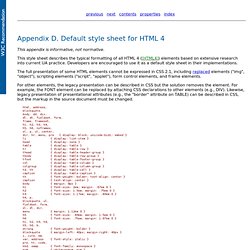
This style sheet describes the typical formatting of all HTML 4 ([HTML4]) elements based on extensive research into current UA practice. Developers are encouraged to use it as a default style sheet in their implementations. HTML Standard. 4.4.5 The aside element — HTML5. HTML 5 國內參考資料.
HTML語法教學. HTML教學目錄. PCNET網路研究所.