
Edit this Fiddle. How to turn your icons into a web font. I had created some neat icons for a website redesign I was doing, and I previewed the new site on an old iPad.
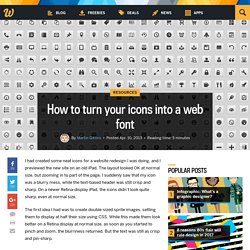
The layout looked OK at normal size, but zooming in to part of the page, I suddenly saw that my icon was a blurry mess, while the text-based header was still crisp and sharp. On a newer Retina-display iPad, the icons didn’t look quite sharp, even at normal size. The first idea I had was to create double-sized sprite images, setting them to display at half their size using CSS. While this made them look better on a Retina display at normal size, as soon as you started to pinch and zoom, the blurriness returned. But the text was still as crisp and pin-sharp. The answer was obvious. Robflaherty/jquery-annotated-source @ GitHub. CSS Background Size. Responsive Sizing for Video Players. Drop-Down Navigation: Responsive and Touch-Friendly · Osvaldas Valutis.
What if you need a multi-level navigation?

In most cases, you design a drop-down menu using unordered lists. But what do you do to make it usable on small and / or cursorless screens? By usable I mean being able to use hyperlinks on parental anchors and open them with a double-tap (which is a native act on touch devices), also being able to close the drop-downs by tapping anywhere outside them to avoid flashing and other huge usability faults but having a usual bulletproof drop-down menu on desktop screens at the same time. A while ago I came up with quite a simple technique. I have been successfully implementing it into my projects as there is no room for one-sided techniques anymore.
The Problem. Putting CSS Clip to Work: Expanding Overlay Effect. A tutorial about how to create a simple expanding overlay effect using the CSS clip property and CSS transitions.
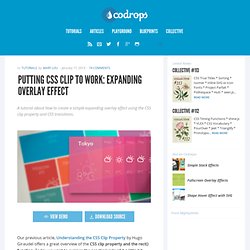
View demo Download source Our previous article, Understanding the CSS Clip Property by Hugo Giraudel offers a great overview of the CSS clip property and the rect() function. Fluid CSS3 Slideshow with Parallax Effect. In this tutorial we will create a slideshow with a parallax effect using several CSS3 properties.
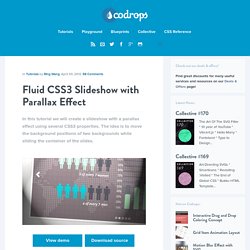
The idea is to move the background positions of two backgrounds while sliding the container of the slides. View demo Download source In this tutorial, we are going to create a slideshow with a parallax effect with the help of some CSS3 properties. We’ll use radio buttons and sibling combinators for controlling which slide is shown. There will be two backgrounds and the idea is to change the background positions and the position of the slider with transitions in order to create a slight parallax effect. The graphics used in the demo are by: 5Milli (Global Vector Map) and by WeGraphics (Free Vector Infographic Kit). Please note: the result of this tutorial will only work as intended in browsers that support the respective CSS properties. The Markup We will “connect” the input elements to the division with the class sp-content by using the general sibling combinator. The CSS. Simple and effective dropdown login box.
Web users log in every day, so imagine how many times log in forms are being used in a single day.

Usually, it don't take too much to fill a form like this, but using a dropdown solution will speed up things for you. In this article, you will see how to create a good looking dropdown login form using CSS3 and a bit of jQuery. View demo The concept. CSS typography experiment. This is a quick experiment that reproduces an image from I Love Typography using nothing more than simple semantic HTML, CSS 2.1, and modern browser implementations of a couple of CSS3 properties.
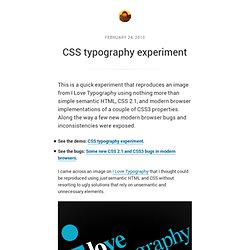
Along the way a few new modern browser bugs and inconsistencies were exposed. I came across an image on I Love Typography that I thought could be reproduced using just semantic HTML and CSS without resorting to ugly solutions that rely on unsemantic and unnecessary elements. The idea was to reproduce the image from realistic markup that may exist “in the wild” and to rely as much as possible on what can be achieved with CSS pseudo-elements. This is the HTML I ended up using. CSS Sprites Revisited. I’m pretty confident that I won’t surprise anyone here by saying that CSS sprites have been around for quite a while now, rearing their somewhat controversial heads in the Web development sphere as early as 2003.
Still, the CSS sprite hasn’t truly found its way into the everyday toolkit of the common Web developer. While the theory behind CSS sprites is easy enough and its advantages are clear, they still prove to be too bothersome to implement, especially when time is short and deadlines are looming. Barriers exist to be breached, though, and we’re not going to let a couple of tiny bumps in the road spoil the greater perks of the CSS sprite. If you want more background information on best practices and practical use cases, definitely read “The Mystery of CSS Sprites: Techniques, Tools and Resources1.” If you’re the defensive type, I would recommend “CSS Sprites: Useful Technique, or Potential Nuisance? I won’t take a stance on the validity of CSS sprites. Preparing The Sprite Link 1. 2. How to Convert a PSD Web Design to HTML and CSS. Not long after our newest Tuts+ site, Webdesigntuts+, launched, they posted an excellent tutorial that details the process of designing a warm and cheerful home page in Photoshop.
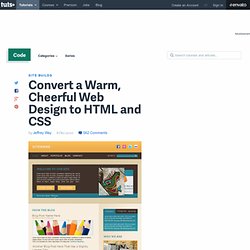
After high demand, we'll take that completed design and convert it into a standards-compliant HTML and CSS web page. Along the way, we'll review a variety of nifty techniques that will help you to improve your own workflow. Even better, when we hit 80,000 RSS subscribers, we'll take things even further and convert the finished product into a custom WordPress theme. Rather than overload you with a massive 4-5 part series all at once, I'll post a new episode in this miniseries every day. It's my hope that, if you're at the point in your career where you can benefit from a series like this, you'll work along with me each lesson.
The Full Series Chapter 2: Create the Markup. SVG Tutorial - SVG and CSS - Cascading Style Sheets. It is possible to style your SVG shapes using CSS.
By styling is meant to change the looks of the shapes. This can be stroke color and width, fill color, opacity and many other properties of your shapes. There are 6 ways to style the shapes in your SVG images. Each will be covered in this text. CSS Tricks: How to Speed Up CSS Rendering. When coding CSS, one of the best ways to ensure your code runs smoothly on older browsers and slow computers is to write your CSS efficiently for browser rendering, this way your site takes less resource and memory from the user’s computer and therefore runs smoother.

Browser vendors constantly trying to make rendering faster, the faster pages load the happier people are using their products. Google is always on a crusade to make the web faster. Mozilla also has several articles about best practices. In this posting we cover some of the big ideas they present, and then discuss the practicalities of it all. Create a Responsive Web Design with Media Queries. If you’ve yet to get your hands dirty with media queries, now is your chance to create your first responsive website design.
In this tutorial we’ll look at converting one of my previous WordPress theme designs into a responsive layout, while taking into consideration the design’s original grid structure. If you cast your mind back to late 2011, we went through the process of designing, coding and building ‘Typo’ into a complete WordPress theme. The design lends itself quite well to a responsive layout, so we’ll use the HTML and CSS as a base to transform the static layout into a responsive layout that will adapt to various viewport sizes. When the viewport size of our browser is reduced on the original demo file we’ll see the site is cut off and ugly horizontal scrollbars are added.
Appfolio Engineering. To many Web developers, being good at CSS means you can take a visual mock-up and replicate it perfectly in code. You don’t use tables, and you pride yourself on using as few images as possible. If you’re really good, you use the latest and greatest techniques like media queries, transitions and transforms. While all this is certainly true of good CSS developers, there’s an entirely separate side to CSS that rarely gets mentioned when assessing one’s skill. Interestingly, we don’t usually make this oversight with other languages.
Responsive Column Layouts. Typically, to create a column layout, you would need to add the first or last classes to reset the margin space and clear the float. Today I’m going to share a very simple CSS trick to create a responsive column layout using nth-of-type pseudo class. I use this trick to code the WordPress themes at Themify. It doesn’t require any first or last class and the number of columns can be adjusted base on the viewport. Displaying Posts in a Carousel. Having a recent posts carousel on your blog is a great way to make it more interactive for your visitors. Recently I had a client ask me to make a recent posts carousel for their website. I said yeah sure, thinking there must be some kind of plugin I can find to do just that real quick. Boy was I wrong. WordPress Cheat Sheet: The Loop Code Snippet. WordPress Cheat Sheets: Theme Anatomy Model. Next in line for our WordPress Cheat Sheet series, The Basic WordPress Theme Anatomy Model! Creating a Filterable Portfolio with WordPress and jQuery.
A Guide to WordPress Custom Post Types: Creation, Display and Meta Boxes. WordPress is built for customization. Getting Visual Editor Styles to Work With Post Formats. When WordPress 3.1 was released, a new feature called Post Formats was introduced, which gave authors the ability to select one of nine formats for their posts. Add a Responsive Lightbox to Your WordPress Theme. A masterclass in CSS animations. HTML/CSS Tutorials. Fluid Grids in Responsive Web Design Tutorial.
Responsive design is the process of arranging the layout in a way that all the important information is presented in a user readable way in any kind of device or screen size. Basic Ready-to-Use CSS Styles. How To Create A Responsive, Mobile First WordPress Theme. Advertisement Let’s assess the situation. Simple Styles for <hr>'s. Learning Principles for Improving Your CSS. Create a Parallax Scrolling Website Using Stellar.js.