
Six Key Lessons from a Design Legend (a before-and-after) When we first built GiftRocket 1.0, our team was absent designers.
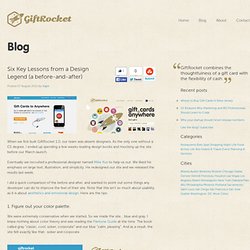
As the only one without a CS degree, I ended up spending a few weeks reading design books and mocking up the site before our March launch. Eventually we recruited a professional designer named Mike Kus to help us out. We liked his emphasis on large text, illustration, and simplicity. He redesigned our site and we released the results last week.
I did a quick comparison of the before and after, and wanted to point out some things any developer can do to improve the feel of their site. 1. We were extremely conservative when we started, So we made the site… blue and gray. Mike, experienced and unhesitant, presented the cream, gold, and black palette we currently use. 2. We suffered from two contrast issues. Mike approached the app as a cousin to the website, using the same branding but inverting colors and layout. 3. Our Yelp business icons started out tiny at 60px by 60px. 4. 5. 6. Mike applied them everywhere on the site. 35 Impressive CSS Menu and Navigation Collection That You Can Use - tripwire magazine - Aurora. When creating a website, one of the things that you must take into consideration is to get the menu and navigation right.
In order for you to have a nice-looking menu in CSS, there is a need for some coding and surely here, some user interface design tutorials can help. Designing and coding from scratch however can be expensive and time-consuming and to address this, you have the option to use some of the CSS menu and navigation scripts created by professional web designers. All you have to do then is to customize them to reflect the design concept that you want. In this article, I am sharing with you more than 55 premium CSS menu and navigation bars that you can use to create beautiful web design projects. I believe you can find some of the best and easy to use CSS menu and navigation scripts here so check them out. If you have anything in mind, or if you anything to add, please do not hesitate to write a comment.
Advertisement CSS3 Mega Drop Down Menu – MORE INFO / DEMO. The 20 Best Marketing Infographics of 2012. Compelling imagery and visual design ruled marketing in 2012.
Never before have pictures and images been so important for igniting engagement in your social media, email, and content marketing campaigns/strategies. With that, the popularity of infographics (information graphics) has also taken the marketing world by storm, and it’s easy to [literally] see why. Infographics are chock full of interesting stats, actionable items and a plethora of knowledge all wrapped up in a pretty package that’s ridiculously easy to share – A marketers dream! Let’s take a look at 20 of the best marketing infographics of 2012: Psst…Want to make an infographic of your own? Social Media:“Like Us!” How Much Time, Money Do Small Businesses Spend on Social Media? The Power of Pinterest; Internet Marketing Inc. How LinkedIn Works; InfographicLabs The ROI of Social Media – Is Social Media Marketing Effective? Build a Killer Website: 19 Dos and Don'ts. I’m continually surprised by how many people call my design company with very firm ideas about what they want on their business website and yet, they haven’t thought through some of the most basic questions first.
For this reason, our first question is always “Why do you need a site? ,” not “What do you want on it?” At bottom your website is a marketing tool. For many businesses, it’s the only source of business. If done right, it can be a major part of yours. Here’s my quick-hit list of the top dos and don’ts before you get started: Do: Set smart goals. Don’t: Top Sites To Find All The Serials You Need. 12 LinkedIn secrets to supercharge your social networking. To know me is to know that I love—love—LinkedIn.
At 150 million members and growing, LinkedIn is a powerful professional networking tool, and it’s not just for job seekers. Frankly, if you’re in the professional world and not using LinkedIn, I’m not sure what you’re thinking. Our team at V3 uses it for new business development, competitive research and analysis, participating in groups and discussions, and engaging with and learning from peers—and, of course, it’s the go-to site for savvy job seekers everywhere. One of the cool things about LinkedIn is there’s always something new to learn. Sure, the first step is to sign up and create your profile. I do a lot of corporate LinkedIn training and these are some of my favorite tricks and tips: