
Graphin' Your Stats. 6 étapes pour trouver l'administrateur d'une Fan Page. Cet article a été publié il y a 3 ans 7 mois 29 jours, il est possible qu’il ne soit plus à jour.

Les informations proposées sont donc peut-être expirées. [quote]ATTENTION CET ARTICLE N’EST PLUS D’ACTUALITE DEPUIS LES DERNIERES MISES A JOUR DE FACEBOOK [/quote] L’objectif de cet article est tout simplement de vous permettre de retrouver l’administrateur d’une fan page. Bien entendu les nouveaux formats de page permettent (si l’admin le souhaite) de faire figurer le “propriétaire” de la page. Or il ne s’agit pas d’une pratique très répandue à l’heure actuelle et aucunes fonctions de base ne permettent de découvrir les mystérieux administrateurs qui se cachent derrière certaines fan page.
Goodies. Améliorer votre système de commentaires avec IntenseDebate, Disqus et TypePad Connect. Il existe différents services permettant d’améliorer le système de commentaires de son blog et d’améliorer l’expérience utilisateur : IntenseDebate, Disqus et TypePad Connect.
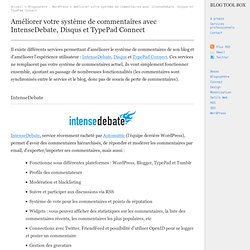
Ces services ne remplacent pas votre système de commentaires actuel, ils vont simplement fonctionner ensemble, ajoutant au passage de nombreuses fonctionnalités (les commentaires sont synchronisés entre le service et le blog, donc pas de soucis de perte de commentaires). Disqus vs. IntenseDebate - Why we switched. UPDATE: Since writing this post, I've had a change of heart.
I still believe that IntenseDebate is better than Disqus as I describe in this post, but you might want to read why I don't use either of them anymore. Most blogs (including this one) allow readers to post comments at the bottom of each post. There are a number of different products that bloggers can use to power their comment systems, and two of the most popular are Disqus and IntenseDebate. We recently made the switch from Disqus to IntenseDebate so I thought I'd write up a quick comparison between the two. Intense Debate vs. Disqus - Compare Side by Side. Difference between Intense Debate and Disqus Comment systems are essential components of any blog, and systems such as Intense Debate and Disqus have become indispensable to a growing number of bloggers on the Internet.
With the need to "follow" other users having become an increasingly important concern, these tools provide a much-needed service to the blogging community as you will see in this comparison article. Features And Integration Intense Debate does not provide an iFrame for users, instead showing all comments right in WordPress.
This essentially gives users a single access point to various Intense Debate services. FriendFeed comments are another matter. Twitter support is not one of the features that either service advertises aggressively, although the vast popularity of the platform may make this a necessity. Bugs Unfortunately, Intense Debate is plagued with quite a lot of bugs as well. Community One of the most telling factors in the choice between the two is community. Intense Debate VS Disqus. Discover your community - DISQUS. Commenting Services Face to Face: Disqus vs IntenseDebate vs JS-Kit vs SezWho.
I have received a lot of feedback from JS-Kit and SezWho which lead to changes in the evaluations.

I am working on an update to the post. Meanwhile, you can read Jitendra’s comment which is providing more insight about SezWho offering. This is a long post, so I’ll jump directly to the main topic. I’ve run a face to face comparison for 4 existing commenting systems: Disqus, IntenseDebate, JS-Kit and SezWho. The rest of the post presents the criteria I’ve used, the winners and references to specific features. Please feel free to comment and correct me if I got anything wrong! Criteria User related Features Comment threadingAnonymous postsBookmarkabilityComment ranking and additional features (sort, most, filter, etc.)Rich format commentsOwner related features: Spam filteringComment moderationSearch Engine FriendlinessHTML/CSS customizationData access Widget (Javascript API)Programming APIData export Evaluated products Winners Drum roll… The winners are:
Update on Commenting Services Face-off. After my post on the 4 commenting services Commenting Services Face to Face: Disqus vs IntenseDebate vs JS-Kit vs SezWho, I have started to receive back a lot of feedback.

I’d like to thank all the people that took their time to go through the article and send me their feedback. Based on this feedback, I feel that an update is needed as the information might change the final evaluation. As a quick reminder my final ranking was something like: BlogWinner: IntenseDebateRunner-up: DisqusSiteWinner: DisqusRunner-up: IntenseDebate Now, if you check the different matrices in my initial post, you’ll notice that there is a question that isn’t really answered: why JS-Kit doesn’t show up in my final top?
I should also mention that there have been a major upgrade to the freemium model and now the free version is available for up to 5 mil pageviews (see more details about JS-Kit pricing). Feature Tour - DISQUS. Universal Code. Comments enhance and encourage conversation on your blog or website. Email Marketing and Email List Manager. How do I move my existing subscribers or segments of my list into Groups.