background preloader

Icefaces

Facebook Twitter

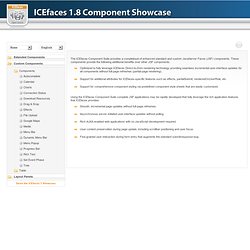
Open Source Ajax, J2EE Ajax, JSF Java Framework. Component Suite. The ICEfaces Component Suite provides a completeset of enhanced standard and custom JavaServer Faces (JSF) components. These components provide the following additional benefits over other JSF components: Optimized to fully leverage ICEfaces Direct-to-Dom rendering technology providing seamless incremental user-interface updates for all components without full-page refreshes (partial-page rendering).Support for additional attributes for ICEfaces-specific features such as effects, partialSubmit, renderedOnUserRole, etc.Support for comprehensive component styling via predefined component style sheets that are easily customized.
Using the ICEfaces Component Suite complete JSF applications may be rapidly developed that fully leverage the rich application features that ICEfaces provides: Various small how-tos for the JSF beginner. A - Changing the locale of the current running session 1. Set up a managed session bean for storing the locale. 2. Intialize the locale from the browser settings: public SessionBean() { FacesContext context = FacesContext.getCurrentInstance(); HttpServletRequest request = (HttpServletRequest)context.getExternalContext().getRequest(); sessionLocale = request.getLocale(); if (! Locale.GERMAN.equals(sessionLocale) && ! Make sure to fall back to your default locale in case of unknown locales. 3.
Public Locale getLocale() { return sessionLocale; } public void setLocale(Locale sessionLocale) { this.sessionLocale = sessionLocale; } 4. 5. B - Redirect to another place void redirect(String url) { FacesContext context = FacesContext.getCurrentInstance(); HttpServletResponse response = (HttpServletResponse)context.getExternalContext().getResponse(); String path = context.getExternalContext().getRequestContextPath(); response.sendRedirect(path + url); } C - Get a resource text for the current locale: 1. 2. JSF Session Expiry Timeout Solution. Server-initiated Rendering API. Using datatables. This article is targeted on JSF 1.2. For JSF 2.0, using datatables can be approached much more elegantly with help of a @ViewScoped managed bean. Please checkout this article which contains two basic CRUD examples, one for JSF 2.0 on Servlet 2.5 and other for JSF 2.0 on Servlet 3.0 which supports passing method arguments in EL 2.2.
Introduction This whole JSF datatable howto is based on the use of a backing bean with the request scope. Create DTO class The h:dataTable dynamic tables are nice, you can put any List or DataModel of DTO or Map objects in it. Imagine a SQL database containing a table with three fields: ID, Name and Value. Here is an example called MyData.java: It's a good practice to use wrapper datatype objects (Long, Boolean, Integer, etc) instead of primitive datatypes (long, boolean, int, etc) for the properties, because the database fields can contain null values which can not be put into a primitive at all.

Back to top Retrieve and store data Show data contents in datatable.