
Business Web Page. September 20th, 2007 by ART-D Posted in Adobe Photoshop, Web Layout In this detailed tutorial you will learn how to create a web layout for your business.
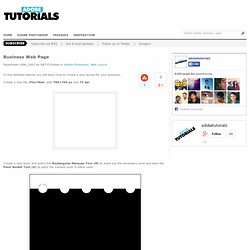
Create a new file (File>New) with 780×700 px and 72 dpi. Create a new layer and select the Rectangular Marquee Tool (M) to mark out the necessary zone and take the Paint Bucket Tool (G) to paint the marked zone in black color. Next use the Elliptical Marquee Tool (M) (on the same layer) to mark out the zone as it is shown on the picture and press Delete button. GradientFlex4. Blog Papervision3D.