
FCam API - Getting Started. To use the FCam API, first you'll need a development environment for the Nokia N900.

This page describes how to set everything up, assuming very little background knowledge about N900 development. Most of these instructions duplicate documentation from Nokia and the Maemo project - we'll try to point to those documents as appropriate, for those who want more information. Contents: Executive Summary: Here's the short version for people who are already very familiar with N900 development and have a development environment set up. Install the package "fcam-drivers" on your N900. There are several development environments for the Nokia N900. You'll need both your development machine and your N900 on hand to complete all the steps below, and a USB cable to connect the two. You can also write, compile, and test your code either from the Qt Creator IDE, or a command line.
Mattrubin/CameraAssist. Using Android binary package with Eclipse — OpenCV v2.4.2 documentation. This tutorial was tested using Ubuntu 10.04 and Windows 7 SP1 operating systems.

Nevertheless, it should also work on any other OSes supported by Android SDK (including Mac OS X). If you encounter errors after following the steps described here, feel free to contact us via android-opencv discussion group and we will try to help you. Quick environment setup for Android development If you are making a clean environment installation then you can try Tegra Android Development Pack (TADP) released by NVIDIA: Tegra Android Development Pack. The page you are looking for has been removed, or never existed.

Google Nexus 7. The page you are looking for has been removed, or never existed.

We’re sorry for any inconvenience. Please explore CUDA, NVIDIA GameWorks, and Professional Graphics sections of our site. The Frankencamera: Building a Programmable Camera for Computational Photography - Eino-Ville Aleksi Talvala. Frequently asked questions about the Frankencamera. Assembled by Marc Levoy and Andrew Adams in September 2009.

This FAQ is now out of date. Instead, look at our SIGGRAPH 2010 paper. What is computational photography? Any image produced by a digital camera obviously requires computation to produce it. The admittedly vague phrase computational photography, which evolved organically in the graphics and vision research communities, refers to computational techniques that go beyond what today's digital cameras can do. How does the Frankencamera help? To implement the techniques listed above, you typically need a camera, a separate computer, and sometimes an optical bench. Doesn't CHDK already let you do this? No, they're very different beasts. How many photographers really want to reprogram their cameras? Probably not many. What's inside the Frankencamera? As the Stanford Report article says, the computational core is a Texas Instruments OMAP3 "system on a chip", which includes a CPU, GPU, and DSP.
Isn't there already a Linux camera, the Elphel? Frankencamera: New Open-Source Camera revolutionizing digital photography. Here’s some really exciting news for photo enthusiasts and programmers alike.

Recently scientists from Stanford made public a ground-breaking open source digital camera dubbed Frankencamera that should take the world of digital photography to completely new levels. The camera will offer programmers across the globe an opportunity to create software that will allow them to teach novel camera tricks.
Reinventing digital photography, the technology hopes to put future camera performances beyond the manufacturer’s pre-installed software. The scientists reveal that if the technology catches on, limitations of the camera software can be overcome. The Stanford camera boasts of being fully-enabled so that practically all the features can be created by programmers. “The premise of the project is to build a camera that is open source,” shares computer science professor Marc Levoy. The Frankencamera: An Experimental Platform for Computational Photography.
{*style:<i> Adams, A., Talvala, E., Park, S. H., Jacobs, D. E., Ajdin, B., Gelfand, N., Dolson, J., Vaquero, D., Baek, J., Tico, M Lensch, H. Camera 2.0. 3/15/12 - The FCam API is now available on the Nokia N9 Linux-based smartphone.
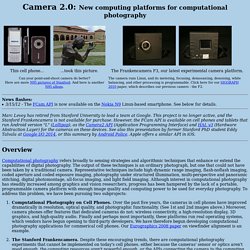
See below for details. Marc Levoy has retired from Stanford University to lead a team at Google. This project is no longer active, and the Stanford Frankencamera is not available for purchase. However, the FCam API is available on cell phones and tablets that run Android version "L" (Lollipop), as the Camera2 API (Application Programming Interface) and HAL v3 (Hardware Abstraction Layer) for the cameras on these devices. FCam API - Home. CS 478 - Computational photography. Winter, 2012 Course material Class schedule (click here for course outline and lecture notes) Ideas for projects (available; accessible to Stanford IP addresses only) Proposal guidelines (available; accessible to Stanford IP addresses only) Report and presentation guidelines (available; accessible to Stanford IP addresses only) "Hello Camera" Assignment (available; accessible to Stanford IP addresses only) "Hello Image Processing" Assignment (available; accessible to Stanford IP addresses only) Course abstract Computational photography refers broadly to sensing strategies and algorithmic techniques that enhance or extend the capabilities of digital photography.

The output of these techniques is an ordinary photograph, but one that could not have been taken by a traditional camera.