
How To Install Drupal on Ubuntu Server 12.04. Drupal is a free and open-source content-management system (CMS) based on PHP and Mysql, Drupal allows an individual or community of users to publish, manage and organize a variety of content, Drupal integrates many popular features of content management systems, weblogs, collaborative tools and discussion-based community software into one easy-to-use package.
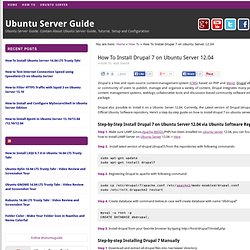
Drupal also possible to install it on a Ubuntu Server 12.04. Currently, the Latest version of Drupal (drupal 7) is available in Official Ubuntu Software repository. Here’s a step-by-step guide on how to install drupal 7 on ubuntu server 12.04 Step-by-Step Install Drupal 7 on Ubuntu Server 12.04 via Ubuntu Software Repositories Step 1. Step 2. Sudo apt-get updatesudo apt-get install drupal7 Step 3.
Sudo cp /etc/drupal/7/apache.conf /etc/apache2/mods-enabled/drupal.confsudo /etc/init.d/apache2 restart Step 4. Mysql -u root -pCREATE DATABASE dbdrupal; Step 5. Enhancing Your Ubuntu Server. A few weeks ago, I showed you how to setup your very own linux server.
Now, I'm going to show you how to add even more functionality. Before We Begin... This guide assumes that you've followed my previous tutorial, How to Setup a Dedicated Web Server for Free, or that you've got a similar server already set up. What We're Going to Accomplish In this tutorial, we're going to: Install a Subversion server, so that you can use version control for your projects.Add a system management application, more popularly known as Webmin, so that you can keep track of your server's status and get real-time updates.
A Quick Note These steps can be accomplished while sitting at the computer and typing into the console, or for those who like to run a headless server, you may use SSH. Download Subversion While there are many version control systems, Subversion is one of the most popular. First, you need to login to your server; I'm doing it over SSH, so my screenshots will show my terminal: Setting Up Subversion. 8 Ways to Maintain a Clean, Lean Ubuntu Machine. Once in a while, you may want to do some maintenance on your Ubuntu machine and clean up unnecessary files that are chunking up large storage space in your hard disk.
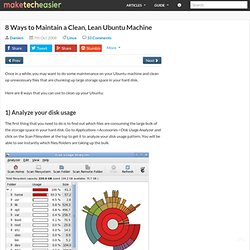
Here are 8 ways that you can use to clean up your Ubuntu: 1) Analyze your disk usage The first thing that you need to do is to find out which files are consuming the large bulk of the storage space in your hard disk. Use Mechanig to Easily Clean Up Your Ubuntu Machine. Usually when we discuss the ways to clean up your Ubuntu system, it will always involve command lines like “autoremove“, “autoclean“, “clean” etc.

For those who are not used to the command line, an alternative is to use GUI software to get the things done. One such software is 2ClickUpdate, which we have reviewed earlier. Another such software is Mechanig, which we are discussing today There is nothing special for Mechanig as it is just a GUI wrapper for most of the commonly used optimization command. However, it can be really useful if you don’t want to dabble with the command line. Mechanig is not available in the Ubuntu repository, but you can install via its own PPA.
Mechanig is located at the “System Tools” folder under Applications. There are two main parts to the software: PC optimization and Software management. In short, if you are looking for a quick and easy way to clean up your system without having to remember all the bash command, Mechanig is the one for you. Use Mechanig to Easily Clean Up Your Ubuntu Machine. Magic SysRq key. The SysRq key The magic SysRq key is a key combination understood by the Linux kernel, which allows the user to perform various low-level commands regardless of the system's state.

It is often used to recover from freezes, or to reboot a computer without corrupting the filesystem.[1] Much like Sun Microsystems's Open Firmware (OpenBoot), this key combination provides access to powerful tools for software development and disaster recovery. In this sense, it can be considered a form of escape sequence. Principal among the offered commands are means to forcibly unmount file systems, kill processes, recover keyboard state, and write unwritten data to disk. Commands[edit] The key combination consists of Alt, SysRq and another key, which controls the command issued.
The combinations always assume the QWERTY keyboard layout; for example, on a Dvorak Simplified Keyboard, the combination to shut the system down uses the key labelled R instead of O. Uses[edit]