
Linux Mint auf USB-Stick installieren unter MS Windows, mit Persistenz. In dieser Anleitung wird Schritt für Schritt beschrieben, wie Sie mit Hilfe des Windows-Programms die Linux-Distribution persistent auf einen USB-Stick installieren können. Sie können mit dem gleichen, unten beschriebenen Vorgehen auch . Diese Anleitung wurde für erstellt. Sie funktioniert aber auch für andere Linux-Mint-Versionen. Mit dieser Anleitung erstellte USB-Stick-Installationen sind , d. h. Änderungen und Dateien werden gespeichert. Voraussetzungen Um die nachfolgende Anleitung ausführen zu können, benötigen Sie: Falls Sie “Linux Live USB Creator” noch nicht auf Ihrem Rechner haben, können Sie es hier herunterladen . DevelopmentCodeNames. Linux-backports-modules › WLAN.
Karten › WLAN. Broadcom Systemtreiber brcmsmac Der neue Systemtreiber brcmsmac ist für einige Karten geeignet, allerdings muss die Gerätefirmware (Ubuntu 12.xx) und das Modul (nur Ubuntu 12.04) selbst meist aktualisiert werden. brcmsmac unterstützt im Gegensatz zum Broadcom-STA das nl80211 Subsystem, wodurch u.a. die Regionseinstellungen des Systems greifen und die länderspezifischen Funkkanäle aktiviert werden.

Referenzartikel. Weitere Informationen dazu auf www.linuxwireless.org Unterstützte Chipsätze: Firmware und Treiber aktualisieren Firmwarepaket und Anleitung zur Installation hier. Der Treiber selbst kann über die Backport-Module Version 3.6 aktualisiert werden. Dazu ist eine Kabelverbindung erforderlich. Werden die Systemmodule b43 und ssb zusätzlich bei der Chipsatvariante BCM4313 geladen, so müssen diese gesperrt werden: HDA › Soundkarten konfigurieren. In vielen neueren Notebooks und Mainboards ist ein Soundchip verbaut, der sich selbst als "HDA" (High Definition Audio) ausgibt. Dabei handelt es sich um eine Soundchip-Familie mit vielen - teils sehr unterschiedlichen - Mitgliedern. Leider ist das Zusammenspiel von ALSA und diesen Chips oft ein Problem, da die Chip-Hersteller aus dem internen Aufbau dieser Chips ein Geheimnis machen.
Das Fehlerbild ist vielfältig und reicht von "gar kein Sound", über "Sound aus Kopfhörer und internen Boxen zur selben Zeit" bis "Sound-Regler funktionieren nicht". Diese Seite soll bei der Inbetriebnahme der Soundausgabe mit diesen Soundchips helfen. Einrichtung Als Erstes muss ermittelt werden, welcher genaue Chip-Typ auf dem Mainboard sitzt [2]: Damit sieht man, wie der Chip von ALSA identifiziert wurde, beispielsweise als "HDA Intel", "HDA ATI SB" oder "HDA VIA VT82xx".
Information : Sound über HDMI mit Ubuntu › Multimedia. Da immer wieder das Problem mit HDMI in Verbindung mit Sound Problemen auftritt, habe ich mich nun mal kurz entschlossen eine kleine Übersicht zu machen. HDMI ist zweigeteilt, also in einen Teil Video Hardware und einen anderen Teil Audio Hardware. Es wird angenommen, das der korrekte Video Treiber installiert ist, und HDMI (BILD) am TV/Monitor funktioniert. Audio über HDMI funktioniert nicht immer sofort. Je nachdem welche Hardware eingesetzt wird, wird HDMI als Soundkarte vom Kernel erkannt oder nicht. Mit dem Befehl : aplay -l sollte man sich anziegen lassen, ob die HDMI Soundkarte erkannt wurde. Es müßte sich ein Eintrag mit HDMI ähnlich wie dieser finden : aplay -l **** Liste von PLAYBACK Geräten **** Karte 0: NVidia [HDA NVidia], Gerät 3: NVIDIA HDMI [NVIDIA HDMI][/color] Untergeordnete Geräte: 0/1 Untergeordnetes Gerät '0: subdevice #0'''
10 things to do after installing Ubuntu 11.10. Ubuntu 11.10 – Oneiric Ocelot beta 1 is out now!

Now it’s the time to install some necessary applications/packages to make the system useful for any common purpose such as Listening music, watching movies, playing videos over the web etc. or any specific purposes (e.g if you’re a web designer then you need to install some cool fonts, image editors, graphics designing tools etc). Since Ubuntu 11.10 has already made some good changes in the selection of default applications (as compare to previous versions), but still a lot of efforts are required to customize the Ubuntu for your needs. Here is list of top 10 customization tips that I think is required for most of the users, feel free to add one if you feel it’s useful for Ubuntu users, through comments.
Install Windows 7 with Ubuntu using VirtualBox. Linux_Downloads - VirtualBox. Note: The package architecture has to match the Linux kernel architecture, that is, if you are running a 64-bit kernel, install the appropriate AMD64 package (it does not matter if you have an Intel or an AMD CPU).
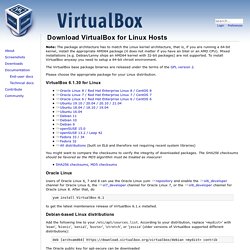
Mixed installations (e.g. Blog Archive » Ubuntu. Bluefish Für Webentwickler die selber Programmieren ist der Editor Bluefish absolut Empfehlenswert. Mich erinnert er an den guten alten Phase 5 Editor. Der Blaue Fish kann Syntax Highlighting für CSS, (D)HTML, C, PHP, SQL, Java(Script), XML und einiges mehr. Ein Tabellen Assistent und automatische Tags dürfen natürlich auch nicht fehlen. Viele kleine Hilfsmittel fürs Programmieren ergeben ein tolles Gesamtpaket. Skype Kennt jeder und auch unter Linux mittlerweile problemlos nutzbar. Das Software Center von Ubuntu installieren oder folgenden Link für die Dynamic Static Version. Download Ubuntu. Multimedia. Hier werden Wiki-Artikel gesammelt, in welchen erklärt wird, wie man verschiedene Video- und Audioformate abspielen kann und welche Programme sich für welchen Zweck eignen.

Außerdem finden sich hier weitere Anleitungen zur Bearbeitung und Erstellung von Musik und Filmen.