
Bookitme. Showcase » Tag » Business. Occupancyplan. WP Plugin Belegungsplan « Wordpress – Belegungsplan – Plugin. WP Plugin Belegungsplan (Occupancy Plan) für WordPress Occupancy Plan ist ein einfaches Plugin für WordPress, das eine Übersicht von z.B. belegten Ferienwohnungen oder Ferienhäuser kalendarisch anzeigt.
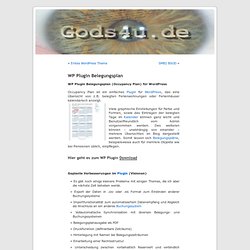
Viele graphische Einstellungen für Farbe und Formen, sowie das Eintragen der belegten Tage im Kalender können ganz leicht und Benutzerfreundlich vom Admin vorgenommen werden. Des weiteren können – unabhängig von einander – mehrere Übersichten im Blog dargestellt werden. Somit lassen sich Belegungspläne, beispielsweise auch für mehrere Objekte wie bei Pensionen üblich, einpflegen. Hier geht es zum WP Plugin Download. Booking Calendar. Hotel Booking in WordPress? We’ve covered it! We’ve had our eyes on creating this one since a long time.
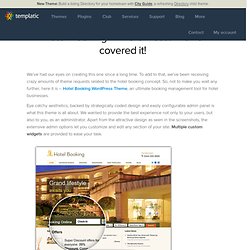
To add to that, we’ve been receiving crazy amounts of theme requests related to the hotel booking concept. So, not to make you wait any further, here it is – Hotel Booking WordPress Theme, an ultimate booking management tool for hotel businesses. Eye catchy aesthetics, backed by strategically coded design and easily configurable admin panel is what this theme is all about. We wanted to provide the best experience not only to your users, but also to you, as an administrator. Apart from the attractive design as seen in the screenshots, the extensive admin options let you customize and edit any section of your site.
You can show pictures of your hotel properties in a sleek image slider on the homepage. The dashboard features a handy ‘Upcoming Booking Requests‘ section for a quick glance at the recent booking requests and previous booking logs too. So, go ahead, see the live demo or test this theme for free and purchase it here. WP-Reservation. This WordPress plugin allows for the creation of own sites with a booking system.

It can apply to their sites hostels and hotels. Your users accessing the site, will fill a special order form and place your reservation. During the checkout process automatically register the user in WordPress. To order management created an administrative part. You can always see the true information about orders and customers, to confirm payment of your reservation, as well as a book by hand. Features: Showcase » Aqua Hotels and Resorts. Showcase » The Bedford Hotel. How To Create Custom WordPress Content Types. Function Reference/register post type. Function Reference/register post type Languages: English • 中文(简体) • 日本語 • (Add your language) Description Create or modify a post type. register_post_type should only be invoked through the 'init' action.
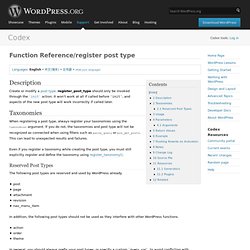
It won't work at all if called before 'init', and aspects of the new post type will work incorrectly if called later. Taxonomies. Post Types. Languages: English • 日本語 • Português do Brasil • Nederlands • Slovenčina • (Add your language) WordPress can hold and display many different types of content.

A single item of such a content is generally called a post, although post is also a specific post type. Internally, all the post types are stored in the same place, in the wp_posts database table, but are differentiated by a column called post_type. WordPress 3.0 gives you the capability to add your own custom post types and to use them in different ways. Default Post Types There are five post types that are readily available to users or internally used by the WordPress installation by default :
Setting up Custom Content Types in WordPress 3.0. Cc licensed flickr photo shared by TakenByTina My previous post just outlined the kinds of things I put into a new site created with a beta version of WordPress 3 (I started with the first beta and honestly, it had more polish than most finished products) – I actually did not tell you much.
Now it’s time to get out and start hacking. In this post, I’ll detail what I did to create three content types on the MIDEA site. You will see code, raw PHP out in the open. While there is an excellent plugin for creating custom content types (I did try it out and also parsed through the code to see what it did), it only did about 15% of what I wanted. Custom Content Type Manager. WP e-Commerce. WooCommerce – excelling eCommerce. Dynamic Widgets.
Dynamic Widgets gives you full control on which pages a widget will display.

It lets you dynamically show or hide widgets on WordPress pages by setting conditional logic rules on a widget with just a few mouse clicks. No knowledge of PHP required. No fiddling around with conditional tags. You can set conditional rules by Role, Dates, Browser, Featured image, IP Address, Mobile devices, Theme Template, Language (WPML or QTranslate), URL, for the Homepage, Single Posts, Attachments, Pages, Authors, Categories, Tags, Archives, Error Page, Search Page, Custom Post Types, Custom Post Type Archives, Custom Taxonomies in Custom Post Types, Custom Taxonomies Archives, WPEC/WPSC Categories, BuddyPress Components, BuddyPress Groups, Pods pages and bbPress. For the latest news about Dynamic Widgets visit my website. Works or broken? Site Layout Customizer. IMPORTANT you need to choose SET FEATURED IMAGE when you upload an image to your post.

The plugin only shows featured images. This plugin allows you to create a custom front page and other pages to show the latest posts. WordPress Download Manager. MapPress Easy Google Maps. MapPress adds an interactive map to the wordpress editing screens.
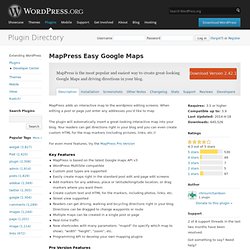
When editing a post or page just enter any addresses you'd like to map. The plugin will automatically insert a great-looking interactive map into your blog. Your readers can get directions right in your blog and you can even create custom HTML for the map markers (including pictures, links, etc.)! Plugin Central. Options Framework. The Options Framework Plugin makes it easy to include an options panel in any WordPress theme.
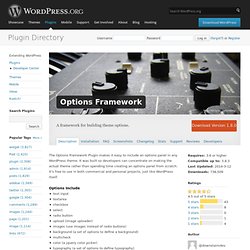
It was built so developers can concentrate on making the actual theme rather than spending time creating an options panel from scratch. It's free to use in both commercial and personal projects, just like WordPress itself. Options Include text inputtextareacheckboxselectradio buttonupload (image uploader)images (use images instead of radio buttons)background (a set of options to define a background)multicheckcolor (a jquery color picker)typography (a set of options to define typography)editor Learn More Please visit for a full description of how to define and use the theme options. List category posts. List Category Posts allows you to list posts from a category into a post/page using the [catlist] shortcode. When you're editing a page or post, directly insert the shortcode in your text and the posts will be listed there. The basic usage would be something like this: [catlist id=1] [catlist name="news"] The shortcode accepts a category name or id, the order in which you want the posts to display, and the number of posts to display.
eShop. WP-Table Reloaded. Attention: WP-Table Reloaded has been replaced with TablePress! Please do not install WP-Table Reloaded anymore! Instead, please use the TablePress plugin, which is the official successor of WP-Table Reloaded. Disable Comments. This plugin allows administrators to globally disable comments on any post type (posts, pages, attachments, etc.) so that these settings cannot be overridden for individual posts. It also removes all comment-related fields from edit and quick-edit screens. On multisite installations, it can be used to disable comments on the entire network. Additionally, comment-related items can be removed from the Dashboard, Widgets, the Admin Menu and the Admin Bar. Exclude Pages. Lightbox Plus.
Lightbox Plus ColorBox implements ColorBox as a lightbox image overlay tool for WordPress. ColorBox was created by Jack Moore and is licensed under the MIT License. Lightbox Plus ColorBox for WordPress implements ColorBox as a lightbox image overlay tool for WordPress. ColorBox was created by Jack Moore and is licensed under the MIT License. Lightbox Plus ColorBox permits users to view larger versions of images without having to leave the current page.
Advanced Custom Fields.