
WordPress: Add a Second Widget-Ready Sidebar - Tools and Tutorials, WordPress - AbleReach. This is the tutorial I wish I had found when I first wanted to know how to add a second widget-ready sidebar.

Step One: Create a second sidebar file1)a: Add content to sidebar2.php1)b: Upload sidebar2.phpStep Two: Add the new sidebar to your WordPress layout2)a: Find the code that calls the original sidebar2)b: Add your own includesStep Three: Use functions.php to tell your theme about the new sidebar3)a: Insert widget-ready CSS3)b: check your work Step One: Create a second sidebar file Create an empty text file and give it a name.
For the purpose of these instructions I’m using the file name sidebar2.php. Function Reference/wp nav menu. How to Add Custom Navigation Menus in WordPress 3.0 Themes. Do you want to add custom navigation menus in your WordPress theme?
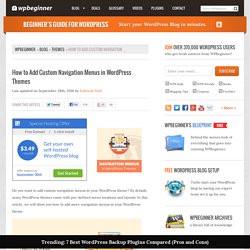
By default, many WordPress themes come with pre-defined menu locations and layouts. WordPress 3.0 Tutorial: Highlight Current Page or Category in WordPress 3.0 Menusdesign is philosophy. Almost two years ago I published an article on how to create custom WordPress menus that highlighted the current page.

It’s still one of the most popular posts on this site, and for good reason: Current page highlighting is vital to ensure a good user experience for your visitors. Without current page highlighting it’s hard for the visitor to know if she is on the correct page or not. Now it’s time to upgrade that tutorial to incorporate the new custom menu functionality in WordPress 3.0 and also add some new functionality. WordPress 3.0 menus simplify everything… once you understand them One of the major improvements shipped in WordPress 3.0 was the custom menu functionality. I’m not going to cover how to use the menus from within the admin panel. Dissecting the stock menu output.
Dynamic Menu Highlighting. WordPress Tutorial: Highlight current page in WordPress menusdesign is philosophy. I have published an updated tutorial on this topic entitled Highlight Current Page or Category in WordPress 3.0 Menus.
Click here to read the new article. WordPress has a lot of built in functionality that you can tap for advanced customization. One of these which is often ignored is the ability to highlight the current page in menus with CSS. By default, WordPress assigns a special style class to the button that points to the current page. By styling this class differently from the “regular” classes the current page button is highlighted. Function Reference/query posts. Template Tags/get posts. Template Tags/get posts Languages: English • Español • 日本語 • 中文(简体) • (Add your language) Description The most appropriate use for get_posts is to create an array of posts based on a set of parameters.

It retrieves a list of latest posts or posts matching this criteria. get_posts can also be used to create Multiple Loops, though a more direct reference to WP_Query using new WP_Query is preferred in this case. The parameters of get_posts are similar to those of get_pages but is implemented quite differently, and should be used in appropriate scenarios. get_posts uses WP_Query, whereas get_pages queries the database more directly. Query_posts also uses WP_Query, but is not recommended because it directly alters the main loop by changing the variables of the global variable $wp_query. get_posts, on the other hand, simply references a new WP_Query object, and therefore does not affect or alter the main loop. Usage Default Usage. Function Reference/bloginfo. Languages: English • Türkçe • 日本語 • Português do Brasil • 中文(简体) • Русский • (Add your language) Description Displays information about your site, mostly gathered from the information you supply in your User Profile and General Settings WordPress Administration Screens.
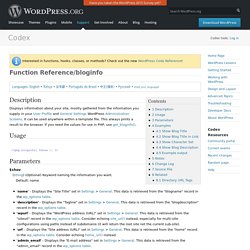
It can be used anywhere within a template file. This always prints a result to the browser. If you need the values for use in PHP, use get_bloginfo(). Usage Parameters $show (string) (Optional) Keyword naming the information you want. Formatting Date and Time. Languages: English • Français • 日本語 • Português do Brasil • Русский • 中文(简体) • 中文(繁體) • Italiano • 한국어 • (Add your language) Customizing the Time and Date Certain WordPress tag functions are used to display or return date and time information; the_date() and the_time() are examples of this.

Some of these functions accept a parameter called a format string that allows you to determine how the date is going to be displayed. The format string is a template in which various parts of the date are combined (using "format characters") to generate a date in the format specified. For example, the format string: Customising The Default Search Box - WordPress Mods. A friend of mine told me recently that he was using WPHub to find out how to customise his website.

I was flattered however he pointed out that he couldn’t find my search box initially as it was placed in my navbar. It is sometimes easy to disregard things like this. It was something I never thought would be a problem though you would expect this since I know the WP Mods design well. As you can see from the screenshot below, the search box used to be at the right hand side of the navbar. As it shared the same dark background as the rest of the navbar, some users may have missed it. I therefore decided to move the search box to the top of the sidebar. This function will call your search form your searchform.php template. This produces a simple search box with ‘Search’ written on the button. Tutoriels: Créez le design de votre blog Wordpress avec Photoshop!
Après la création des templates pour un thème WordPress et les tutoriels sur le référencement pendant l’été, il est temps d’aborder toute la partie design du blog.

Comment réaliser son propre design de blog ? Comment l’intégrer ensuite au code ? Ce sont tous les aspects que nous allons aborder dans les prochaines semaines avec cette nouvelle série de tutoriels largement tournés autour de Photoshop et de l’intégration XHTML et CSS. Ainsi, ces tutos vont s’organiser autour du schéma suivant: 1. Bien sûr, tous ces aspects vont représenter plus d’un tutoriel pour chaque point, mais ça vous donne déjà une trame afin de mieux comprendre les différentes étapes de la réalisation d’un design de blog. Bien entendu, on partira d’un design que j’ai personnellement réalisé. De quoi avez-vous besoin pour suivre ces tutoriels ? Comme pour les précédents tutoriels, cette page sera mise à jour au fur et à mesure de la rédaction des articles.
30 hacks PHP pour WordPress 3. Pas de moins de 30 astuces PHP figurent dans cette liste pour modifier WordPress à votre convenance. 30 hacks à partager entre fans de WordPress bien entendu !
Styling Theme Forms. Styling Theme Forms Every theme for WordPress has at least two forms: Search and Comments. If you are developing a WordPress Theme or want to make some adjustments to your Theme's forms, you can customize your forms to match the overall Theme. WordPress Form Styling Web Form styling is one of those areas of web page design that is part CSS and part browser influenced. The W3 Consortium sets standards that say that form elements can be styled, but browsers tend to have their own "opinions. " We will focus on what WORKS. How to Query or show a specific post in wordpress. If you are looking for php code or a plugin for your WordPress that takes a post ID and returns the database record for that post then read on. This is very helpful when you want to show a specific post on your homepage or other pages to get more attention.
It allows you to design your homepage or a page with the post(s) that you want to be shown on the page rather than the 10 recent posts that the WordPress automatically chooses for you. PHP Code Example to Query a WordPress Post Example 1 The following code will Query the post with post id 26 and Show the title and the content. <? Example 2 The following style could be more useful as it lets the user customise the font easily. <?