
How to Install Installous on iOS 5.0.1 for iPhone, iPad and iPod Touch. IOS - appappapps.com 限時免費、iPhone iPad Android apps評測及最新資訊. JB工具Absinthe更新版,新增支援更穩定. A5 裝置 (iPhone 4S, iPad 2) 專用的 JB 工具 Absinthe 更新至 0.4 版本。

這個新版本新增了支援 Mac OSX 10.5,而又使用 PPC 和 Intel 處理器的電腦。 亦加入安全檢查,在安裝完成後檢查所有檔案都已經安裝在正確位置。 而在 Windows 方面,則修正了一些錯誤,減少當機情況,令程式更加穩定。 如果你已經 JB,便無需用這個新版本再一次 JB。 如果你現在才 JB,當然要用這個最新版了。 Jailbreak 5.0.1 Untethered (iOS 5) – iPhone 4, 3GS, iPad, iPod Touch 4G, 3G. There are two ways to jailbreak iOS 5.0.1 untethered.
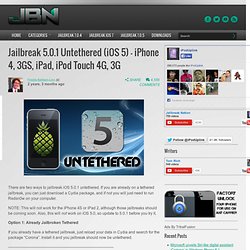
If you are already on a tethered jailbreak, you can just download a Cydia package, and if not you will just need to run Redsn0w on your computer. NOTE: This will not work for the iPhone 4S or iPad 2, although those jailbreaks should be coming soon. Also, this will not work on iOS 5.0, so update to 5.0.1 before you try it. Option 1: Already Jailbroken Tethered If you already have a tethered jailbreak, just reload your data in Cydia and search for the package “Corona”. Option 2: Not Jailbroken This will probably be the case for most people, and means that you have not had any jailbreak applied to your device.
Step 1: Download the latest version of Redsn0w (0.9.10 beta 1) from here. Step 2: Open Redsn0w. Step 3: Select “Jailbreak”. Step 4: Plug your device into the computer and turn it off. Step 5: Follow the on screen directions to put your device into DFU mode. AndroidLoader For iPhone And iPod touch Gets Updated To v1.2, Features New UI, Android-Style Volume Slider & More [VIDEO. Advertisements It was almost nine months ago that we brought you the original article regarding the release of the AndroidLoader tweak onto the Cydia store.

May 2011 saw developer Surenix release AndroidLoader for jailbroken iPhones and iPod touches which gave users the ability to use a tap or slide in gesture to view all of their installed applications in one place. The name of the tweak will no doubt give it away, but the intention of the modification was to mimic the behavior of the app launcher that is found on the Android operating system. The launch of such a tweak was always going to produce a split decision on whether or not people would feel the need for it. After all, users of iOS powered devices may feel that the SpringBoard app launching system which is adopted by Apple is a lot more preferable than the Android method of executing app launches.
New user interface. You will obviously need to jailbreak your device to install this tweak. [JB教學] 利用Absinthe將iPhone 4S/iPad 2進行完美越獄! [JB教學] 利用Absinthe將iPhone 4S/iPad 2進行完美越獄!
![[JB教學] 利用Absinthe將iPhone 4S/iPad 2進行完美越獄!](http://cdn.pearltrees.com/s/pic/th/absinthe-iphone-appappapps-23164190)
由於 iPhone 4S 及 iPad 2 的越獄工具「Absinthe」跟以往使用方法跟工具不太一樣,所以就教大家如何使用「Absinthe」來進行iPhone 4S 或 iPad 2 的完美越獄。 進行JB前的注意事項: 請將iOS裝置進行備份,因為如果 JB 過程失敗將會失去所有資料(特別是相片) 1) 下載Absinthe工具,解壓縮後打開Absinthe軟體 2) 將iPhone 4S 或iPad 2 透過USB來連接電腦 3) 選擇「Jailbreak」執行Absinthe 越獄程序。 JB過程需要一點時間,中途會出現「Restoring in Progress」,這個過程需要一段時間,所以大家要耐心等待,千萬不要在越獄完成前中斷iPhone 4S或 iPad 2 與電腦的連線 4) 當上述過程順利完成後,你會看到iPhone 4S 或 iPad 2的 HOME畫面會出現一個「Absinthe」圖示,按下「Absinthe」圖示將會載入GreenPois0n的網站,並重新啟動 iOS 裝置。 Appappapps.com.