
Macgrafic - Tutoriales InDesign, Photoshop y fotografía. Vectorizar logo. Top 10 Tutorials for Converting PSDs to HTML/CSS. Get the FlatPix UI Kit for only $7 - Learn More or Buy Now Many web designers start a new project by designing a mockup in Photoshop before actually coding the website.
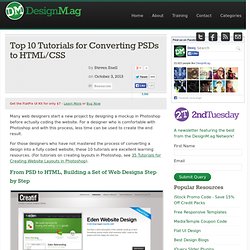
For a designer who is comfortable with Photoshop and with this process, less time can be used to create the end result. For those designers who have not mastered the process of converting a design into a fully coded website, these 10 tutorials are excellent learning resources. (For tutorials on creating layouts in Photoshop, see 35 Tutorials for Creating Website Layouts in Photoshop). From PSD to HTML, Building a Set of Web Designs Step by Step Collis Ta’eed published a post about five months ago at NETTUTS that takes a very detailed look at the process of coding a site with a PSD file as a starting point. Build a Sleek Portfolio Site from Scratch A few months prior to the previous post, Collis also published this exceptional tutorial.
Encoding a Photoshop Mockup into XHTML and CSS Design and Code a Slick Website from Scratch. From PSD to HTML: Building a Set of Website Designs Step by Step. Twice a month, we revisit some of our readers’ favorite posts from throughout the history of Nettuts+.
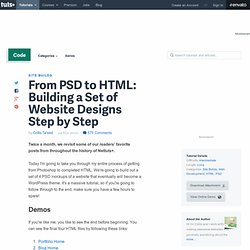
Today I'm going to take you through my entire process of getting from Photoshop to completed HTML. We're going to build out a set of 4 PSD mockups of a website that eventually will become a WordPress theme. It's a massive tutorial, so if you're going to follow through to the end, make sure you have a few hours to spare! Demos If you're like me, you like to see the end before beginning. Download the Files Additionally you can download the full HTML/CSS/Image source files here. What We're Building As you may or may not know, I've (very slowly) writing a book on WordPress theming. You can get the full layered PSD files *and* a tutorial on designing them up from our PSDTUTS Plus membership - but it will cost you $19 a month to access. Adobe Illustrator to HTML5 Canvas Plug-In Overview. Download.macromedia.com/pub/labs/illustrator_html5/illustrator_html5_userguide.pdf. Adobe Evangelists - Greg Rewis.
Share this Episode Autoplay End of Video Show End Screen Default Quality Adjust your embed size below, then copy and paste the embed code above. Community Translation Your transcript request has been submitted. Adobe TV does its best to accommodate transcript requests. Join the Community Translation Project Thanks for your interest in translating this episode! Please Confirm Your Interest Thanks for your interest in adding translations to this episode! An error occurred while processing your request. Another translator has already started to translate this episode.
Thanks for Participating! This episode has been assigned to you and you can expect an e-mail shortly containing all the information you need to get started. About This Episode Greg Rewis walks you through demonstrations to get you up to speed with creating SVGs for multiple devices and the web. Presented By Runtime : 00:17:18 Added : 09/11/2010 About this show Adobe Evangelists - Greg Rewis. Document Object Model. Jerarquía de DOM. El Document Object Model o DOM ('Modelo de Objetos del Documento' o 'Modelo en Objetos para la Representación de Documentos') es esencialmente una interfaz de programación de aplicaciones (API) que proporciona un conjunto estándar de objetos para representar documentos HTML y XML, un modelo estándar sobre cómo pueden combinarse dichos objetos, y una interfaz estándar para acceder a ellos y manipularlos.
A través del DOM, los programas pueden acceder y modificar el contenido, estructura y estilo de los documentos HTML y XML, que es para lo que se diseñó principalmente. El responsable del DOM es el World Wide Web Consortium (W3C). El DOM es una interfaz de programación de aplicaciones para acceder, añadir y cambiar dinámicamente contenido estructurado en documentos con lenguajes como ECMAScript (JavaScript). Desarrollo del DOM[editar] La primera vez que el DOM se utilizó, fue con el navegador Netscape Navigator en su versión 2.0. Problemas de compatibilidad[editar] Introduction to HTML.