
Zindus - Google and Zimbra contact sync for Thunderbird. Zimbra. Un article de Wikipédia, l'encyclopédie libre.
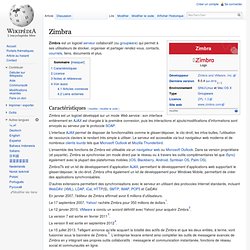
Zimbra est un logiciel serveur collaboratif (ou groupware) qui permet à ses utilisateurs de stocker, organiser et partager rendez-vous, contacts, courriels, liens, documents et plus. Caractéristiques[modifier | modifier le code] Zimbra est un logiciel développé sur un mode Web service : son interface entièrement en AJAX est chargée à la première connexion, puis les interactions et ajouts/modifications d'informations sont envoyés au serveur par le protocole SOAP. L'interface AJAX permet de disposer de fonctionnalités comme le glisser/déposer, le clic-droit, les infos-bulles, l'utilisation de raccourcis claviers le rendant très simple à utiliser. Le serveur est accessible via tout navigateur web moderne et de nombreux clients lourds tels que Microsoft Outlook et Mozilla Thunderbird. ZimbraTk est un kit de développement d'application AJAX, permettant le développement d'applications web supportant le glisser/déposer, le clic-droit.
Contact Form 7. Contact Form 7 can manage multiple contact forms, plus you can customize the form and the mail contents flexibly with simple markup.

The form supports Ajax-powered submitting, CAPTCHA, Akismet spam filtering and so on. Docs & Support You can find docs, FAQ and more detailed information about Contact Form 7 on contactform7.com. If you were unable to find the answer to your question on the FAQ or in any of the documentation, you should check the support forum on WordPress.org. If you can't locate any topics that pertain to your particular issue, post a new topic for it.
Contact Form 7 Needs Your Support It is hard to continue development and support for this free plugin without contributions from users like you. Recommended Plugins The following plugins are recommended for Contact Form 7 users: Translations You can translate Contact Form 7 on translate.wordpress.org. FAQ for Thunderbird contact sync. Also see: Getting Started If your browser uses a proxy server to connect to the internet, use the same settings in Thunderbird.
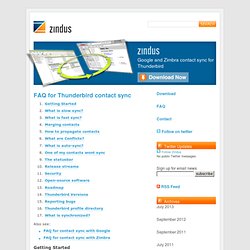
See Thunderbird/Tools/Options/Network/Connection. Visit Thunderbird/Tools/Zindus, then click “Add” and enter your login details.Click “Test Connection”, then OK.Click ‘Sync Now’ Before getting started, backup your contacts. What is slow sync? When your contacts aren’t in sync (eg. after installation or the ‘Reset’ button), the addon uses a ’slow sync’ to get the local and remote sides in sync. In a ’slow sync’, all contacts are retrieved and merged with those in Thunderbird. Contacts match if they are identical in every field that’s synced between Thunderbird and the remote server(s). Slow sync doesn’t generate duplicates, but it doesn’t “intelligently merge” contacts either. The purpose of slow sync is to get the two sides into sync. What is fast sync?
In a fast sync, changes made to either to one side are propagated to the other side. Reset is the key here. Security. The British Cartographic Society > Links. ContactPage. The ContactPage extension implements a contact form for visitors.

It creates a special page Special:Contact, which is similar to Special:EmailUser, but it has a fixed recipient, and can be used anonymously. Download[edit | edit source] You can download the extension directly from the MediaWiki source code repository (browse code). You can get: One of the extensions tags Not all extensions have tags. Go to the tags listClick the name of the tag you want to downloadClick "snapshot" The latest version of one of the extensions branches Each extension has a master branch containing the latest code (might be unstable). Go to the branches listClick the branch nameClick "snapshot" A snapshot made during the release of a MediaWiki version. This might be unstable and is not guaranteed to work with the associated MediaWiki version. Download snapshot After you've got the code, save it into the extensions/ContactPage directory of your wiki. cd extensions git clone Installation[edit | edit source] $wgContactUser.
Tabber - Home.