
The ‘tiny screen first’ responsive boilerplate. HTML5 Boilerplate - A rock-solid default template for HTML5 awesome. Responsive Design with CSS3 Media Queries. Screen resolution nowsaday ranges from 320px (iPhone) to 2560px (large monitor) or even higher.
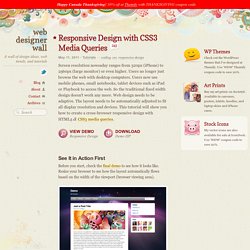
Users no longer just browse the web with desktop computers. Users now use mobile phones, small notebooks, tablet devices such as iPad or Playbook to access the web. So the traditional fixed width design doesn't work any more. Web design needs to be adaptive. The layout needs to be automatically adjusted to fit all display resolution and devices. View Demo Responsive Design Download Demo ZIP See It in Action First Before you start, check the final demo to see how it looks like.
More Examples If you want to see more examples, check out the following WordPress themes that I designed with media queries: Tisa, Elemin, Suco, iTheme2, Funki, Minblr, and Wumblr. Overview The page's container has a width of 980px which is optimized for any resolution wider than 1024px. HTML Code I'm not going to go through the details of the HTML code. HTML5.js Note that I use HTML5 markup in my demo.
Main Structure CSS. CSS3 Media Queries. CSS2 allows you to specify stylesheet for specific media type such as screen or print.

Now CSS3 makes it even more efficient by adding media queries. You can add expressions to media type to check for certain conditions and apply different stylesheets. For example, you can have one stylesheet for large displays and a different stylesheet specifically for mobile devices. It is quite powerful because it allows you to tailor to different resolutions and devices without changing the content. Continue on this post to read the tutorial and see some websites that make good use of media queries. CSS3 Media Queries (demo) Check my demo and resize your browser window to see it in action. Max Width The following CSS will apply if the viewing area is smaller than 600px. If you want to link to a separate stylesheet, put the following line of code in between the <head> tag. Min Width The following CSS will apply if the viewing area is greater than 900px.
Multiple Media Queries Device Width For iPhone 4. Replacing the -9999px hack (new image replacement) IN THE BEGINNING was FIR, AKA Fahrner Image Replacement (note that one of the following links returns a 404): The Daily Report’s 2003 redesign uses (and our book explained) an image replacement technique intended to combine the benefits of accessibility with the power of graphic design.
We christened this method Fahrner Image Replacement (FIR) in honor of Todd Fahrner, who first suggested it to us. Douglas Bowman’s tutorial popularized the technique, which was first developed by C. Z. Robertson in 1999. Preceding web type by a decade, Fahrner gave us the ability to use fonts other than Verdana and Georgia on web pages (i.e. to set type in Photoshop and export it as an image —an ancient web design practice) but to conjure these images of text via semantic HTML markup (the words the text pictured, set in appropriately structural HTML elements). -9999px So popular was this method, we made a tee shirt out of it, and it sold, baby, it sold. Of Google and Page Speed In "CSS" In "A List Apart" Code Snippets.