
iPhone - How to Unlock 1.1.4 and Downgrade to 3.9-fakeblank iPhone Bootloader. These are instructions on how to downgrade to the 3.9-fakeblank Bootloader and unlock 1.1.4 using iPlus 2.0biPlus 2.0b Features 1-Unlock and if required automatically downgrade the bootloader to 3.9FakeBlank2-Jailbreak3-Activate4-Install AFC25-Add the following packages: Installer, Community Services, BSD subsystem, OpenSSH, VT-100Plus: BSD Fix, VT100 Fix, Summerboard themes directory fix, Relocates Fonts and Ringtones (More than 120MB free)Before attempting this make sure you have restored your iPhone to 1.1.4 using iTunes and have your iPhone connected to the computer via USB.

You can follow this procedure with any SIM card in your iPhone. Step OneDownload iPlus 2.0b from here Step TwoFrom the file we just downloaded extract the iPlus2.0 folder to your Desktop. Step ThreePress the Windows Key + R on your keyboard to bring up the Run window. Input cmd into the entryfield and then click the Ok button. Step FourThe Command Prompt window will open. QuickTime - Macworld 2007 Keynote. Watch Apple CEO Steve Jobs reveal what's new in music.

See the video right here. Watch the Keynote Address Back to the Special Event Keynote page Home>September 2008 Special Event iPod & Apple TV iTunes Partner with iTunes More iPod + iTunes iTunes Store Shop the Apple Online Store (1-800-MY-APPLE), visit an Apple Retail Store, or find a reseller. The iPhone SDK: APIs Apple Didn't Want You to Know About. By Jonathan Zdziarski 03/25/2008 Author's Note: Special thanks to Jay Freeman (Saurik) who has done remarkable work in updating the open source tool chain to support iPhone v2.0 With the release of Apple's SDK for building iPhone applications, many have plunged head-first into this new platform for the first time, with the new-found excitement that comes in discovering something entirely new and innovative.

The energy surrounding the iPhone has been building steadily since its release last June, and Apple's initial "beta" offering of their SDK gave developers many of the tools they needed to get engaged. Within a short time, however, the community hit a brick wall in many respects, leaving many disenchanted by the restrictions imposed on developers.
A little bit of history is required to fully appreciate this debacle. By fall 2007, the rest of the iPhone community had tuned in. Jump ahead to March 2008. iPhone Open Application Development By Jonathan Zdziarski Now you're ready to go! Cocoa Dev Central: Learn Objective-C. Objective-C Objective-C is the primary language used to write Mac software.
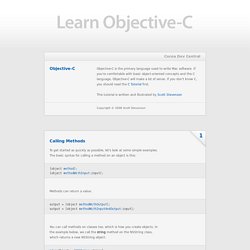
If you're comfortable with basic object-oriented concepts and the C language, Objective-C will make a lot of sense. If you don't know C, you should read the C Tutorial first. This tutorial is written and illustrated by Scott Stevenson Copyright © 2008 Scott Stevenson Calling Methods To get started as quickly as possible, let's look at some simple examples. [object method]; [object methodWithInput:input]; Methods can return a value: output = [object methodWithOutput]; output = [object methodWithInputAndOutput:input]; You can call methods on classes too, which is how you create objects. Id myObject = [NSString string]; The id type means that the myObject variable can refer to any kind of object, so the actual class and the methods it implements aren't known when you compile the app.
In this example, it's obvious the object type will be an NSString, so we can change the type: NSString* myString = [NSString string]; Accessors. 13 Beautiful And Open Source E-Commerce Applications.