
APIs: GeoIP JavaScript. MaxMind offers an API which returns JavaScript code for the client's IP address.

This comes in two flavors, city and country. You can include the JavaScript provided by MaxMind in your web pages. This script creates several window-global functions that return information about the client's IP address. Service Plans To purchase lookups for use with the API, please visit our web services order page. Registration All domains using the service must be registered. Per-Service URIs The URIs for each service are as follows: The use of the charset attribute in the script tag should cause modern browsers to decode the content of the JavaScript script so that it matches the encoding of the web page.
Unlike some of our other web services, the JavaScript service only has one hostname. Output Both of these services create a set of global functions, each of which returns a single item of information about the client's IP. Error Codes. Digital Creative Agency. CSS Gallery.com CSS Design and CSS Gallery Showcases LOOKING FOR GOOD CSS WRITERS AND CSS DESIGNERS to WOOP - WORDPRESS SINGLE PAGE PORTFOLIO the Best CSS Galleries and CSS Designs of CSS Web sites Inspiration. Premium WordPress Themes, Web Templates, Mobile Themes. Vertical sliding/scrolling website w/ jQuery tutorials? - Killersites Community. Новое для веб-дизайнера за сентябрь 2012.
4 октября 2012 в 22:44 Сделал небольшую подборку новых полезных материалов для веб-дизайнеров за сентябрь 2012.
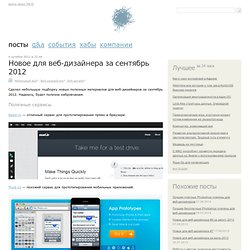
Надеюсь, будет полезна хабровчанам. Полезные сервисы Easel.io — отличный сервис для прототипирования прямо в браузере. Fluid UI — похожий сервис для прототипирования мобильных приложений. CSSFilterLab — наглядное применение CSS-фильтров от Adobe. On/Off FlipSwitch — генератор красивых переключателей на CSS. Infogr.am — помощник при создании красивой инфографики. When can I use... Support tables for HTML5, CSS3, etc. Статистика сайта "Сайты Рунета" Creating Cross Browser HTML5 Forms Now, Using modernizr, webforms2 and html5Forms. Updates: Nov 6, 2012: I have written about a proposed extension to the CSS pseudo-classes used by HTML5 Forms in my later blog post CSS3 Pseudo-Classes and HTML5 Forms: Their Limitations and a Possible Solution.

The webforms2 library supports these extensions, which may be of interest if you need advanced styling of HTML5 Forms that the specification doesn’t handle.May 13, 2012: The scripts mentioned in this article are now part of the html5Forms.js JavaScript library. It includes a newly refactored version of webforms2, which has an improved validation routine that has been refactored to mimic the behavior of the native implementations of latest versions of Firefox, Chrome and Opera. It also uses Modernizr and yepnope to only load the HTML5 Forms features that are not natively supported by the web browser using it. Working example HTML5 Form using Modernizr, webforms2 and my new script, html5Forms. The Support Dilemma But I Want To Use It Now!!! The autofocus Attribute. Ещё семь фич HTML5, о которых вы могли не знать. Доброго времени суток!

Все мы достаточно наслышаны об HTML5 и его возможностях. Например, элементы audio и video, которые у всех на слуху. Но несмотря на это, существует парочка тегов, о которых знают далеко не все, и о которых не знал я до недавнего времени. Итак, вот чем я хочу с вами поделиться. Чтобы проверить, в каком браузере работает та или иная фича, советую посетить Can I Use. autofocus Атрибут autofocus позволяет вам переключить фокус на любой элемент, такой как, например, текстовое поле, или кнопка. Вставка картинок и ссылок. Для тех, кто забывает или не знает как пользоваться тэгами форматирования текста в своих постах, я написал эту напоминалку.

Всё это — простейшие тэги, но, думаю, вы найдёте для себя что-то новое :D Пост частенько обновляется для вашего удобства. <font color="#0000ff">Синий текст</font> Цифра 0000ff означает синий цвет в RGB палитре. Также можно пользоваться стандартными словесными обозначениями цветов вот так: <font color="red">Красный текст</font> У фона тоже можно менять цвет, вот так: <div style="background-color:#eeeeff;">голубой фон</div> <div style="background-color:lightgray; color:#0000ff;">синий текст, серый фон</div>
How to Monitor your Website Uptime with Google Docs - Tutorial. How to use Google Sheets as a free website monitoring tool and receive instant email and SMS text alerts when your website goes down.
The app runs on Google Servers and can monitor unlimited websites. Would you like to receive instant alerts as soon as your website goes down or is inaccessible to users? Would you like to receive these downtime alerts as an email message or text on your mobile phone or both? Most website monitoring services follow the “freemium” model – they have free plans for basic downtime & uptime monitoring of a website but need to pay for unlimited email or SMS alerts. You may also need to upgrade to monitor multiple websites. You can create your own website monitor that runs on Google servers and sends email alerts or SMS when your website goes down or is up again. How to Setup Website Monitor Here’s how you quickly configure Google Docs to monitor the uptime /downtime of your website.