
Photoshop For Beginners: 6 techniques to extract anything from its background. This is the second of a series of tutorials thought for Photoshop beginners.

I’ll explain in depth those features that can result difficult to understand for a newbi. Today I’ll show you 6 techniques you can use to extract a person/object from its background. From now on extraction won’t have secrets for you! Extraction is one of the worst enemies for those who start using Photoshop. While it’s simple to extract a geometric figure from its background, it is difficult to do the same with a tree or a blonde flowing hair model. Do you want to learn Photoshop basics with simple yet effective tutorials? How to: Before we start: in the following exercises I take for grant you’ll unlock the background layer when you open a new image in Photoshop before start the exercise.
For mac users: alt=options. ctrl=cmd. Exercise 1: How to extract simple form objects Objects with simple forms are easy to be extracted. Open the screw image in Photoshop. Why to press shift? Why to press alt? Why red channel? Professional Photoshop Patterns you CAN’T be Missing. If you use Photoshop to create some catching graphics, whether it is for a website or for a corporate logo or banner, I bet you know the value of good, professionally made patterns.
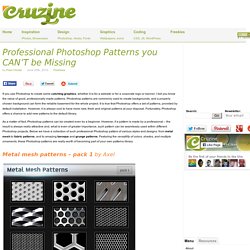
Photoshop patterns are commonly used to create backgrounds; and a properly chosen background can form the reliable basement for the whole project. It is true that Photoshop offers a set of patterns, provided by default installation. However, it is always cool to have more new, fresh and original patterns at your disposal. Fortunately, Photoshop offers a chance to add new patterns to the default library. As a matter of fact, Photoshop patterns can be created even by a beginner. Metal mesh patterns – pack 1 by Axel Download Photoshop patterns Patterns 16 – polka dots by Alma Skenderi Download Photoshop patterns Micro patterns by Basstar Download Photoshop patterns Fabric photoshop patterns by WebTreatsETC Download Photoshop patterns Vivid red tileable patterns by WebTreatsETC.
800+ Great Tech Brushes for Photoshop. Sep 10 2010 Working on a Futuristic Design on a graphics or web design in Photoshop mostly requires more tech feeling.

Using circuits,linings,wiring or even blueprints could help achieve a better futuristic results but will take time doing all the details needed. To work more with ease and save time, why not use brushes instead? Now check out this 850+ Super Cool Tech Brushes for Photoshop. This Tech Brushes are made by some dedicated designers who love doing free stuffs and share to others. A set of 23 Brushes.Compatible in Photoshop 7 +, Photoshop Elements 2+, GIMP 2.2.6+. A set 200 tech brushes 100+ brushes for Photoshop 6+ A set of 15 tech brushes. 12 Tech Brushes in a set 8 Tech Brushes in a set 15 brushes in a set 15 cool tech brushes for enjoyment. 25 Tech Brushes in a set 30 tech brushes are included in this set, 5 circle brushes are added along with it. 56 Tech Brushes in a set 26 brushes, made in photoshop 7.0 Almost 20+ Tech Brushes on a set 11 Tech Brush on a set.