
Easily Remove Image Backgrounds Online - ClippingMagic. 20 essential PC shortcuts. I've always liked that Windows gives me multiple ways to perform popular tasks.
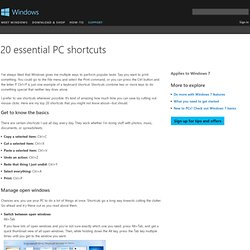
Say you want to print something. You could go to the File menu and select the Print command, or you can press the Ctrl button and the letter P. Ctrl+P is just one example of a keyboard shortcut. Shortcuts combine two or more keys to do something special that neither key does alone. I prefer to use shortcuts whenever possible. Get to know the basics There are certain shortcuts I use all day, every day. Fake Mail Generator - Free temporary email addresses. Recover Data Like a Forensics Expert Using an Ubuntu Live CD. How to Build a Computer from Scratch: The Complete Guide. DLL Archives - M. The best way to send emails to yourself in the future. Turn Your Home Router Into a Super-Powered Router with DD-WRT.
Wireless is everywhere and routers are the force that makes it happen, so why not supercharge yours to take proper advantage of it?

DD-WRT will let you boost your router’s range, add features, and more. DD-WRT has a ton of features—more than we can cover in this guide, which is focused on helping you get your router upgraded. Stay tuned, as we’ll go into more depth in a couple more days on all the great things you can do with it, but even if you don’t use the additional features, DD-WRT is worth installing to make your router work better. What Is DD-WRT? Here’s our router. DD-WRT is an open-source alternative firmware for routers. Router Support Turning your home router into an almost professional-level tool is a great project that has one major caveat: support.
For our purposes, the important spec to consider is NVROM, or ROM. Preparation The most important thing in any project is research. The friendly forum gave us some useful info for our particular model. The Process. Create your own font from your handwriting. This is a cool little 10-15 minute activity that will keep on giving back to you for years to come.

That’s right add that final customizing touch to your Windows, Linux or Mac machine – Your handwriting as a font! With some free time a visit to a website called YourFonts.com, a scanner and a printer you can create a font for use in any application on your computer. To me this sounded way too cool to pass up. I went and downloaded the printable template from here and carefully followed the steps. The template looks like this: You print it out and add your letters to each corresponding box. So if you just wanted to have a font contain numbers, letters or characters just fill in those. I was pretty excited, I grabbed a sharpie and went to work on my page.
Now I messed around with the scanning properties and decided to use the grey scale you see above at 200dpi. The 10 Most Ridiculously Awesome Geeky Computer Pranks. Everybody loves a good prank… unless you are the one on the receiving end of the fun.
It’s time to hone your pranking skills, not just to make sure you are the best, but so you can avoid being pranked by others. Yeah, sure, we could go with the old standards, like a blue screen of death screensaver or something like that, but it’s time to use our geek skills and come up with something better. We’ll cover some of the old favorites too, but maybe with a twist. Note: Many of these pranks require being able to access somebody’s computer physically, and many others require them to leave their PC logged in and unattended. You’ll have to plan accordingly. Disclaimer: Get a sense of humor. Make the Space Key Write the Word SPACE Here’s a clever prank for you: Make the victim’s computer actually type the word “SPACE” every time they hit the space bar. #NoTrayIcon *Space::Send,SPACE. Table of keyboard shortcuts.
In computing, a keyboard shortcut is a sequence or combination of keystrokes on a computer keyboard which invokes commands in software.
Some keyboard shortcuts require the user to press a single key or a sequence of keys one after the other. Other keyboard shortcuts require pressing and holding several keys simultaneously (indicated in the tables below by this sign: +). Keyboard shortcuts may depend on the keyboard layout (localization). Comparison of keyboard shortcuts[edit] Keyboard shortcuts are a common aspect of most modern operating systems and associated software applications. General shortcuts[edit] A note regarding KDE's shortcuts is that they can be changed and the below list contains the defaults.
[edit] Power management[edit] Screenshots[edit] Text editing[edit] Many of these commands may be combined with ⇧ Shift to select a region of text. IPTorrents. Glype proxy. Top 5 Places to Work Online and Make Money. There are literally hundreds, if not thousands of ways to make money online.

All of these ways are derivatives of two basic ways, which are selling your own products & services, and selling other people’s products & services. Each has their advantages and disadvantages, and I personally do a little of both. MenuetOS. Collecting all the cheat sheets. Maximum PC. Home Network Security. This section provides a basic introduction to the technologies that underlie the Internet.

It was written with the novice end-user in mind and is not intended to be a comprehensive survey of all Internet-based technologies. Subsections provide a short overview of each topic. This section is a basic primer on the relevant technologies. For those who desire a deeper understanding of the concepts covered here, we include links to additional information. What does broadband mean? - StumbleUpon.