
How to Manage & Process Sub-Bass Frequencies. Whether you are looking to add or remove sub-bass frequencies from your mix, it's essential you're armed with the right tools and techniques.

Everything from a simple EQ to multi-band treatments and enhancers can be used, so there are certainly a few routes to choose from here. If you are in the business of creating club music of any kind, nailing these all important lows is a must. Get it right and your track will rock, leave them unchecked and your mix is in danger of becoming colored and your master distorted and quiet. Step 1 - Monitoring Sub-Bass If you're planning on making bass-heavy music with frequencies that register anywhere below about 50 - 60hz, the first thing you should do is check that your monitors are actually able to reproduce sounds in this range. Some larger monitors will go as low as 35-40hz giving you a pretty clear representation of what is happening with your subsonics but smaller monitors might only be capable of producing lows down to about 50 or even 60hz.
Advanced Drum Editing in Kontakt. I created this tutorial to serve two purposes.

First off, I feel that there is a distinct lack of proper in-depth Kontakt tutorials. This tutorial teaches you everything you need to know to get started with Kontakt 3’s amazing Group editing. Second, I find that there are plenty of threads out there where someone will ask “How do I get my drums to sound like ____?” (Usually Squarepusher). I feel that group editing is the quickest, yet most hands-on way of creating incredible, glitchy beats without relying on VST effects as a crutch (and therefore avoiding sounding like anybody who else who uses Plug-in X). This tutorial is aimed at anybody new to Kontakt or Komplete 5, people who haven’t really explored Kontakt’s groups, or anybody looking for a new, creative approach to beat-mangling.
Republished Tutorial Every few weeks, we revisit some of our reader's favorite posts from throughout the history of the site. Step 1: Loading a Drum Sample Step 2: Creating the Sample Map Okay, deep breath. > Huge Guide to Producing Dubstep! < 1.
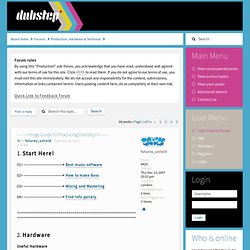
Start Here! 01> --------------------------> Best music software 02> --------------------------> How to make Bass 03> --------------------------> Mixing and Mastering 04> --------------------------> Find info quickly 2. Useful Hardware01 - Soundcards02 - MIDI controllers03 - Speakers & Monitors04 - Headphones05 - Microphones Understanding Computer Hardware01 - Buying a new PC Computer Maintenance01 - Tips on keeping your production PC ninja02 - Basic Windows functions & keyboard shortcuts 3.
Free Software01 - Free music software Good Software01 - Good synths01 - Free filters02 - Distortion & Bitcrusher plugins03 - Transient shapers04 - Frequency analyzers05 - Drum randomisers06 - Text-to-Speech Programs07 - Good MIDI Arpeggiators Question & Answer Threads: DAWs01 - Reaper02 - Renoise03 - Logic04 - Ableton Live05 - FL Studio06 - Reason07 - Cubase08 - Modular Hosts Question & Answer Threads: Synths01 - Native Instruments Massive02 - Rob Papen Albino03 - Cakewalk Z3ta + 4. 5. 6. 7. 8. 9. 10.