
Create a Resizable Image Grid with jQuery. Image grids that smoothly scale at the simple drag of a slider are no longer confined to desktop apps like iPhoto or Picasa.

Thanks to some clever CSS and the jQuery UI, fluid image grids are now surprisingly simple to implement on the web. (Take a peek at the final product.) Setting up the grid First lets begin by setting up a static image grid. I have prepared 6 photographs than have been cropped to a maximum height and width of 500 pixels. Next, we will float the lis so that they wrap nicely and place a bit of margin on the right and bottom edges of the lis to add a bit of whitespace. Image grids look best when the photographs are both vertically and horizontally centered.
Example 1: The basic image grid. Fun with ems Here comes the exciting part. What we’re going to do next is specify the width and height of our images and their parent lis in ems rather than in pixels. You will notice that we are dividing the pixel width and height by 100 to arrive at the new em measurements. Read More. Using Progressive Enhancement to Convert a Select Box Into an Ac. What's This All About?

Our selectToUISlider plugin uses progressive enhancement to scrape the data from a select element (or two for a range) and generate a jQuery UI Slider in its place, acting as a proxy to the select element (regardless of whether it is still visible, or hidden from the user). This means you can use the jQuery Slider plugin alongside other input elements in a form and submit or serialize the form as if the slider is not even there. It also allows the user to interact and make a choice with or without javascript, since the select element can be used if the slider is unavailable. The plugin enhances the jQuery UI slider in many ways, adding text labels and ticks on the slider axis, and tooltips that appear while a slider is being used. In this most recent update, we've also added ARIA support and a tabindex to the slider, allowing it to be accessible to users on assistive technologies, such as a screen reader.
Working Demo: Demo Page $('select').selectToUISlider(); jQuery slideViewer 1.1. Download slideViewer 1.2 (last updated july 9 2010) What's this?
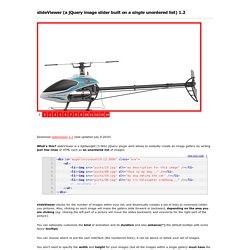
SlideViewer is a lightweight (3.5Kb) jQuery plugin wich allows to instantly create an image gallery by writing just few lines of HTML such as an unordered list of images: slideViewer checks for the number of images within your list, and dinamically creates a set of links to command (slide) you pictures. Also, clicking on each image will make the gallery slide forward or backward, depending on the area you are clicking (eg: clicking the left part of a picture will move the slides backward, and viceversa for the right part of the picture). You can optionally customize the kind of animation and its duration and also enhance(*) the default tooltips with some fancy tooltips. You can choose where to put the user interface (the numbered links); it can be above or below your set of images. You don't need to specify the width and height for your images (but all the images within a single gallery must have the same width/height!)
New!