
Turn Off Unnecessary Windows Services - MarkSanborn.net. Why Your Wi-Fi is Slow (And How You Can Fix It) May 09, 2012, 4:44 PM — The first 801.11ac chipsets are coming soon, but 802.11n is likely to stick around for many years to come -- both in the business world and our homes.

Unfortunately, the 300Mbps (megabits per second) that the n-standard promises rarely delivers anything even close and proves to be a massive bottleneck in the days of 50/100Mbps (or more?) Broadband connections, 1080p video streaming, massive backups and so forth. On the business side of things, even menial tasks such as remote desktop or real-time collaboration suffer from a poor Wi-Fi-connection. [ 8 free Wi-Fi security tools ] In some of our tests, it wasn't uncommon that a 802.11n connection with devices only a few meters apart (and with only wall in between) can fall back to a mere 2-15 Mbps. If you're sick of slow Wi-Fi speeds but hate to go back to Ethernet, we've got a handful of tips that'll help boost weak signals. 1. Some routers are set up with their "Power savings" mode on by default. 2. 3.
The 50 Best Registry Hacks that Make Windows Better. We’re big fans of hacking the Windows Registry around here, and we’ve got one of the biggest collections of registry hacks you’ll find.
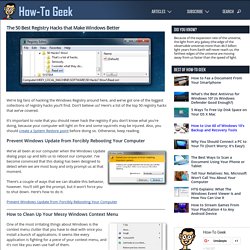
Don’t believe us? Here’s a list of the top 50 registry hacks that we’ve covered. It’s important to note that you should never hack the registry if you don’t know what you’re doing, because your computer will light on fire and some squirrels may be injured. Also, you should create a System Restore point before doing so. Otherwise, keep reading. How to build a tin can waveguide antenna. Assemble the probe and mount in can Now you'll need that bit of wire.
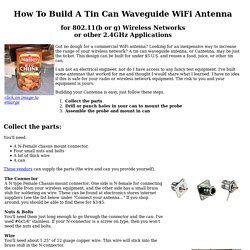
You'll need a soldering iron or a friend with one as well. Cut the wire so that when it is stuck in the connector as shown, the total length of both the brass tube and wire sticking out past the connector is 1.21". The 50 Best Ways to Disable Built-in Windows Features You Don’t Want. Over the years, we’ve written about loads of ways to disable features, tweak things that don’t work the way you want, and remove other things entirely.
Here’s the list of the 50 best ways to do just that. Just in case you missed some of our recent roundup articles, here’s a couple of roundups of our very best articles for you to check out: If you’ve already been through those, keep reading for how to disable loads of Windows features you might not want. Disable Context Menu Items After you start installing a bunch of software, you’ll notice your context menu starts filling up with more and more items, becoming bloated, slow, and even more annoying—it starts taking up the whole screen. Tweaking Windows 7, Page 1. Tweaking Windows 7 A common sense guide to tweak and optimize Windows 7.by Eric VaughanVersion 1.0, 16 November 2009 What This Guide Is And Isn't Windows 7 is Microsoft's most advanced operating system ever.
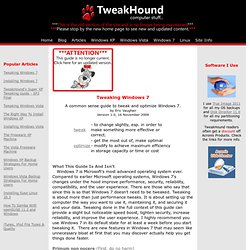
Compared to earlier Microsoft operating systems, Windows 7's changes under the hood improve performance, security, reliability, compatibility, and the user experience. There are those who say that since this is so that Windows 7 doesn't need to be tweaked. Tweaking is about more than just performance tweaks. Primum non nocere (First, do no harm) This guide is not a strip down the OS to the bare bones gamers guide.
Tweaking isn't just about making the computer faster. This guide is "screen shot heavy" to make it easier for everyone to find and understand the tweaks. Important Notes On Tweaking & This Guide 1 - Tweaking is best done on a fresh install. 2 - Hardware. 3 - Drivers, Drivers, Drivers - Getting the latest drivers is the 2nd best tweak you can do. 7 - Maintain Your Computer. 25 Extremely Desktop Customization + Tools to Customize Your Own. 30 Extremely Desktop Customization + Tools to Customize Your Own Details Category: Showcase Hits: 82773 If you're not keen on the cookie-cutter appearance of your OS or windows, we've covered a handful of great tools for tweaking every last pixel of your desktop so it looks and acts just how you want.

These are all small things that can be changed to make the desktop experience more desirable, cutom and geared to our own interests. In this Post collection of a few extremely desktop inspired customize, some users have designed some absolutely stunning creations Using some desktop tweaking software such as Rainmeter, Object Dock, Rainlende and others. Error Goblin. The OS Files - Your total operating systems portal. Turn Your Home Router Into a Super-Powered Router with DD-WRT. Wireless is everywhere and routers are the force that makes it happen, so why not supercharge yours to take proper advantage of it?
