
Open source is changing the world: join the movement. Interactive map of Linux kernel. Ubuntu/Linux News, Reviews, Tutorials, Apps. Linux Distributions. Linux Distributions. Linux OS. Beta - Welcome. How to Install GNOME 3 on Ubuntu 11.04. The following tutorial will teach you guys how to install the highly anticipated GNOME 3 desktop environment on the Ubuntu 11.04 (Natty Narwhal) operating system.GNOME 3 is the next evolution of the GNOME desktop environment, and it has been released on April 6th, 2011, on mirrors worldwide.

GNOME 3 is a light desktop environment used in many popular Linux distributions, such as Ubuntu, Mandriva, PCLinuxOS, etc. We've tested the tutorial on the beta version of the upcoming Ubuntu 11.04 (Natty Narwhal) distribution. To install GNOME 3 on your system follow the next step-by-step (with screenshots) tutorial. WARNING: Attention! If you follow this toturial, you'll break your Unity session. Step 1 - Add the GNOME 3 repository Hit the ALT+F2 key combination on your keyboard, check the "Run in terminal" option and paste the following command in the "Run Application" dialog: GNOME 3 - Made of Easy. Welcome to Linux Cd.org - Best prices for your favorite distro! Download Linux Programs. LINUX. Latest Linux Downloads. Linux News On Internet Time. LinuxBSDos.com — Promoting Free Software. Linux Software at IceWalkers.com - System / Operating Systems / Linux Distributions.
Where Debian meets Enlightenment. Linux Mini. LINUX - Download Squad. SeaMonkey, Mozilla's all-in-one Internet suite, releases new beta by Vlad Bobleanta on April 8, 2011 at 10:30 AM The SeaMonkey Project has released SeaMonkey 2.1 Beta 3, a version that makes a lot of new functionality available to a wide audience for the first time.
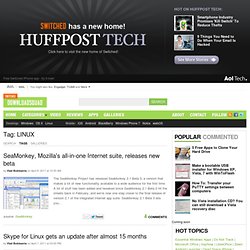
A lot of stuff has been added and tweaked since SeaMonkey 2.1 Beta 2 hit the streets back in February, and we're now one step closer to the final release of version 2.1 of the integrated Internet app suite. SeaMonkey 2.1 Beta 3 lets you... Skype for Linux gets an update after almost 15 months by Vlad Bobleanta on April 7, 2011 at 03:00 PM Proving how much it cares about those people who use its app on Linux, Skype has released version 2.2 for Linux. GNOME 3 released, ushers in an interesting amalgam of iOS and OS X by Sebastian Anthony on April 7, 2011 at 06:40 AM GNOME 3, after more than two years of development, has been released into the wild. Banshee music player now works in Windows, supports Amazon MP3 downloads Newer Posts. Ailurus - Ailurus is a simple application installer and GNOME tweaker. DistroWatch.com: Put the fun back into computing. Use Linux, BSD.
TestDisk Livecd. TestDisk on Live rescue CDs TestDisk (not always the latest version) is included on the following free rescue CDs: ALT Linux Rescue is a weekly-updated hybrid (CD/Flash, BIOS/UEFI) image BootMed is a live CD created to help those not familiar with Linux repair or recover their Windows Computer from a Live CD, includes TestDisk tutorials.
BootMed Plus is a premium live CD with built in video tutorials. TestDisk and PhotoRec are featured in BM+'s advanced menu. CAINE Computer Aided INvestigative Environment, a complete forensic environment. Note, TestDisk is also available on or under the following distributions, many of which have a console/rescue mode that can be used to run TestDisk or PhotoRec: If you are new to Linux, you should read the Introduction to the Unix command line. Main Page. Linux Commands - A practical reference. Linux software equivalent to Windows software. When migrating to Linux from Windows, a common question is "Where can I get an application for Linux that is similar to XYZ program on Windows?
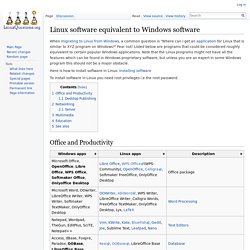
" Fear not! Listed below are programs that could be considered roughly equivalent to certain popular Windows applications. Note that the Linux programs might not have all the features which can be found in Windows proprietary software, but unless you are an expert in some Windows program this should not be a major obstacle.
Helping find the Linux apps you need. Liste d'équivalences logicielles. Cette liste présente des équivalents libres aux logiciels propriétaires les plus courants.
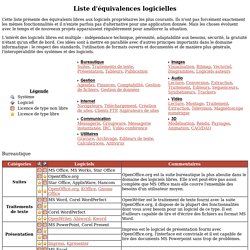
Ils n'ont pas forcément exactement les mêmes fonctionnalités et il n'existe parfois pas d'alternative pour une application donnée. Mais les choses évoluent avec le temps et de nouveaux projets apparaissent régulièrement pour améliorer la situation. L'intérêt des logiciels libres est multiple : indépendance technique, pérennité, adaptabilité aux besoins, sécurité, la gratuité n'étant qu'un effet de bord.
Ces idées sont à mettre en parallèle avec d'autres principes importants dans le domaine informatique : le respect des standards, l'utilisation de formats ouverts et documentés et de manière plus générale, l'interopérabilité des systèmes et des logiciels. Bureautique. Ubuntu Mini Remix - The tiny Ubuntu you can build on! VirtualBoxes – Free VirtualBox® Images. VirtualBox Virtual Appliances. UNetbootin - Homepage and Downloads. FUSBi - Free USB Installer. Aligunduz.org FUSBi FUSBi, the Free USB Installer, downloads free GNU/Linux Distributions for you and creates bootable USB images.
FUSBi supports automated installation of of all the FSF-endorsed Free Software GNU/Linux Distributions, such as gNewSense, UTUTO, Dynebolic, Musix GNU+Linux, BLAG and GNUstep. You can also use it with your local image files. FUSBi is a Free Software itself and is licensed under GNU General Public License version 3 or later. The Linux Home Page at Linux Online. Thisweekinlinux's Channel. Ronyaldoloco1's Channel.
Edubuntuproject's Channel. GNU/Linux distro timeline. The source for Linux information. 10 things to do after installing Ubuntu 10.10 Maverick Meerkat. So you’ve downloaded Ubuntu 10.10, made yourself a freshly minted copy and installed it with haste. Now what? Here is our guide to the top 10 post-install must-do’s that will help ensure you get off to a marvellous start with the Maverick Meerkat. 1. Run Update Manager Just because you’ve installed the latest version of Ubuntu doesn’t mean that there won’t be some updates and patches waiting for you. 2. If you want to use advanced desktop effects such as Compiz (3d Cube, wobbly windows) then you will need to enable the “official” drivers for your graphics card. Ubuntu should automatically detect and alert you that 3D drivers are available. If Ubuntu fails to detect any hardware (do be patient as this isn’t always instant) then you can manually run the hardware configuration tool from the System > Preferences menu. 3.
Head to Applications > Internet > Ubuntu One to get started. 4. The Original Magazine of the Linux Community. Puppy Linux Community - Home. Linux. Translate. Translate. Translate. Linux. Linux.