
100 Report Card Comments. It's report card time and you face the prospect of writing constructive, insightful, and original comments on a couple dozen report cards or more.
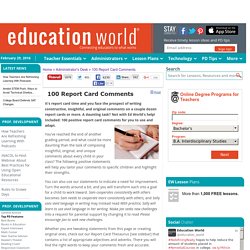
A daunting task? Not with Ed World's help! Included: 100 positive report card comments for you to use and adapt. You've reached the end of another grading period, and what could be more daunting than the task of composing insightful, original, and unique comments about every child in your class? The following positive statements will help you tailor your comments to specific children and highlight their strengths. You can also use our statements to indicate a need for improvement.
Whether you are tweaking statements from this page or creating original ones, check out our Report Card Thesaurus [see sidebar] that contains a list of appropriate adjectives and adverbs. We have organized our 100 report card comments by category. Attitude The student: Behavior Character Communication Skills Group Work Interests and Talents Participation Social Skills. GeoSettr - Create your own GeoGuessr challenge.
Mimio Resources. Learning Exchange Sacramento, Adult Education Classes, Cooking, Photography, Golf Lessons, Art Classes, Spanish Classes... Video Tools. ClassBadges. Prezi Tutorial for Teachers! Free Flash Jeopardy Review Game. The Instant Jeopardy Review Game has been designed and dramatically improved to make it the perfect review game for a wide variety of classroom uses. This tool is a fun and interactive way to review content in your classroom, meeting, conference, or other group setting. The new and improved version of the Jeopardy Review Game includes the following features: Simple insertion of pictures on Question and/or Answer slides Full support for symbols, such as exponents and wingdings style fonts Better support for foreign language Question and/or Answer slides Simpler visual editing process Embed anything in your question slides, even Youtube videos, flash objects, etc.
Simple scorekeeping system Works on portable devices such as smartphones, iPad, and iPod Touch! Advanced features in Prezi. The first iPhone text message screenshot generator. Share your sounds. Hear what's happening on the internet. In 30 Seconds. Cornell Note-Taking Method PDF Generator. You can use the Cornell Notes note-taking method to take better notes in any class.
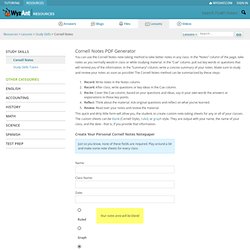
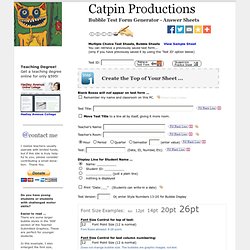
In the “Notes” column of the page, take notes as you normally would in class or while studying material. In the “Cue” column, pull out key words or questions that will remind you of the information. In the “Summary” column, write a concise summary of your notes. Productions, Bubble Test Form Generator - Teaching Tools. Teaching Degree!
Get a teaching degree online for only $595! Hadley Avenue College. PowerPoint Jeopardy Templates Downloads, Educational PowerPoint Information. Why should I use PowerPoint in my Classroom Today's students need a diversity of experiences in the classroom.
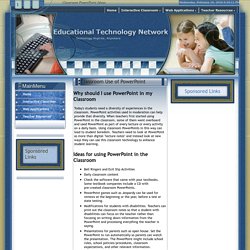
PowerPoint activities used in moderation can help provide that diversity. When teachers first started using PowerPoint in the classroom, some of them went overboard and used PowerPoint as part of every lecture or every activity on a daily basis. Using classroom PowerPoints in this way can lead to student boredom. Dart Board Selector. PDF Mergy - WebApp to merge PDF files. Everystockphoto - searching free photos. FatURL. Online Templates. 12 Excellent New Web Tools for Teachers. 1- EQuizShow EQuizShow is a great app for teachers who want a quick and easy way to engage students and have them ready for exams or assessments tests.
It allows you to easily create a jeopardy quiz show for your students. 2- FatURL FatURL is a link sharing service provided to you free of charge by Name.ly platform .The service enables you to forward multiple long or short URLs with just one single URL. You can then share this new URL with friends, add more URLs to it or delete it. Etherpad. Classroom 2.0. EduClipper. Kevin Honeycutt’s Web 2 keychain. Each teacher had.
Padwheelposter.pdf. Cool Text: Logo and Graphics Generator. Resources « Interact Cafe. In Education. VideoNot.es: The easiest way to take notes synchronized with videos! Doodle: easy scheduling. El201303_johnson_rubric.pdf. Remind101.
Lisa Nielsen: The Innovative Educator. Useful WebQuest Resources. Site menu: Latest news: June 17, 2015: This year marks the 20th anniversary of the WebQuest model.
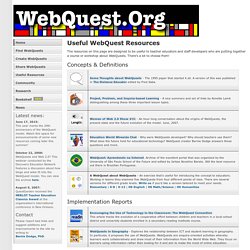
Watch this space for announcements of some new resources coming later this summer! October 22, 2008:WebQuests and Web 2.0? This webinar conducted by the Discovery Education Network features a discussion about how blogs and wikis fit into the WebQuest model. August 9, 2007: QuestGarden received the MERLOT Teacher Education Classics Award at the organization's international conference in New Orleans. Contact Please report bad links and suggest additions and improvements to the site by writing toBernie Dodge, PhD. The resources on this page are designed to be useful to teacher educators and staff developers who are putting together a course or workshop about WebQuests. Etc... Access your bookmarks anywhere.
K-12 Tech Tools © - home. Digital Literacy and Citizenship Classroom Curriculum.
Does Texting Hurt Your Grammar? SMART Resources. SMART Board. NETS for Teachers. Technology Integration Matrix. Super Teacher Tools. Bright Hub Education. Activities: Create. Teaching Materials. Diigo - Web Highlighter and Sticky Notes, Online Bookmarking and Annotation, Personal Learning Network. Spicynodes : Home. Make Your Images Interactive - ThingLink.
Free Teacher Resources. Melisa Mulder, Kentwood Public Schools, MI. K-12 Mathematics Vocabulary. Interactive Whiteboard Resource Quiz Buzzer. Dicemenu.swf (application/x-shockwave-flash Object) Quizscorer. Chan! BarryFunEnglish. PBS LearningMedia. PBS LearningMedia. Interactive Learning Tool. Search - Search for Readable Results. BrainPOP - Animated Educational Site for Kids - Science, Social Studies, English, Math, Arts. Flocabulary - Educational Hip-Hop.
Share My Lesson - Free K-12 Resources By Teachers, For Teachers. Museum Box Homepage. Lessons Worth Sharing. GradeCam. Classroom Timers - Fun Timers. Tagxedo - Word Cloud with Styles.
Teacher Access. Egg Timer. The Newspaper Clipping Image Generator - Create your own fun newspaper. Month In Review - The Most Popular Posts on Free Technology for Teachers. Good evening from hot and steamy Greenwood, Maine.

Earlier this week I had the heat on in my house and this afternoon I was outside in shorts. I know that many of you are already out of school for the summer. I hope that your first days of summer have been great. This summer I'll be visiting a number of schools as well as running the Practical Ed Tech Summer Camp (two seats are left). I am looking forward to meeting many of you this summer. I plan to keep blogging on my usual schedule throughout the summer. Here are the most popular posts from May 2013: 1. Would you like to have me visit your school? Please visit the official advertisers that help keep this blog going.Practical Ed Tech is the brand through which I offer PD webinars.WidBook is a collaborative, multimedia publishing tool.