
Advanced IMAP Settings for Gmail. Gmail offers more options for IMAP through an experimental add-on from Gmail Labs: "Advanced IMAP Controls".

After enabling the add-on, you'll find two categories of options: * the Labels tab lets you control which labels show up in your email client, including built-in labels like Drafts, All Mail, Spam or Trash. If you have a lot of messages in your Gmail account, most email clients will perform poorly when processing the "[Gmail]/All Mail" folder, so you might hide it. * the Forwarding and POP/IMAP tab lets you turn off auto-expunge. "The IMAP protocol allows messages to be marked for deletion, a sort of limbo state where a message is still present in the folder but slated to be deleted the next time the folder is expunged. If a message is removed from the inbox or from a custom IMAP folder, Gmail still keeps it in "All Mail". Google Tutor » Using Gmail as Your Universal Email Account. Having a multitude of email addresses, I thought of simplyfing my life and workflow one day.

I realized I’ve been wasting too much time checking up on my email from various places. There are the different Gmail accounts, Yahoo mail accounts, and even those from my own domains. As for domains, I actually had some applications for Gmail for domains activated already–this means I could use Gmail as the default mail handler for my domain email. No more of that crappy webmail that usually comes with hosting subscriptions. In my opinion, Gmail is simply the best webmail application ever. One mailbox to rule them all! Hence, Gmail being the best for me, I thought of consolidating ALL my email under one account. So my solution: keep them all under one account. You need two things: Mail forwardingGmail “send from” feature That’s easy, isn’t it?
Step-by-step. System Support Products, Inc. Mozdev.org - mailredirect: index. Gmail on Home Linux Boxes using Postfix and Fetchmail. Mike Chirico (mchirico@users.sourceforge.net) or (mchirico@comcast.net) Copyright (c) 2005 (GNU Free Documentation License) Last Updated: Sun Oct 12 08:54:21 EDT 2008 [

Gmail Conversation Preview Bubbles [persistent.info] Skinning Gmail with a Custom Stylesheet [persistent.info] Short Version Install the URLid Mozilla/Firefox extension.Download this CSS file.Locate your profile folder and the chrome folder within that.Copy the downloaded CSS file to the chrome folder and rename it to userContent.css (if you already have such a file, you will have to merge the two).Restart Firefox.Visit Gmail.
![Skinning Gmail with a Custom Stylesheet [persistent.info]](http://cdn.pearltrees.com/s/pic/th/persistent-skinning-stylesheet-3260794)
Gmail meets The CSS Zen Garden One advantage of getting on the CSS/XHTML bandwagon (i.e. not just standards-compliant design, but truly separating markup from presentation) is that different style sheets can be swapped in, totally modifying the appearance of a site, without requiring any tag-level changes at all. This has been demonstrated to great effect in the CSS Zen Garden, and can be seen from time to time in the form of style sheet switchers on sites. However, even if a site's designer doesn't deem to provide alternate stylesheets, most modern browsers support client stylesheets that can override the appearance. Mark Lyon's GMail Loader (GML) - Import Your Mail into GMail. In 2004, when Gmail was launched, I was amazed by the incredibly large 1GB capacity of the free service.
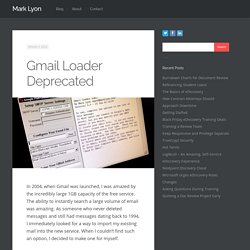
The ability to instantly search a large volume of email was amazing. As someone who never deleted messages and still had messages dating back to 1994, I immediately looked for a way to import my existing mail into the new service. When I couldn’t find such an option, I decided to make one for myself. My tool works by reading the local mail file and remailing it to the new destination, one message at a time, into your Gmail account. With the exception of the time stamp shown in the inbox, it works quite well for relocating your messages. In the intervening years, the Google Mail Loader has been used by thousands of people to upload their existing mail.
If you’re looking to import your existing mail into a Gmail account, I highly recommend trying one of the following methods: SWiK » tagged pages » logout login.

SMTP, Simple Mail Transfer Protocol. Gmail Loader encryption. ›paskal › GMail Loader Instructions for Mac OS X. Mike Davidson: How to Use Gmail over IMAP. I had a very simple idea yesterday to get Gmail to work through IMAP and wanted to share it in case it is of use to anyone else.

The problem: I like mail applications better than web-based mail. I am especially not fond of the way Google’s threads work. I understand that this format works for some people… it just feels weird to me though. BUT… a Gmail account is great to have because of its free storage, spam filtering, separation from my own domain, and search capabilities.