
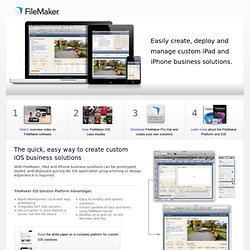
2012 screencasting resources. Reading & Writing Activities/Resources in a 1:1 Environment. CoolToolsfor21stCenturyLearners - ICE 2012. Pro and FileMaker Go. This comprehensive development environment allows you to: Design and build stunning iOS solutions Integrate mobile solutions into existing enterprise and departmental systems Easily deploy and update as requirements evolve Secure and manage using industry standard authentication The quick, easy way to create custom iOS business solutions.
How to create a multimedia presentation. Multimedia presentation A multimedia presentation differs from a normal presentation in that it contains some form of animation or media.
Typically a multimedia presentation contains at least one of the following elements: Video or movie clipAnimationSound (this could be a voice-over, background music or sound clips)Navigation structure Choice of multimedia presentation technology The first – and hardest – part is to choose the technology for your presentation. 2012 screencasting resources.
Technology News And Reviews. Springfield, IL: Home. Evaluating multimedia presentations. I don’t like PowerPoint.
I’m happy to admit that; in fact I proclaim it loudly whenever I have the opportunity. PowerPoint became popular because it made presentations easy, but I would argue that it makes them too easy, encouraging and enabling presenters to dumb down what they have to say, letting the slides speak for them and condensing complicated arguments into simplistic bullet points from which the audience is continually distracted by a jumble of irrelevant images, sounds, and animations. It doesn’t have to be this way — and if we’re going to use PowerPoint in the classroom, we can’t allow it to be this way. It’s possible to use PowerPoint as part of a presentation that is thoughtful, educational, and encouraging of higher-order thinking, that gives students a chance to apply, synthesize, and evaluate information rather than merely reciting it, that opens the door to debate rather than closing it.