
DLMoeller
Teacher of 31 years.15 years in Ag Ed & 20 years as Comp. Instructor/ Tech Coord/ TI. M.Ed - SDSU. Farm on the side. Likes Disk golf, softball and Senior Games.
Edmodo. 21st century. Web tools. Dropbox. Atomic learning. How to Teach Internet Safety to Younger Elementary Students. A few years ago, I wrote a post called “Teaching Digital Citizenship in the Elementary Classroom.”
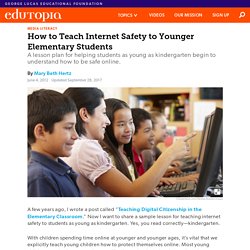
Now I want to share a sample lesson for teaching internet safety to students as young as kindergarten. Yes, you read correctly—kindergarten. With children spending time online at younger and younger ages, it’s vital that we explicitly teach young children how to protect themselves online. Most young children get the “stranger danger” talk at school, so they know about how to handle strangers in their neighborhood and in face-to-face situations. There are three considerations when addressing internet safety with these students. Protecting Private Information Online. A new way to learn. Tutpup - play, compete, learn. Education - Resources - Information Technology. 50 Web 2.0 Sites for Schools. 6 Free Tools to Easily Cite Resources for Students and Researchers.
Citing resources is an important skill for the 21st century students and for any other learner or researcher.
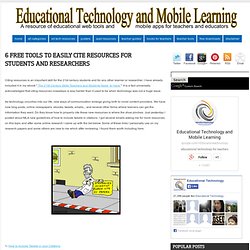
I have already included it in my ebook " The 21St Century Skills Teachers and Students Need to Have ". Internet Catalogue. Wind Map. An invisible, ancient source of energy surrounds us—energy that powered the first explorations of the world, and that may be a key to the future.

This map shows you the delicate tracery of wind flowing over the US. The wind map is a personal art project, not associated with any company. We've done our best to make this as accurate as possible, but can't make any guarantees about the correctness of the data or our software. Please do not use the map or its data to fly a plane, sail a boat, or fight wildfires :-) If the map is missing or seems slow, we recommend the latest Chrome browser. Surface wind data comes from the National Digital Forecast Database. Homepage. Education Program - Free Digital Storytelling Software for Educators. At Mixbook, we offer discounts for bulk and volume custom yearbook orders for Elementary School Yearbooks, Middle School Yearbooks, High School Yearbooks, as well as education centers and academic programs.

Transform your sports team, student and school photos into lasting memories with our premium, professional quality custom school yearbooks. Whether you’re looking to capture the baseball team photos, create a custom school yearbook or class project photo book, or celebrate your student’s art projects in a class calendar, Mixbook has hundreds of unique and easy to create photo products that can be customized to your heart’s content. Creating photo keepsakes for your students and teachers has never been easier than with the Mixbook editor. Simply upload your photos, invite others to contribute, and start creating your project today! » 50 Tools that didn’t quite make the 2011 Top 100 Tools for Learning List Learning in the Social Workplace.
CBSSports. Kids and video games: Why children should play more. Parents, politicians, and educators often criticize video games as a waste of time that distract kids from healthier activities such as school, outdoor play, sports, and community service.
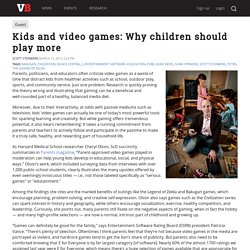
Just one problem: Research is quickly proving the theory wrong and illustrating that gaming can be a beneficial and well-rounded part of a healthy, balanced media diet. Moreover, due to their interactivity, at odds with passive mediums such as television, kids’ video games can actually be one of today’s most powerful tools for sparking learning and creativity. But while gaming offers tremendous potential, it also bears remembering: It takes a running commitment from parents and teachers to actively follow and participate in the pastime to make it a truly safe, healthy, and rewarding part of household life. Among the findings she cites are the marked benefits of outings like the Legend of Zelda and Bakugan games, which encourage planning, problem solving, and creative self-expression.
Video Archive By Category. MacMost includes more than 900 free video tutorials on how to use your Mac, iPad, iPhone and other Apple technology.
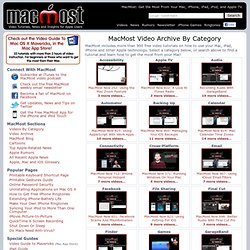
Select a category below, or search above to find a tutorial and learn how to get the most from your Mac! SchoolTube - Video Sharing For Students & Teachers. 35 Sources for Curated Educational Videos. Like explorers approaching an unfamiliar landscape, teachers who are ready to take the plunge into flipped classrooms and blended learning often approach the opportunity with a mix of excitement and trepidation.
Just dipping a toe into the virtual waters of online content can be overwhelming, and there’s a risk that even the most fearless educator can become paralyzed by the bottomless depths of content and endless pools of resources. While many teachers begin by creating their own content and videos, most start by sifting through free online sources.
Technology Integration Matrix. K12 Education: 21st Century Skills PD, Technology Integration Resources and Software Training and Support. Evernote. The Epic Evernote Experiment. I will be keeping a running journal of all things Evernote as I roll out a complete Evernote Environment in my classes that will be utilizing a class set of iPads.
I'm excited to see where this takes me and I cannot wait to see how my students use Evernote. Stay tuned for more updated as I move closer to the school year. Post 1: It Begins... Hello everyone!
Pearltrees videos. Getting started. Standards. Back 40 Wiki. 20 Common Grammar Mistakes That (Almost) Everyone Makes. I’ve edited a monthly magazine for more than six years, and it’s a job that’s come with more frustration than reward.
If there’s one thing I am grateful for — and it sure isn’t the pay — it’s that my work has allowed endless time to hone my craft to Louis Skolnick levels of grammar geekery. As someone who slings red ink for a living, let me tell you: grammar is an ultra-micro component in the larger picture; it lies somewhere in the final steps of the editing trail; and as such it’s an overrated quasi-irrelevancy in the creative process, perpetuated into importance primarily by bitter nerds who accumulate tweed jackets and crippling inferiority complexes.
Home.
Educational Technology and Mobile Learning: Teachers Easy Guide to The Most Important Web Tools in Education. Aggregate, Curate and Create Your Own Textbook. The Journal's article: 5K-12 Ed Tech Trends for 2012 includes: ‘Beyond the Digital Textbook’ as one of the trends with the premise of adding interactivity to digital versions of textbooks.
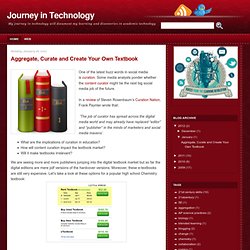
Apple has now partnered with the major textbook publishers with the newly unveiled iBooks Textbooks. There are a handful of textbooks available through iTunes at about $15. These books are constrained to be viewed using iBooks 2 in an iPad with Apple iOS 5. Moreover, it looks like Apple's new products do not allow social interactivity and collaboration. Several concerns about Apple's new enterprise have been voiced in the blogosphere.
Free Social Teaching and Learning Network focused solely on education. Flipped. Edupln. Merit pay. My Island View. Teaching: Prepare and Connect. Goal: Professional educators will be supported individually and in teams by technology that connects them to data, content, resources, expertise, and learning experiences that can empower and inspire them to provide more effective teaching for all learners. Teaching today is practiced mostly in isolation. Many educators work alone, with little interaction with professional colleagues or experts in the outside world.
Professional development typically is provided in short, fragmented, and episodic workshops that offer little opportunity to integrate learning into practice. A classroom educator's primary job is understood to be covering the assigned content and ensuring that students test well. Many educators do not have the information, the time, or the incentives to continuously improve their professional practice from year to year. Not surprisingly, half of freshly minted teachers leave the profession within the first five years (Ingersoll and Smith 2003). Figure 3. Teachers.tv. A Teacher's Letter to Obama: A Lesson in Irony. Dear President Obama, I am half a year into my twentieth year of teaching here in Florida.