
Website Templates. Introducing Typekit. When we started Small Batch Inc. last year, our goal was to explore what’s now possible on the web.
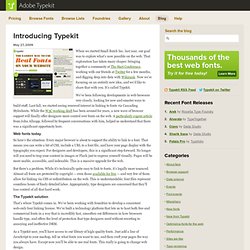
That exploration has taken many shapes: bringing together a community at The Start Conference, working with our friends at Twitter for a few months, and digging deep into data with Wikirank. Now we’re focusing on an entirely new idea, and we’d like to share that with you. It’s called Typekit. We’ve been following developments in web browsers very closely, looking for new and smarter ways to build stuff.
Last fall, we started seeing renewed interest in linking to fonts via Cascading Stylesheets. Web fonts today So here’s the situation: Every major browser is about to support the ability to link to a font. But there’s a problem. On Web Typography. There are many books and articles on typography, but considerably few explore typeface selection and pairing.

With the floodgates poised to open and the promise of many typefaces being freed up for use on websites, choosing the right face to complement a website’s design will need to become another notch in the designer’s belt. But where do we start? Article Continues Below Until now, using any typefaces beyond those installed with computer operating systems by default meant using images, Flash, or some other workaround.
But browser makers have put the ball in our court by implementing the @font-face CSS property, which allows designers to link to any font file and pull it into their pages. This exposed the elephant in the type foundry: Type makers have largely refused to license their raw typefaces on webpages out of concerns about piracy. Brave new world#section1 We’ve been spoiled. The technical problems with web type also run deep. Context and meaning#section2 Picky, picky#section3. Type is the backbone of good web design.
Ever since launching my Information Portfolio, BrianHoff.net, I’ve received many emails with similar variations to the question “How do I become better with typography on the web?”
Or “Why does your type look nice on your site?” Below are a few techniques I generally go with when styling my type and aspects I considered and incorporated while designing BrianHoff.net. Line height First off if you are not specifying your type size in ems you should be. “The results show that, across all browsers, text at the medium browser setting is rendered identically to text set in pixels. Another reason I set my type in ems is because it’s easy to find a good line height, which I usually set as 1.5em. Your CSS should look something like this: All caps and small caps Whether you are dealing with print or web, a string of capital or small capped letters should have some additional letterspacing. I’ve always used a 1px letterspacing for most all caps and small cap type — it’s a nice balance on the web.