
Processing/Arduino application step-by-step. Coding and the API For code and programming questions, pose them to the Xively community on Stack Overflow.

Many of our engineers actively participate in responding to questions there, alongside topic experts in various programming languages and hardware platforms under the 'Xively' tag. It's a great place to troubleshoot code you’ve been working on, and look for related questions. For technical questions that don't contain code and aren't answered by the API Docs, check the FAQs under 'Using Xively'. Arduino + Processing: Make a Radar Screen to Visualise Sensor Data from SRF-05 – Part 2: Visualising the Data. This is where all the work is done to read an interpret the values from the servo and the sensor.
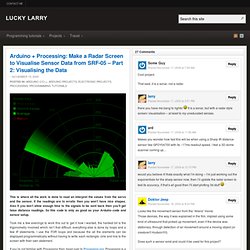
If the readings are to erratic then you won’t have nice shapes. Also if you don’t allow enough time to the signals to be sent back then you’ll get false distance readings. Serial communication with Arduino and Processing: simple examples and an Arduino based gamepad interfacing with Processing. Last updated on Mon, 2010-07-26 13:42.
Originally submitted by fabio on 2010-07-24 18:46. In this blog post, I'll describe Arduino serial communication capabilities. I'll provide simple examples of Arduino programs which use the serial interface to communicate with other devices, mostly a PC. I'll show you how to read and write data on a Serial interface and we'll also interface Arduino with a simple Processing program, a super simple video game. Arduino and Serial communication.