
70 Things Every Computer Geek Should Know. The term ‘geek’, once used to label a circus freak, has morphed in meaning over the years. What was once an unusual profession transferred into a word indicating social awkwardness. As time has gone on, the word has yet again morphed to indicate a new type of individual: someone who is obsessive over one (or more) particular subjects, whether it be science, photography, electronics, computers, media, or any other field. A geek is one who isn’t satisfied knowing only the surface facts, but instead has a visceral desire to learn everything possible about a particular subject. A techie geek is usually one who knows a little about everything, and is thus the person family and friends turn to whenever they have a question.
If you’re that type of person and are looking for a few extra skills to pick up, or if you’re a newbie aiming to get a handhold on the honor that is geekhood, read on to find out what skills you need to know. How to become a real computer Geek? You may get the answer here: iOS jailbreaking. Restoring a device with iTunes removes the jailbreak.[6][7][8] Reasons for jailbreaking[edit] One of the reasons for jailbreaking is to expand the feature set limited by Apple and its App Store.[9][dubious ] Apple checks apps for compliance with its iOS Developer Program License Agreement before accepting them for distribution in the App Store.[10] However, their reasons for banning apps are not limited to safety and security and may be construed as arbitrary and capricious.[11] To access the list of banned apps,[12] users rely on jailbreaking to circumvent Apple's censorship of content and features.
Jailbreaking permits the downloading of programs not approved by Apple,[13] such as customization apps used to change the User Interface. Use of handset on multiple carriers[edit] Early exploit fixes[edit] On July 15, 2011, Apple released a new version of iOS that closed the exploit used in JailbreakMe 3.0. Device customization[edit] Security, privacy, and stability[edit] "Jailbreaking" vs.
50 really useful iPad tips and tricks. With great new features like two video cameras, a faster processor and a Retina display, the new iPad is the world's best tablet device.
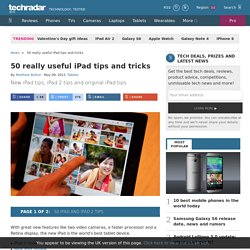
It's also fully capable of running the latest version of Apple's iOS operating system and great apps like iMovie and GarageBand. Here we present 50 really useful iPad tips. We cover everything from customising your Home screen through to getting more from built-in apps like Mail and Safari. 10 best tablet PCs in the world today The vast majority of these tips will also work on the original iPad and iPad 2, so owners of any generation of iPad shouldn't feel neglected. For 50 more iPad tips, check out a new iPad app called 100 Tricks & Tips for iPad 2, brought to you by our colleagues on MacFormat. 1. iOS now supports folders. Your iPad will create a folder with both the apps in. 2. Double-clicking the Home button shows you all the apps that are running on your iPad in a bar along the bottom of the screen. 3. 4. 5. 6. 7. The iPad supports a VPN connection.