
Introducing $(document).ready() This is the first thing to learn about jQuery: If you want an event to work on your page, you should call it inside the $(document).ready() function.

Everything inside it will load as soon as the DOM is loaded and before the page contents are loaded. JavaScript: $(document).ready(function(){ // put all your jQuery goodness in here. UI.Layout Plug-in - Documentation. These instructions are for the current release version, 1.2.0.

For assistance with beta or release candidate versions, or for questions or problems not addressed by this documentation or the tips page, visit the UI Layout discussion group: Overview UI Layout creates a 'page-layout' with an auto-sizing 'center pane' surrounded by up to four collapsible and resizable 'border panes' (north, south, east & west). It can also create multiple headers & footers inside each pane. For more complex layouts, you can nest layouts within layouts. Layouts are created from existing elements (divs, iframes, etc), so will degrade gracefully.
HTML-Graphs Example. Tabs Demos. Selectors. 5.1 Pattern matching In CSS, pattern matching rules determine which style rules apply to elements in the document tree.
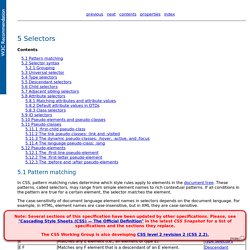
These patterns, called selectors, may range from simple element names to rich contextual patterns. If all conditions in the pattern are true for a certain element, the selector matches the element. The case-sensitivity of document language element names in selectors depends on the document language. The following table summarizes CSS 2.1 selector syntax: 5.2 Selector syntax simple selector is either a type selector or universal selector followed immediately by zero or more attribute selectors, ID selectors, or pseudo-classes, in any order.
CSS Message Box collection. Message boxes are useful elements to display status messages after or during a specific user request.

Some days ago I wrote this post about how to implement a nice Ajax chains of effects (fade in, delay, fade out) for a common message box using mootools. Today I want to share with you a collection of some simple CSS styles you can apply to your message boxes (clean, solid, iconized, alternated rounded borders, tooltip). I added also a link to download a beautiful icon pack to use in your projects to design custom message box or other graphic elements.
Download message box collection source code Clean message box I love clean and simple design and in general this is my preferred message box style: a border (1px) and a light background color: Using jQuery Validation in ASP.NET Master Pages. Web and .NET Development Tutorials for Developers. With the jQuery product Infragistics envisioned business intelligence and data visualization across a range of platforms, not just one – more like every single one of them. Built on popular and largely supported HTML5 and jQuery UI and striving to provide a comprehensive toolset for development of performant and stylish applications that are to run on every device regardless of the OS. On top of that ‘mobile' was a subtle, yet dominant theme across our product line with the latest release. Touch support and metro themes everywhere!
But there’s more to it – the jQuery UI is awesome and will run on just about any modern browser, yet it was not specifically designed for mobile devices, not until recently anyway! HTML Lists. .NET - Using jQuery with ASP.NET - A Beginner's Guide. Scott Hanselman - Scott Hanselman's 2009 Ultimate Developer and Power Users Tool List for Windows. jQuery BlockUI Plugin - Theme Demo w/jQuery UI. Inclusion of JavaScript Files.
I've been thinking a bit about JavaScript inclusion in the last few weeks as I've been working on quite a few different Web projects that use a fair bit of JavaScript functionality.

One thing that I'm still trying to feel good about is how JavaScript is included into pages. There are a number of different ways that script embedding can be done especially with ASP.NET and none of them are really perfect. So what's the Problem? The issue is plain and simple, how do you deal with JavaScript inclusion into the page given that you have a fair number of JavaScript files that are bound to change frequently and across multiple projects/applications? Client Templating with jQuery. jQuery makes it pretty easy to manipulate client side elements, so it’s not all that often that I think about using something like client side templating to get content loaded into pages.

However, recently I have been working on a few apps that had fairly complex list based layouts and it started getting tedious to use manual code to update all the items. Further doing it by hand can be brittle if your layout changes as you have to keep the layout and the update code in sync. 10 Useful jQuery Plugins and Techniques. jQuery is great for enhancing a website.

Whether it be by adding effects that give the site a wow factor, or by making navigation easier, jQuery can have a big impact on the way a website is perceived and used. jQuery is extremely popular among web designers and developers for it’s flexibility, ease-of-use, and of course it’s plugins. So for this post, we’ve rounded up 10 more jQuery plugins and techniques that you should find very useful.
Supersized 3.0 Plugin This plugin produces a full screen slideshow complete with transitions, preloading, and navigation controls. Apple-like Retina Effect. jQuery.validity Guide & Documentation. Table of Contents: Introduction: jQuery.validity is a plugin designed to aid in the configuration of clientside form-validation.

Validity was concieved with three goals: Easy Setup: Validity employs the principle of Convention Over Configuration to aid in keeping code manageable and semantic. Create A Tabbed Interface Using jQuery. Creating tabbed interfaces suddenly becomes a piece-of-cake when using the Tabs function in the jQuery UI library.

It can be utilized to create completely unique interfaces without having to be a coding God - using only one line of code! Step 1 – The Basics In order to create our jQuery effects later in this tutorial, you will first need the latest jQuery library, and jQuery UI with the ‘Core’ and ‘Tabs’ elements. If you’d prefer, you can take these files from this tutorial’s source files. 10 Rules for effective use of CSS in ASP.NET « Nima Dilmaghani’s Technology Blog. Becoming standards compliant, effective, and successful when using Cascading Style Sheets (CSS) with ASP.NET is not always obvious, straightforward or easy.

Here I am putting together a series of tips and best practices that can help you on the way. Always prefer CSS over ASP.NET’s Skins for the following reasons: CSS is a well accepted standard.Designers understand CSS but may not understand ASP.NET’s proprietary mechanisms.Skins lead to Classitis.