
The Best Free System Software for PC - Waterfox. Fences - Windows Desktop Organization Software - Waterfox. RKill Download. Screenshots for RKill BleepingComputer Review: RKill is a program that was developed at BleepingComputer.com that attempts to terminate known malware processes so that your normal security software can then run and clean your computer of infections.
When RKill runs it will kill malware processes and then removes incorrect executable associations and fixes policies that stop us from using certain tools. When finished it will display a log file that shows the processes that were terminated while the program was running. As RKill only terminates a program's running process, and does not delete any files, after running it you should not reboot your computer as any malware processes that are configured to start automatically will just be started again.
Below are a list of RKill download links using different filenames. For more information about RKill and to ask questions regarding how it should be used, please visit the support topic here: Visitors Also Liked: TDSSKiller Download. BleepingComputer Review: TDSSKiller is a utility created by Kaspersky Labs that is designed to remove the TDSS rootkit.
This rootkit is know under other names such as Rootkit.Win32.TDSS, Tidserv, TDSServ, and Alureon. TDSSKiller will also attempt to remove other rootkits such as the ZeroAccess or ZeroAccess rootkit if it is detected. A rootkit is a malware program that is designed to hide itself or other computer infections on your computer. These types of programs are typically harder to remove than generic malware, which is the reason that stand-alone utilities such as TDSSKiller have been developed.
Usage Instructions TDSSKiller can be downloaded as an EXE or a ZIP file that contains the executable. It is important to note that many rootkits target the name of the TDSSKiller executable so that it is terminated when you attempt to run it. TDSSKiller has the following command-line arguments: MalwareBytes Root-kit Beta. Malwarebytes Anti-Malware.
CNET Editors' review Malwarebytes Anti-Malware 2.0 is a substantial update to the famed malware-killing machine.
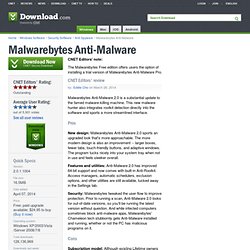
This new malware hunter also integrates rootkit detection directly into the software and sports a more streamlined interface. Pros New design: Malwarebytes Anti-Malware 2.0 sports an upgraded look that's more approachable. The more modern design is also an improvement -- larger boxes, fewer tabs, touch-friendly buttons, and adaptive windows. Features and utilities: Anti-Malware 2.0 has improved 64-bit support and now comes with built-in Anti-Rootkit.
Security: Malwarebytes tweaked the user flow to improve protection. Cons Subscription model: Although existing Lifetime owners will be grandfathered in, new users who want the premium version must get an annual subscription. Bottom Line Malwarebytes Anti-Malware 2.0 maintains its excellent track record as a strong anti-malware application. From Malwarebytes: What's new in this version: Avast Anti-Virus. ComboFix Download. Screenshots for ComboFix BleepingComputer Review: ComboFix is a program, created by sUBs, that scans your computer for known malware, and when found, attempts to clean these infections automatically. In addition to being able to remove a large amount of the most common and current malware, ComboFix also displays a report that can be used by trained helpers to remove malware that is not automatically removed by the program.
Please note that running this program without supervision can cause your computer to not operate correctly. Therefore only run this program at the request of an experienced helper. This program works with Windows 8, but not Windows 8.1 at this time! For those who wish to help finance the author's work, he is accepting contributions via Paypal. For a more detailed information on how to use ComboFix and sites that you can receive malware removal help, please visit the following page to see the ComboFix guide in multiple languages: ComboFix Guide Index Visitors Also Liked: