
Metadata-Viewer Preset Editor Lightroom Plugin. This plugin allows you to create and edit tagset presets for Lightroom's metadata viewer.
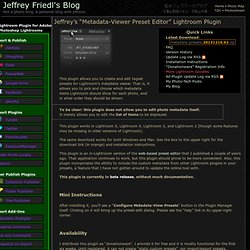
That is, it allows you to pick and choose which metadata items Lightroom should show for each photo, and in what order they should be shown. To be clear: this plugin does not allow you to edit photo metadata itself.It merely allows you to edit the list of items to be displayed. This plugin works in Lightroom 5,Lightroom 4,Lightroom 3, and Lightroom 2 (though some features may be missing in older versions of Lightroom).
The same download works for both Windows and Mac. See the box to the upper right for the download link (in orange) and installation instructions. This plugin is an in-Lightroom version of the web-based preset editor that I published a couple of years ago. This plugin is currently in beta release, without much documentation. Mini Instructions After installing it, you'll see a “Configure Metadata-View Presets” button in the Plugin Manager itself. Availability. Deshaker - video stabilizer. Installation Download Deshaker using either link below and place the vdf file in the VirtualDub plugin directory and (re)start VirtualDub.
Deshaker 32-bit (for 32-bit VirtualDub on any Windows) Deshaker 64-bit (for 64-bit VirtualDub on 64-bit Windows) (Keep in mind that many codecs etc. are 32-bit only and those can't be used in 64-bit VirtualDub. But 64-bit Deshaker will let you use all available memory, which comes in handy for the memory hungry Previous and future frames to fill in borders option.
There's also a 4GB patch you can use on the 32-bit VirtualDub.exe file to be able to use more memory. I strongly recommend using VirtualDub version 1.9.9 or later for Deshaker version 2.5 or later. If you have any problems or questions, please start by reading the FAQ below. The Short Guide These are the minimum number of steps you must make in order to stabilize a video clip: Open your video clip in VirtualDub (menu: File/Open video file). The Long Guide. JbgMap. JBG Map - A Google Map Pixelpost Add-on JBG Map, version 1.0jbgMap ManualPixelPost Forum DiscussionSee it in action!

JbgMap is a robust Google Map addon that puts a great amount of control in your hands. And most importantly: It doesn't matter if your images have embedded GPS data or not. jbgMap is short for JB Google Map or Jon Bulava's Google Map (for lack of a better title). The administration side allows the owner to navigate a Google Map and manually place a marker where each picture was taken. Using it is that simple. Some screenshots: Full map view. Satellite view with default Google markers. Map view with thumbnail image markers. Some admin settings. Map used to give images a position. Copyright © 2006 Jon Bulava < License: This program is free software; you can redistribute it and/or modify it under the terms of the GNU General Public License as published by the Free Software Foundation; either version 2 of the License, or any later version.