
Collaborating in the classroom with the OneNote Class Notebook Creator. The Flipped Classroom: Turning the Traditional Classroom on its Head. 1. Overview. Student Training Overview Posted on 07 September 2011.

Welcome to Student Training! All of the information that teachers and students need for student training is located on this page > student training tab. Student training covers 9 major topics that will support students use of laptops in the classroom. Each topic on this page contains direction downloads, screencasts, and assessments. Topics: Laptop BasicsDigital OrganizationDesktop SyncCode of ConductInternet SafetyeLearning ResourcesPrinting (refer to your school’s printing policy)Software CenterWeb Browsers Implementation: Schools will create and implement a schedule that best supports their needs. Take a Tour: Student Training Overview from Joy McDonald on Vimeo. Free Video Converter.
Pecha Kucha. Speaker at a PechaKucha Night event in Cluj-Napoca, Romania PechaKucha or Pecha Kucha (Japanese: ペチャクチャ, IPA: [petɕa ku͍̥tɕa],[1] chit-chat) is a presentation style in which 20 slides are shown for 20 seconds each (6 minutes and 40 seconds in total).
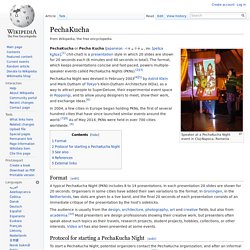
The format, which keeps presentations concise and fast-paced, powers multiple-speaker events called PechaKucha Nights (PKNs).[2][3] PechaKucha Night was devised in February 2003[4][5] by Astrid Klein and Mark Dytham of Tokyo's Klein-Dytham Architecture (KDa), as a way to attract people to SuperDeluxe, their experimental event space in Roppongi, and to allow young designers to meet, show their work, and exchange ideas.[6] In 2004, a few cities in Europe began holding PKNs, the first of several hundred cities that have since launched similar events around the world.[7][8] As of May 2014, PKNs were held in over 700 cities worldwide. [9] Format[edit] Protocol for starting a PechaKucha Night[edit] See also[edit] References[edit] External links[edit]
Upload & Share Presentations Online. QR Codes. PDF to Flash page flip - flipping book software. Ahead.com (Prezi Like tool) Create A Face Online! Make Your Own Character Online, Create A Virtual Person. Your Caricature, Caricature Drawings From Photos. Spiceworks Free Network Management Software.
Symbaloo. Passage Bank - Searchable Reading Passages for Assessment and Instruction. Scale of the Universe. Issuu - You Publish. TodaysMeet. Design Thinking for Educators. Movie Maker. Online and Mobile Video Presentations. World's Best Way to Make & Share Comics. In Education: Academic discounts, education resources, and IT solutions. Free products and services for teachers. BannerSnack. Online survey software, web poll & questionnaire tool.
20 Innovative Education Technology Pinterest Boards. Pinterest and education go hand in hand. If you haven’t started using the popular social bookmarking site, you may want to give it a try during your break this week. What better time to discover new and exciting resources from teachers, admins, and students around the world? See Also: The 20 Best Pinterest Boards About Education Technology We try to keep a regular flow of Pinterest boards on Edudemic. As you can see from the article linked above, there’s no shortage of interesting boards you can follow, repin, and learn from. Below is a list of all the education technology boards submitted to Edudemic over the past few months. Want to add your Pinterest board to the list? Don’t forget to check out the Edudemic Pinterest boards where you can keep track of all the stuff we’re up to. The 20+ Education Technology Pinterest Boards I thought it might be fun to take a screenshot of what some of the boards look like at the time of this writing.
F-I-T In Class Stanford EdTech Alan Natachu Fiske Class. Gantter - web-based project scheduling made easy. Block Posters - Create large wall posters from any image for free!