
Geek to Live: Incorporate text files onto your desktop. Emerge Alternative Shell Clears Your Desktop. Five Best Desktop Customization Tools. SExpandClick to viewIt's crazy to think that an operating system can fit every user's needs out of the box, even if we are just talking about looks.
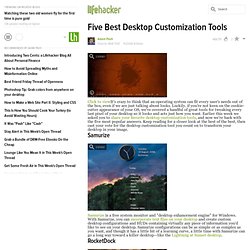
Luckily, if you're not keen on the cookie-cutter appearance of your OS, we've covered a handful of great tools for tweaking every last pixel of your desktop so it looks and acts just how you want. Earlier this week we asked you to share your favorite desktop customization tools, and now we're back with the five most popular answers. Keep reading for a closer look at the best of the best, then cast your vote for the desktop customization tool you count on to transform your desktop in your image. SamurizeP SExpandSamurize is a free system monitor and "desktop enhancement engine" for Windows. Roll Your Own Lightning at Sunset Desktop. @CheesyJedi: Heh, I was afraid that one might gain some popularity.
Here's the wallpaper. The black borders are actually still included in the "Enigma" package; they're just hidden. All you have to do is increase the Alpha Blending value of the elements Bottom and Bottom Line to 192, and of Side and Side Line, to 163. @splttingatms: Most of that sheet is specific to my personal desktop, but you're welcome to take what you want.